10 Best Webinar Platforms for Sales Teams in 2026

Casey Zeman
Published on Sep 8, 2026 • 44 min read

TL;DR
- Ten webinar platforms ranked for sales teams in 2026: EasyWebinar, Demio, Livestorm, ON24, Zoom Webinars, GoTo Webinar, BigMarker, WebinarJam, Contrast, and StreamYard.
- Scoring weighted CRM and pipeline depth at 25% and in-webinar conversion at 25%, because stable streaming is table stakes and revenue steps are not.
- A sales-grade platform passes four tests: branded registration, timed in-room offers, per-attendee CRM records, and same-day rep routing.
- Benchmarks to plan against: 41.6% median registrant-to-attendee, 38% attended-to-MQL in 14 days, 11.2% attended-to-pipeline, and $612 revenue per attended attendee.
- Native CRM beats bolt-on integration. Zoom users report Marketo sync failures, and Demio users report needing several Zaps for accurate HubSpot flow.
- Pricing runs $44 to $349 monthly by attendee tier, and enterprise procurement adds SOC 2 Type II, GDPR, SSO, and API documentation as pass or fail gates.
Q1. What Are the 10 Best Webinar Platforms for Sales Teams in 2026?
The 10 best webinar platforms for sales teams in 2026 are EasyWebinar, Demio, Livestorm, ON24, Zoom Webinars, GoTo Webinar, BigMarker, WebinarJam, Contrast, and StreamYard. EasyWebinar ranks first because it runs live, simulated live, and timezone-adjusted evergreen sessions from one setup, then writes attendee actions into a built-in CRM, so a registrant becomes a worked lead inside a single system.
- EasyWebinar
- Demio
- Livestorm
- ON24
- Zoom Webinars
- GoTo Webinar
- BigMarker
- WebinarJam
- Contrast
- StreamYard
Picking a webinar platform is a pipeline decision, not a video decision. The wrong choice locks your registrant data behind a subscription, or forces a Zapier hop between an offer click and a rep call. We evaluated 10 vendors against eight defined criteria. The daily operator here is the demand-gen or sales enablement lead who builds the funnel and runs the room on Wednesday at 2pm. The shadow readers on the buying committee are the Revenue Leader approving the spend, the RevOps lead checking CRM field mapping, the CFO validating stack consolidation, and the IT Director asking for SOC 2 and SSO documentation.
📌 Why I stopped trusting "best webinar software" lists
I spent six months building a YouTube course. It sold zero copies. The first webinar I ran for that same course outsold six months of passive marketing in ninety minutes.
That taught me something most roundups miss. The room is where the sale happens, not the funnel around it. So this guide scores platforms on what happens inside the room and in the 48 hours after, not on streaming bitrate.
Our Evaluation Criteria
Webinar format coverage 🎥
Whether the platform supports live, simulated live, automated, evergreen, just-in-time, and on-demand replay from one setup.
Time to launch ⏰
How long it takes to build registration pages, thank-you pages, replay pages, and automation without a developer.
Engagement depth 💬
Chat, polls, Q&A, handouts, timed offers, and whether those elements survive into the replay.
Funnel and conversion workflow 🎯
Whether registration, offers, checkout, and follow-up paths live inside the platform or require external tools.
CRM and follow-up readiness 🔁
Native CRM, attendee tagging, behavioral segmentation, and the depth of Salesforce or HubSpot sync.
Monetization support 💰
Paid webinars, ticketing, in-room checkout, and payment integrations.
Analytics and attribution 📊
Visibility into registration, attendance curves, offer clicks, replay behavior, and per-attendee actions.
Reliability, support, and scale ⚙️
Streaming stability, attendee caps, SOC 2 and GDPR posture, and the support model you actually get.
Who This Guide Is For
- Coaches and course creators turning one educational session into a repeatable sales funnel.
- B2B marketing teams using webinars for lead generation and pipeline acceleration.
- Revenue operators checking whether webinar data can flow into CRM, scoring, and follow-up workflows.
- Founders and consultants replacing separate tools for hosting, landing pages, email, checkout, and follow-up.
- Buying-committee readers: CFOs validating consolidation, IT leaders checking reliability and security, and marketing heads assessing funnel performance.
1. EasyWebinar
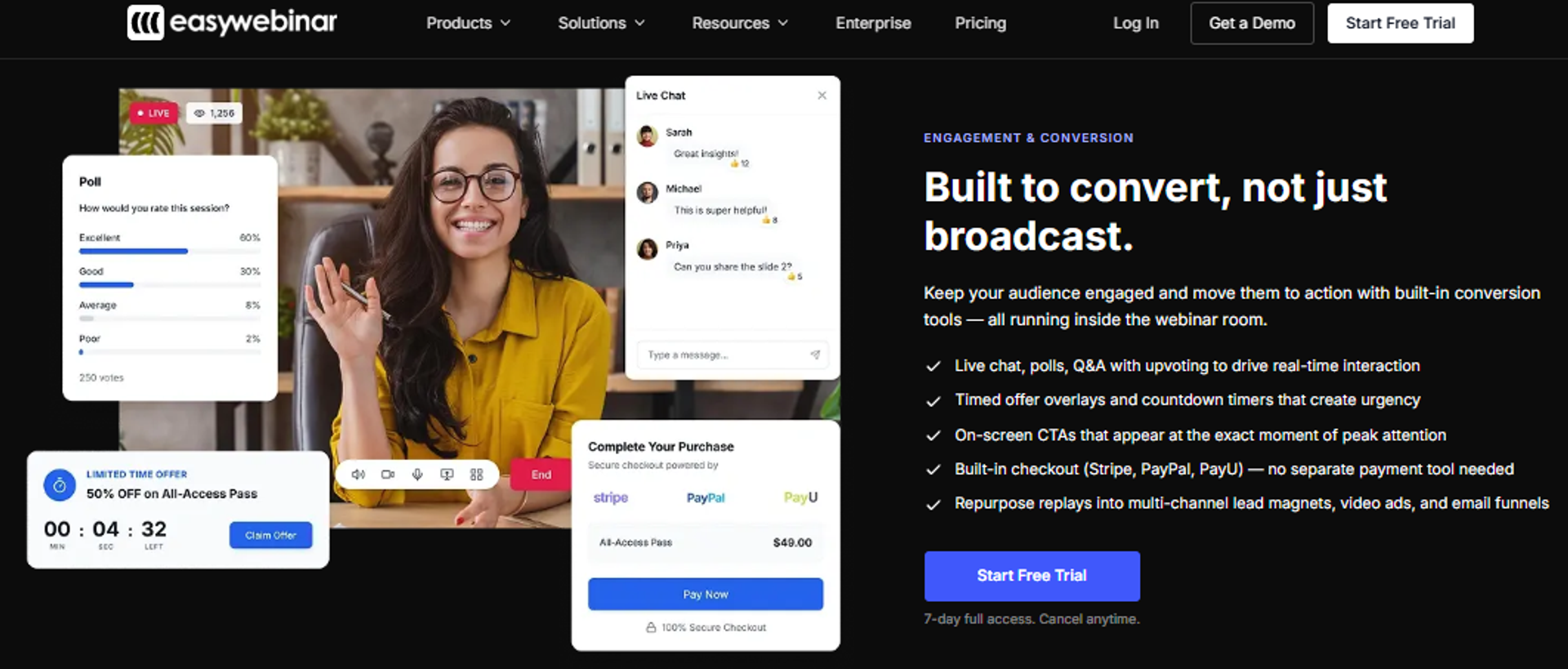
EasyWebinar is best for coaches, course creators, and small B2B sales teams that need one session to keep selling after the live date, because it combines live, simulated live, and evergreen delivery with funnel pages, in-room offers, and a built-in CRM. It may not fit buyers who need multi-track virtual conference tooling or pure internal team meetings.
Why EasyWebinar ranks #1
It ranks first on format coverage and CRM readiness, the two criteria that carry the most weight for a sales buyer. Most platforms on this list do one or the other well.
Format coverage is the clearest gap. EasyWebinar runs live, simulated live, automated, evergreen with timezone detection, just-in-time, and on-demand replay from a single event setup. WebinarJam requires a second product for automation. Zoom and StreamYard do not offer evergreen scheduling at all.
🔁 The follow-up loop is where the ranking is earned
Follow-up readiness is the second reason. Per-attendee tracking records who saw which offer, who clicked, who answered a poll, and when they left. That data feeds a built-in sales CRM rather than a CSV export.
I have watched too many teams end a strong session, then hand a flat spreadsheet to an SDR three days later. Intent does not survive that gap.
What EasyWebinar does well
- Runs one setup as both live and automated. A live and automated funnel toggle lets the same content and pages serve a Tuesday launch and an always-on funnel, which removes a full second build.
- Removes timezone friction from evergreen. Automated Gold plays a recorded session at times adjusted to each attendee's local clock, so an APAC registrant is not offered a 3am slot.
- Captures high-intent visitors immediately. Just-in-time registration presents a session starting within about 15 minutes, which is the mechanic that collapses the wait between interest and attendance.
- Sells inside the room. Multiple stacked CTA offers, each with its own countdown timer, let you run a free resource offer early and a paid offer later in the same session.
- Ships the funnel pages with the event. Registration, thank-you, join, and replay pages are auto-generated and editable in one place, so launch time drops from hours to minutes.
- Shows where attention breaks. The Event Activity Graph plots how many attendees remained at each point in the timeline, which tells you exactly where to cut or move the offer.
Where EasyWebinar falls short
- Automated setup requires the video first. You cannot open registrations for an automated session before the presentation is uploaded, which limits pre-selling a session still in production.
- Email engagement tracking is limited. Reviewers report using an outside email system for post-webinar sequences because open and click rates are not tracked natively.
- Not built for multi-track conferences. Large virtual events with parallel sessions and exhibitor booths sit outside what this platform is designed to do.
- Attendee tiers scale the price. Moving from 200 to 1,000 live attendees takes you from $116 to $349 per month, so high-volume programs should model the tier before committing.
Decision scorecard
Best for / skip if
Choose EasyWebinar if you want one session to run live this week and evergreen every week after, with attendee behavior landing somewhere a rep can act on it. Skip it if you need multi-track conference tooling, or if your webinars are internal training with no offer attached.
Reviews
Operators running evergreen at scale single it out for automation depth, with one reviewer calling it the platform built specifically to multiply a solo operator's efforts rather than just stream live.
EasyWebinar is hands-down THE webinar platform for evergreen webinars, no contest. While plenty of software can stream live webinars (and do), EasyWebinar is the only one on the market who makes a product built specifically to scale and 10X your efforts.- Ash A., 5/5, EasyWebinar G2 - Verified Review
A 4.5-star reviewer praised reusable monthly setups and native analytics, but flagged that post-webinar email open and click rates are not trackable in-platform, which pushed her to a separate email tool.
I do use other email systems to send post-webinar email sequences because I can't track open and click rates on EasyWebinar.- Eliza W., 4.5/5, EasyWebinar G2 - Verified Review
2. Demio
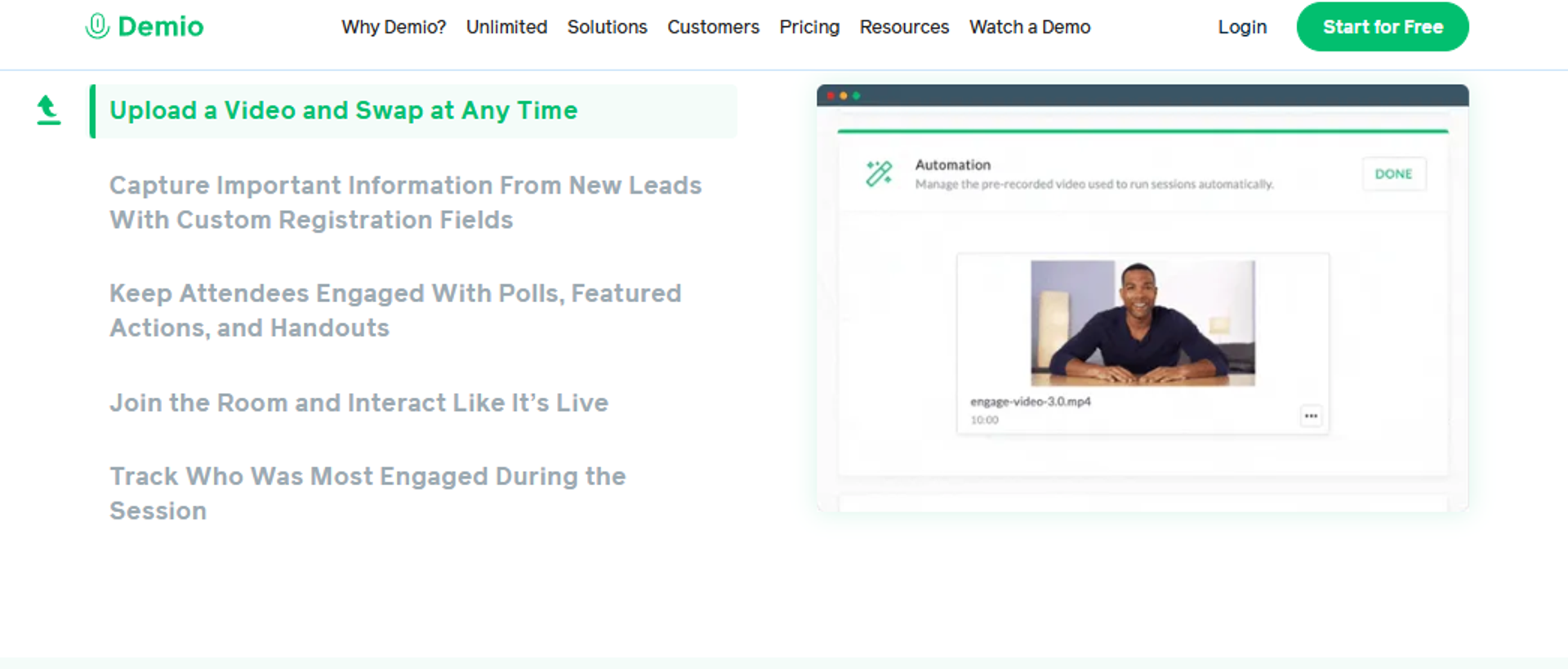
Demio is best for marketing teams that need clean, fast live sessions on top of a CRM they already own, because it gets a registration page and a preloaded room live in minutes. It may not fit teams that need deep CRM sync or guaranteed access to their own registrant data after cancellation. Buyers weighing this trade-off often start with a direct EasyWebinar vs Demio breakdown.
Why Demio ranks #2
Demio earns second on time to launch and engagement depth. Operators consistently describe getting registration pages live quickly and preloading assets before the room opens.
⚠️ Where the ranking stops
It loses ground on CRM and follow-up readiness, the heaviest-weighted criterion here. One reviewer noted it did not fully integrate with their CRM, and that replays did not show the live polls and CTAs. That second detail matters more than it sounds. If your offer disappears from the replay, you lose conversion on the 52% of attendees who now watch on demand.
Monetization is the other gap. There is no in-room checkout, so a click sends the attendee to an external cart.
What Demio does well
- Cuts setup time. Registration pages and event configuration are quick enough that a marketer can spin up a session the same day.
- Preloads the room. Polls, handouts, slides, and resources can be staged before the event, so nothing is improvised live.
- Handles reminder sequences natively. Built-in confirmation and reminder emails cover the basic show-up workflow without a separate tool.
- Protects attendee privacy. Attendees can join without being visible to each other, which suits coaching and sensitive B2B sessions.
- Offers multiple event types. Live, series, and automated formats are available from one interface.
Where Demio falls short
- Data portability is restricted. A reviewer reported being unable to export registrant emails collected on a paid plan after cancelling, with support confirming the policy.
- CRM flows often need workarounds. Teams describe stitching several Zaps together to get form data into HubSpot accurately, which is why some buyers review Demio alternatives before committing.
- Replays drop engagement elements. Live polls and CTAs did not carry into the replay for at least one reviewer, which weakens on-demand conversion.
- Reliability complaints appear at the audio layer. Multiple reviewers cite echo, delay, and microphone recognition issues.
Decision scorecard
Best for / skip if
Choose Demio if your priority is a clean, fast live session and your CRM and follow-up already work elsewhere. Skip it if you need evergreen scheduling, in-room checkout, or guaranteed export of your registrant data. If you want the full field, our compare webinar platforms hub lays out the same criteria side by side.
Reviews
A reviewer rated it 0/5 after discovering she could not export registrant emails collected during a paid plan once she cancelled, with support confirming the restriction.
I used Demio to run a webinar and collected registrant emails while on a paid plan. After canceling, I was shocked to find out I couldn't export the list unless I subscribed again. Support confirmed this.- Sheida M., 0/5, Demio G2 - Verified Review
A 4-star reviewer praised how clearly the options are laid out, but noted incomplete CRM integration and that replays did not display live polls or CTAs.
It didn't fully integrate with my CRM (Highlevel) and the replay didn't show the live polls and CTAs.- Ivanhoe S., 4/5, Demio G2 - Verified Review
3. Livestorm
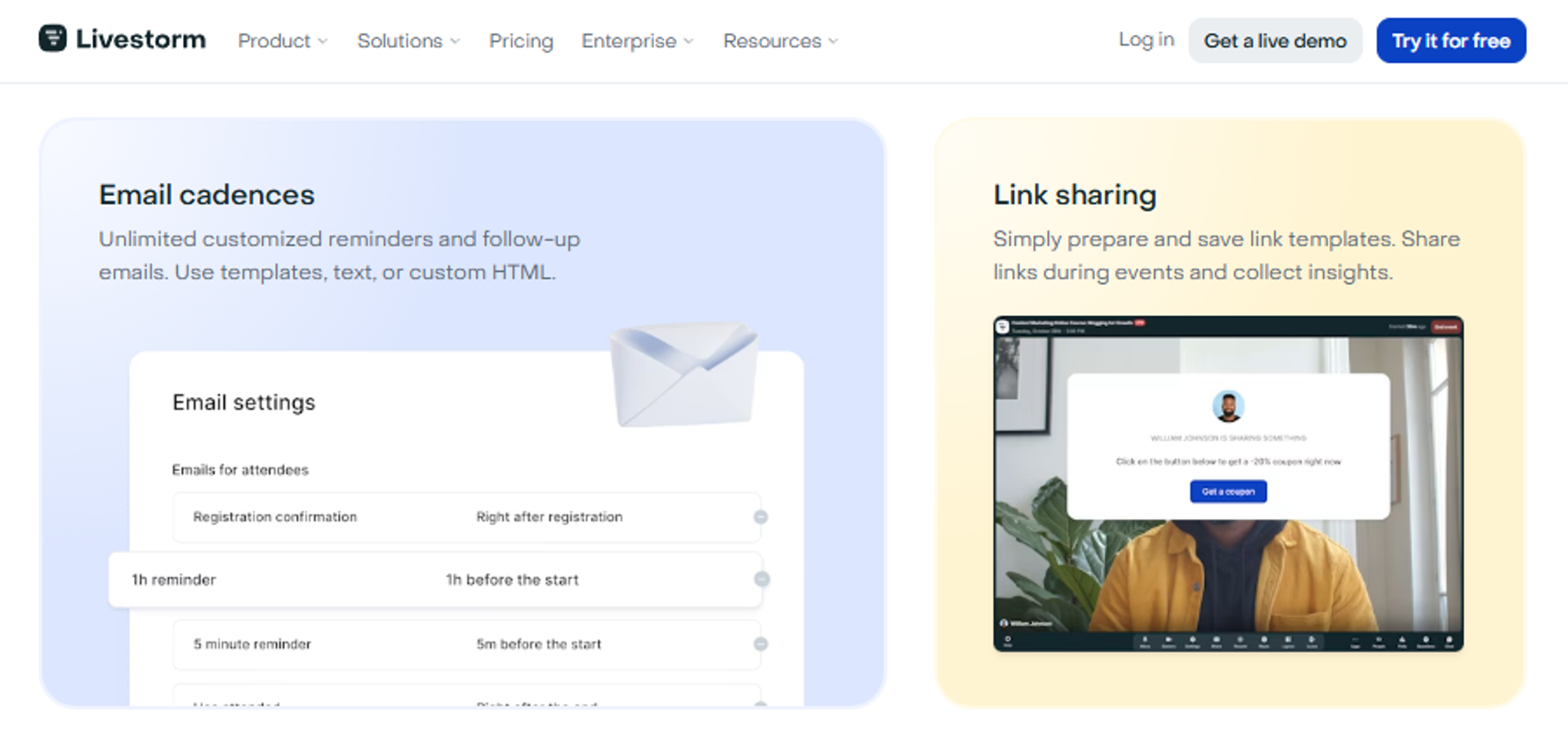
Livestorm is best for mid-market marketing and sales teams that need webinar engagement data flowing into an existing marketing automation stack, because it ships first-party connectors for Salesforce, HubSpot, Marketo, and Pardot. It may not fit operators who need evergreen scheduling or in-room checkout.
Why Livestorm ranks #3
It ranks third on CRM and follow-up readiness, which carries 25% of the weight in this guide. Registration data and engagement signals move into your automation platform without a Zapier chain.
🔁 Where the data actually lands
That matters for a specific reason. If a webinar signal cannot trigger a lead score change, your SDR never sees it in the queue.
Livestorm also handles automated webinars, which lets you replay a recorded session on a schedule. What it does not do is adjust that schedule to each visitor's local clock, which is the mechanic that separates true evergreen automation from a timed replay.
What Livestorm does well
- Syncs engagement, not just contacts. Native connectors push attendance and interaction data into Salesforce and HubSpot, so scoring rules can act on real behavior.
- Runs fully in the browser. Attendees join without installing anything, which removes a common drop-off point at the join link.
- Supports automated replays. Recorded sessions can run on a set schedule, extending one recording across several weeks.
- Keeps the interface clean. Fast setup and clear navigation lower the training cost for a marketing team rotating hosts.
- Handles multi-language teams. The platform is built for distributed European and North American teams, which suits companies running regional sessions.
Where Livestorm falls short
- No timezone-detected evergreen. Automated sessions run on your schedule, not the visitor's local time, which limits global always-on funnels.
- Conversion mechanics are thin. There is no in-room checkout, so an offer click sends the attendee to an external cart.
- Per-host pricing scales awkwardly. Adding presenters raises cost, which penalizes teams that rotate speakers across sessions.
Decision scorecard
Best for / skip if
Choose Livestorm if your CRM already runs your follow-up and you want webinar data to arrive there cleanly. Skip it if the webinar itself needs to sell, or if you want the session running while you sleep.
4. ON24
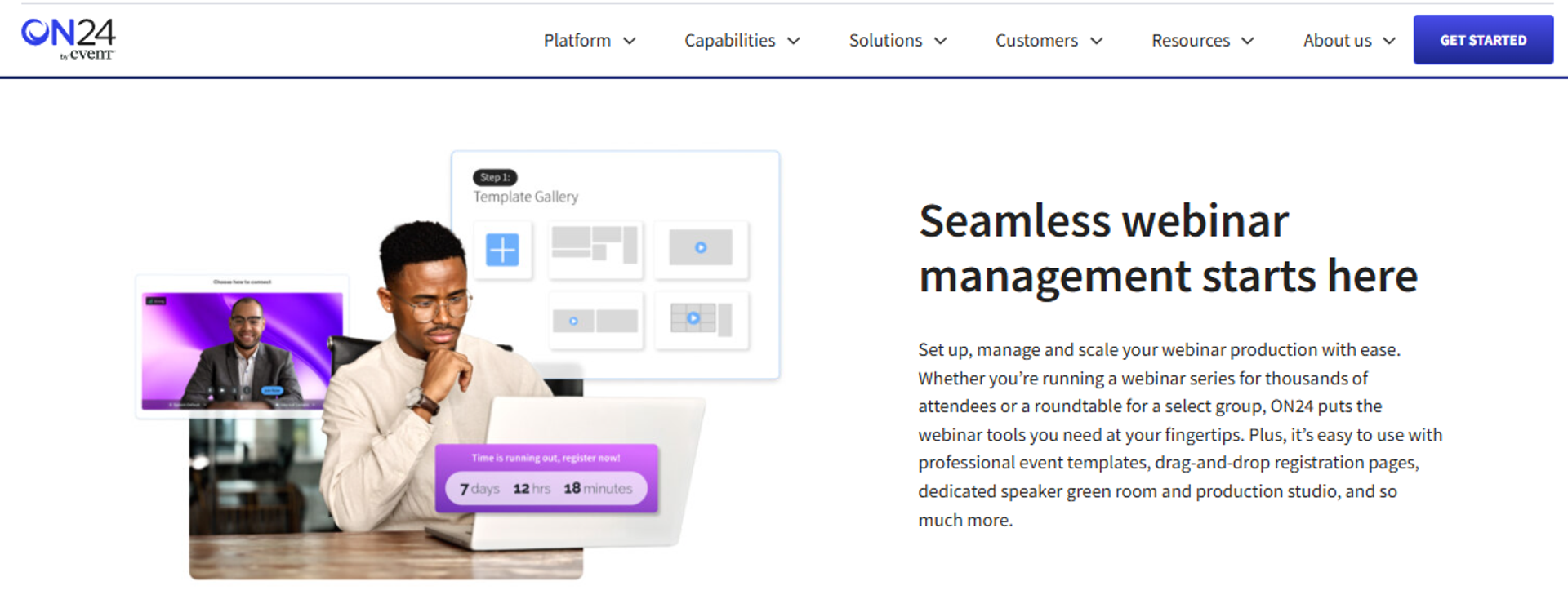
ON24 is best for enterprise demand-generation teams that need engagement scoring and security review clearance, because it captures deep per-attendee interaction data across large programs. It may not fit small teams, since pricing is quote-based and setup carries real weight.
Why ON24 ranks #4
It ranks fourth on analytics and enterprise readiness, and lower on time to launch and pricing fit. The analytics depth is genuine, not marketing language.
📊 The benchmark data is the real asset
ON24's 2026 benchmark report puts average attendance at 239 per session, average engagement at 49 minutes, and registrant-to-attendee conversion at 60% on its platform. The sales-signal cuts matter more. Meeting bookings during webinars tripled year over year, and live chat with sales rose 51%.
Those numbers come from platform telemetry, which is exactly the kind of primary source worth trusting. Very few vendors publish at that level, which is why most buyers end up building their own webinar analytics baseline instead.
What ON24 does well
- Scores engagement per attendee. Interaction data becomes a numeric signal your MAP can route on, which shortens the gap to a sales touch.
- Handles large, complex programs. Multi-session series and content hubs are built in, and hubs drove 73% more demo requests in its own data.
- Clears enterprise security review. SOC 2 and GDPR compliance posture is documented, which keeps deals moving through procurement.
- Supports simulive delivery. Recorded sessions run on schedule with live Q&A staffed by a team, useful for regulated industries.
- Publishes methodology. Its benchmark reporting is transparent enough to plan against, which is rare in this category.
Where ON24 falls short
- Pricing is not public. Quote-based contracting slows evaluation and rules out self-serve buyers.
- Setup takes real time. Program build and training are measured in weeks, not an afternoon.
- Overbuilt for small teams. A coach or a five-person sales team pays for capability they will not use.
- Weak on direct monetization. It is built for pipeline handoff, not for selling a $997 offer inside the room.
Decision scorecard
Best for / skip if
Choose ON24 if you run a large webinar program and need engagement scoring your enterprise stack can act on. Skip it if you need public pricing, a fast launch, or the ability to sell an offer inside the session.
5. Zoom Webinars
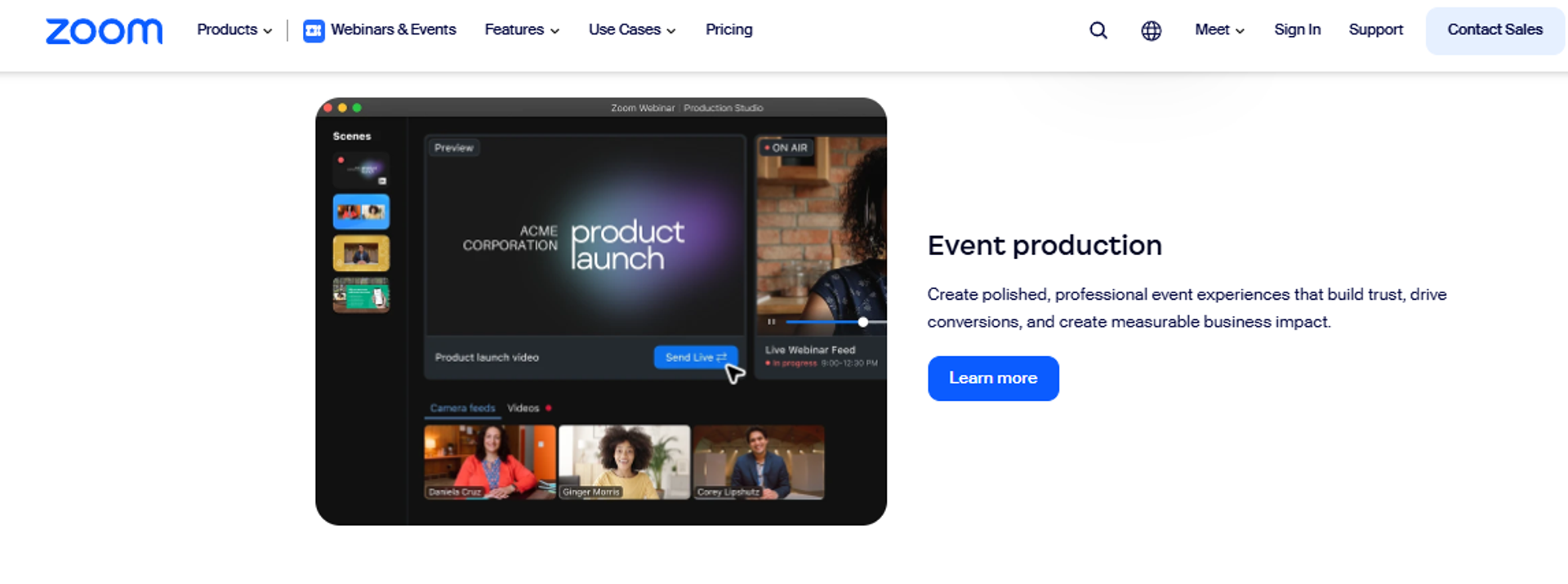
Zoom Webinars is best for teams already standardized on Zoom that need a familiar broadcast tool, because attendees recognize the interface and the video layer holds up at scale. It may not fit teams that need funnel pages, offers, or reliable CRM sync, since reviewers repeatedly flag those gaps.
Why Zoom Webinars ranks #5
It ranks fifth almost entirely on reliability and familiarity. On conversion workflow, it scores near the bottom of this list, which is why teams selling from the room often shortlist a EasyWebinar vs Zoom comparison first.
⚠️ The gaps operators name most
Reviewers list missing basics: no pre-webinar waiting room, no post-webinar exit page, no file distribution, and rudimentary polling. Another reported that registration data does not sync to Marketo when using the Zoom registration form.
That second point is the one I would flag to a RevOps lead. If the form does not sync, your webinar is generating leads your CRM never sees.
What Zoom Webinars does well
- Removes attendee friction. Most prospects already have the client installed, so the join step rarely blocks attendance.
- Holds video quality at scale. Reviewers consistently rate the video layer as reliable for large sessions.
- Bundles with existing Zoom spend. Teams already paying for Zoom can add webinars without a new vendor contract.
- Integrates broadly on paper. Connections exist across most marketing automation and CRM tools, though depth varies.
- Keeps administration familiar. IT teams already manage the tenant, which shortens security review.
Where Zoom Webinars falls short
- Customization is minimal. One reviewer noted it gives a company almost no chance to stand out visually.
- Core webinar features are missing. No waiting room, no exit page, no resource distribution, and basic polls.
- CRM sync is unreliable in practice. Marketo sync failures with the Zoom registration form were reported directly.
- Support is a repeated complaint. Reviewers describe slow ticket responses and no consistent point of contact.
Decision scorecard
Best for / skip if
Choose Zoom Webinars if your org runs on Zoom and your funnel, offers, and follow-up live in other tools. Skip it if the webinar is meant to sell, or if your CRM depends on clean registration sync.
Reviews
A 1.5-star reviewer running 200 to 500 attendee marketing webinars listed missing waiting rooms, missing exit pages, no file distribution, and reporting described as a maze.
Zoom is missing a lot of core webinar features that should be table stakes today. There's no pre-webinar waiting room or post-webinar exit page. There's no ability to distribute resources or files. The polling and survey functions are rudimentary.- Casey S., 1.5/5, Zoom Events and Webinars G2 - Verified Review
A 4-star reviewer running webinars for a national membership association called implementation easy and cited real cost savings against their previous provider.
Zoom has been everything we've wanted, and more, for running webinars for our national membership association. It was easy to implement, integrates with our systems well and is always coming out with new features.- Rob K., 4/5, Zoom Events and Webinars G2 - Verified Review
6. GoTo Webinar
GoTo Webinar is best for training and enablement teams that need a straightforward registration and reporting workflow, because the organizer backend is simple and reports pull cleanly. It may not fit teams running frequent external webinars, since reviewers report recurring reliability and support problems.
Why GoTo Webinar ranks #6
It ranks sixth because the workflow is competent and the delivery layer is not. That combination is hard to build a sales program on, and it drives steady interest in GoToWebinar alternatives.
❌ What breaks, and how often
A reviewer running several webinars a week described constant problems: speakers unable to enable webcams, microphones listed but silent, and screenshare failures. She also noted registrants telling her they would not attend until the platform changed.
A TrustRadius reviewer at a 10,001-plus employee company was blunter about scale. In large group settings, people were continually dropped and audio was spotty.
What GoTo Webinar does well
- Keeps organizer admin simple. Even a 0-star reviewer said the backend is easy to manage and reports pull cleanly.
- Handles registration reliably. The registration and reminder workflow is long-established and predictable.
- Suits smaller sessions. A TrustRadius reviewer noted it fits smaller groups better than large ones.
- Offers simulated live delivery. Pre-recorded sessions can run on a schedule for repeated training content.
- Provides phone support tiers. Enterprise plans include phone escalation, which some teams require.
Where GoTo Webinar falls short
- Reliability issues recur. Microphone, webcam, and screenshare failures are reported across multiple reviews.
- Support is outsourced and slow. One reviewer escalated a ticket three times, then solved it herself.
- Large-group performance degrades. Dropped attendees and spotty audio were reported at scale.
- No conversion layer. There are no timed in-room offers or checkout paths.
Decision scorecard
Best for / skip if
Choose GoTo Webinar if you run internal training or small external sessions and value clean reporting. Skip it if you run weekly external webinars where a speaker microphone failure costs you the room.
Reviews
A reviewer running several webinars a week rated it 0/5, citing unreachable outsourced support and recurring speaker microphone and screenshare failures.
Customer support is impossible to reach and is completely outsourced. When you do get a hold of them, they are never any help. I am at a point where I anticipate that at least one of my speakers will run into an issue that is no fault of their own.- Forrester S., 0/5, GoTo Webinar G2 - Verified Review
A reviewer at FedEx Customer Technologies said it suits smaller groups better, reporting continual attendee drops and spotty audio in large sessions.
GoToWebinar is better suited to smaller groups meeting rather than large groups. In a large group setting it has reliability issues that I feel have been left unaddressed. The last time we tried it for a large group meeting people were continually dropped from the call and the audio was very spotty.- FedEx Customer Technologies reviewer, GoTo Webinar TrustRadius - Verified Review
7. BigMarker
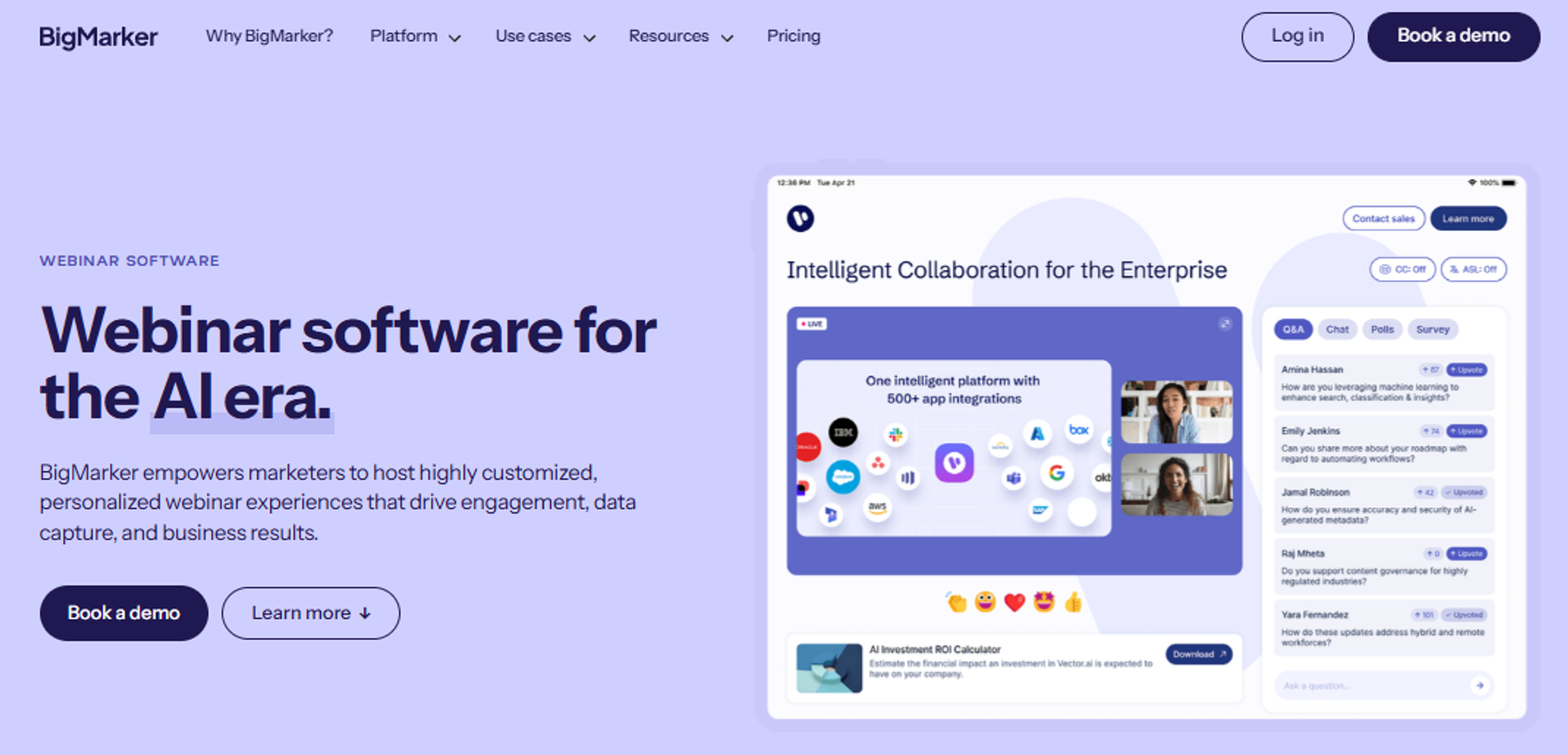
BigMarker is best for brand and event teams running multi-session summits or virtual conferences, because it combines browser-based webinars with event-format tooling. It may not fit buyers who need published pricing or a fast, self-serve start.
Why BigMarker ranks #7
It ranks seventh on format breadth and lower on pricing transparency and time to launch. The event tooling is legitimate for teams that need it, and worth weighing against a dedicated virtual event software shortlist.
💸 The cost question you cannot answer upfront
Quote-based pricing is the practical blocker here. A demand-gen lead cannot model cost per attended attendee before a sales call.
For a summit program, that is acceptable. For a weekly sales webinar, it slows a decision that should take a week.
What BigMarker does well
- Covers webinars through full events. One vendor handles a single session and a multi-track summit, which reduces tool sprawl for event teams.
- Runs in the browser. No attendee download keeps join rates higher for cold audiences.
- Supports automated and evergreen formats. Recorded sessions can run on schedules, extending an event's life.
- Offers extensive customization. Registration and event pages can be branded well beyond what meeting tools allow.
- Provides managed onboarding. Event programs get implementation help rather than a self-serve dashboard.
Where BigMarker falls short
- Pricing is not published. Evaluation requires a sales conversation, which slows shortlisting.
- Setup complexity is real. The feature surface takes time to learn, which delays a first launch.
- Overbuilt for single-webinar sellers. A coach running one evergreen funnel pays for event infrastructure.
Decision scorecard
Best for / skip if
Choose BigMarker if your calendar includes summits, series, and multi-track events alongside webinars. Skip it if you need published pricing or run one recurring sales session.
8. WebinarJam
WebinarJam is best for direct-response marketers who want live-room selling mechanics at a low entry price, because in-room offers and presenter controls are built for pitching. It may not fit buyers who want automation included, since evergreen delivery requires buying a second product.
Why WebinarJam ranks #8
It ranks eighth because the selling mechanics are real and the surrounding system is not dependable. Format coverage is the structural problem, which is the core of any EasyWebinar vs WebinarJam evaluation.
💰 Two products, one workflow
Live sessions run in WebinarJam. Evergreen delivery requires the partner product, which a reviewer noted you have to pay more for.
That split means two subscriptions, two setups, and two places for a funnel to break. My read is that the price advantage disappears once you add the second tool.
What WebinarJam does well
- Enables in-room upsells. A reviewer specifically noted you can upsell easily through the interface, which is the point of a pitch webinar.
- Prices low at entry. A $1 trial and a $39 annual-billing floor make testing cheap.
- Supports repeat delivery. Paired with its automation product, one recorded session can run repeatedly without a presenter.
- Includes presenter controls. Attendee spotlight and multi-presenter tools support panel and testimonial formats.
- Covers registration and reminders natively. Basic funnel pieces ship with the product rather than requiring a page builder.
Where WebinarJam falls short
- Third-party integrations are inconsistent. A reviewer reported unreliable registrant pushes and custom field population with Mailchimp.
- Email delivery is unreliable. The same reviewer said emails did not consistently send to registrants or report correctly.
- The interface fights the presenter. Toggling between videos, slides, and files was called unfriendly during live delivery.
- Automation costs extra. Evergreen requires a separate purchase, which raises true stack cost and sends many buyers toward WebinarJam alternatives.
Decision scorecard
Best for / skip if
Choose WebinarJam if you run live pitch webinars, want in-room upsells, and can tolerate email and integration quirks. Skip it if you need evergreen in the same product, or if your CRM depends on clean registrant sync.
Reviews
A 0-star reviewer listed inconsistent Mailchimp integration, clunky email editing without HTML options, unreliable email sending, and a presenter interface that forces constant toggling.
The integrations with 3rd party software such as mailchimp is inconsistent on both the pushing the registrants over and the custom form field population. Their email service is clunky, hard to edit, doesn't have html options, and their own form fields don't populate correctly.- Tara G., 0/5, WebinarJam G2 - Verified Review
Another 0-star reviewer valued the in-interface upsell capability, but flagged an 80MB PowerPoint file size constraint and no presenter control over audience audio.
Can upsell easily by using WebinarJam interface. Cannot enable or disable speak of audience by presenter. PowerPoint file size constraint to 80MB.- Verified User in Investment Management, 0/5, WebinarJam G2 - Verified Review
9. Contrast
Contrast is best for B2B SaaS marketing teams that want a modern, stable webinar experience with clean analytics and content repurposing, because setup takes under a day and the platform holds up past 100 attendees. It may not fit teams needing RTMP input, surveys, or mature HubSpot sync.
Why Contrast ranks #9
It ranks ninth on maturity, not on quality. Reviewers rate the experience highly, but the integration and format surface is younger than the platforms above it.
⭐ What a 4.5-star operator actually reported
One reviewer scaled a webinar program and set up his first session in under a day, including registration page and automated email sequences. He also noted rich analytics that export cleanly for sellers, which is the exact handoff most tools fumble.
Stability at 100-plus attendees was called out specifically. For a mid-market program, that is the threshold that matters.
What Contrast does well
- Cuts time to first webinar. Registration page and email sequence setup in under a day removes the multi-week funnel build.
- Exports analytics for sales. Data compiles cleanly for sellers, which shortens the path from attendance to outreach.
- Floats CTAs during the session. Offers and polls can be surfaced live, giving the room a conversion moment.
- Supports flexible stage layouts. Multiple presenter views and screenshare formats keep longer sessions visually varied.
- Holds up under load. Reviewers report stable streams without technical issues during larger events.
Where Contrast falls short
- No RTMP input. Teams that need to send a custom video stream cannot, which limits advanced broadcasts.
- HubSpot integration is in progress. One reviewer described it as a work in progress, though improving.
- Surveys are missing. Polls and Q&A work, but post-session survey functionality is absent.
- Evergreen depth is limited. The platform is built around live and on-demand, not always-on local-time delivery.
Decision scorecard
Best for / skip if
Choose Contrast if you want a clean, stable webinar program running this week with analytics your sellers will actually use. Skip it if you need RTMP input, surveys, or evergreen sessions running around the clock.
Reviews
A 4.5-star reviewer set up his first webinar in under a day, including registration page and automated emails, and reported stable streams at 100-plus attendees with analytics that export cleanly for sellers.
The initial setup was extremely easy, and I was able to get started with setting up my first webinar in less than a day. From a technical standpoint, it feels very stable, especially for events with 100+ attendees. The analytics features of Contrast is quite rich and I can easily assess and export data to compile for our sellers.- Angelo M., 4.5/5, Contrast G2 - Verified Review
A 5-star reviewer praised responsive support and zero bugs, but named the absence of RTMP input as a limitation for custom broadcast setups.
However, a notable missing feature is RTMP input. The inability to send our own custom video stream is a limitation for more advanced broadcasting needs.- Ihsan M., 5/5, Contrast G2 - Verified Review
10. StreamYard
StreamYard is best for brand and content teams that want to broadcast one session simultaneously to YouTube, LinkedIn, and Facebook, because multistreaming is simple and reliable. It may not fit sales teams, since there is no evergreen scheduling, no attendee time selection, and no revenue workflow behind the stream.
Why StreamYard ranks #10
It ranks last for a sales audience, and that is a fit judgment rather than a quality one. As a broadcast studio, it does its job well, and teams that want reach plus a funnel usually pair it against EasyCast multistreaming.
🎥 Reach is not the same as pipeline
Multistreaming grows audience. It does not schedule a session for a prospect in Sydney, and it does not put a timed offer on screen at minute 38.
An operator who switched away described exactly that gap. She moved so attendees could choose their own time and so she could work toward automation.
What StreamYard does well
- Broadcasts to several channels at once. One session reaches YouTube, LinkedIn, and Facebook audiences without extra tooling.
- Runs entirely in the browser. Guests join by link with no installation, which lowers friction for external speakers.
- Keeps production simple. Brand overlays, banners, and layouts are quick to configure for non-technical hosts.
- Handles guest interviews well. Bringing guests on and off screen is straightforward during a live show.
- Prices accessibly. Entry tiers are affordable for content teams testing a live webinar format.
Where StreamYard falls short
- No evergreen or scheduled automation. Sessions are live, so nothing sells while you sleep.
- No attendee time selection. Registrants cannot choose a session that suits their timezone.
- No conversion workflow. There are no timed offers, checkout, or CRM-backed follow-up paths.
- Analytics are broadcast-level. You see reach, not per-attendee behavior a rep can act on.
Decision scorecard
Best for / skip if
Choose StreamYard if your goal is live reach across social channels and your selling happens elsewhere. Skip it if you need registration, evergreen scheduling, or attendee behavior flowing to a rep.
Reviews
A 4.5-star operator who switched away from StreamYard said she moved so attendees could choose their own session time and so she could work toward full automation.
I've been using Streamyard for my webinars but switched to EasyWebinar so I could allow the attendees to choose their time and work towards automation. It's honestly a relief to know that we'll be fully automated soon!- Verified User in Photography, 4.5/5, EasyWebinar G2 - Verified Review
EasyWebinar sits at the top of this list for one structural reason visible across all ten entries. Every other platform is strong on either delivery or data, and the operator pays to bridge the gap. A reviewer running an evergreen launch reported selling 25 courses in three weeks, against 10 to 12 from her previous live classes. That is the difference the architecture makes, not the marketing, and it is the same logic behind our evergreen sales funnel playbook.
With my live class I used to sell 10-12 courses. With EasyWebinar I sold 25 courses within 3 weeks of my evergreen "launch." This is an incredible tool that feels like a live class but takes away the exhaustion of showing up live, while also performing 100% better in terms of course revenue.- Laura C., 5/5, EasyWebinar G2 - Verified Review
Q2. How Did We Score and Rank These 10 Platforms?
Each platform was scored out of 100 across five weighted criteria: CRM and Pipeline Depth (25%), In-Webinar Conversion Mechanics (25%), Format Range and Automation (20%), Verified User Reviews (15%), and Pricing Transparency and Scale (15%). Scores convert to stars in 20-point bands. EasyWebinar scored 92, the only entry to earn full marks on both CRM depth and in-room conversion.
Why half the weight sits on two criteria
Most reviewers score webinar tools on streaming quality. That made sense in 2018. In 2026, stable video is table stakes across every vendor on this list.
A sales buyer needs a different question answered. How many revenue steps happen before the operator has to leave the platform?
📊 What each criterion actually measures
CRM and Pipeline Depth checks whether engagement data reaches your system of record, not just a contact name. G2 maintains a dedicated CRM Integration theme inside the Webinar Platforms category, which tells you the market treats this as the defining attribute, and it is the same reasoning behind a purpose-built webinar CRM.
In-Webinar Conversion Mechanics checks for timed offers, stacked CTAs, checkout, and live rep chat. EasyWebinar's Smart Event Analytics records per-attendee offer views, clicks, and poll responses, which is what makes a CRM-depth score verifiable rather than claimed.
The scorecard
⚠️ What we deliberately did not score
Video bitrate, breakout rooms, and virtual exhibitor booths carry zero weight here. Every platform on this list streams reliably enough for a sales session.
Pricing Transparency also penalizes quote-only vendors, which is why ON24 and BigMarker lose points despite strong products. A demand-gen lead who cannot model cost per attended attendee cannot build a business case. Published tiers, like the documented bands of $40 to $100 per user monthly for Business plans and $150 to $300 for Enterprise, are what make comparison possible, and it is why our own webinar pricing is listed in full.
💰 Where I could be wrong
My read is that CRM depth deserves a quarter of the weight. A pure content marketing team would probably argue for engagement analytics instead, and they would have a case.
I am also weighting reviews at only 15%, because review volume differs wildly across these vendors. WebinarJam has two G2 reviews in our dataset; Zoom has ten. That asymmetry makes review scores directional, not decisive, so pair them with independent webinar platform reviews before you decide.
EasyWebinar scores 92 here because per-attendee tracking, stacked timed offers, and format range all sit inside one product rather than across three subscriptions. The rubric was built before the scores were run, and the same five criteria were applied to every vendor without adjustment.
Q3. What Separates a Sales-Grade Webinar Platform From a Meeting-Grade One?
A webinar platform for sales converts live and automated sessions into pipeline, not just attendance. Unlike a meeting tool, it adds branded registration pages, in-session CTAs and offers, native CRM sync, meeting booking, and attribution reporting so reps can qualify, route, and close attendees the same day. If your tool stops at "the video played," it is meeting-grade.
The stack most sales teams actually run
Most people think the webinar tool is the video layer. They are wrong, and the cost shows up two days later.
Here is the common setup. Zoom for the room, a landing page builder for registration, an email tool for reminders, a spreadsheet export afterward, and an SDR working that list on Friday.
✅ The four-part test
Run your current tool against these four checks:
- Does it capture registrations on a page you control and brand?
- Does it fire timed offers inside the session, not after it?
- Does it write per-attendee behavior into a CRM record?
- Does it route that record to a rep the same day?
Three yeses and one no still means manual work. EasyWebinar was built against this exact test, with registration pages, stacked offers, per-attendee action tracking, and CRM handoff inside one product.
The format matrix, and the sales play each one serves
If you are weighing which of these to build first, the trade-offs are laid out in our breakdown of simulated live webinars.
⏰ Where 400 registrants actually leak
Say 400 people register and 166 attend, which is close to the 41.6% median across roughly 12,400 B2B webinars. On a meeting-grade stack, the offer link goes in the chat and the CSV lands Friday.
On a sales-grade stack, the offer appears on screen with a timer, the click is logged per person, and the top tier is called that afternoon. Benchmark data shows meeting bookings during webinars tripled year over year, and live chat with sales rose 51%.
⚠️ Where live still wins
Automated is not a replacement for live in every case. Enterprise deals with six-figure contract values still need a human answering a hard question in real time, which is where live webinar software earns its place.
My integrity rule has not changed in fourteen years. Never tell an audience a recorded session is live, and never pretend a simulive room is unattended when your team is in the chat.
Reviews
An operator who moved her course sales from live classes to an evergreen session reported selling 25 courses within three weeks, against 10 to 12 per live class.
With my live class I used to sell 10-12 courses. With EasyWebinar I sold 25 courses within 3 weeks of my evergreen "launch." This is an incredible tool that feels like a live class but takes away the exhaustion of showing up live, while also performing 100% better in terms of course revenue.- Laura C., 5/5, EasyWebinar G2 - Verified Review
A 1.5-star Zoom reviewer running 200 to 500 attendee marketing webinars listed no waiting room, no exit page, no file distribution, and rudimentary polling.
Zoom is missing a lot of core webinar features that should be table stakes today. There's no pre-webinar waiting room or post-webinar exit page. There's no ability to distribute resources or files. The polling and survey functions are rudimentary.- Casey S., 1.5/5, Zoom Events and Webinars G2 - Verified Review
EasyWebinar clears all four checks in one product, including Automated Gold sessions that adjust to each attendee's local timezone and just-in-time registration that starts a session within roughly 15 minutes of arrival. That is the architectural difference, not a feature list, and it is the backbone of an automated webinar program.
Q4. Which Platforms Actually Connect to Your CRM and Marketing Stack?
Livestorm and ON24 push webinar engagement natively into Salesforce, HubSpot, Marketo, and Pardot. EasyWebinar goes further with a built-in CRM and auto-dialer, so no external system is required. Zoom, GoTo, StreamYard, and WebinarJam mostly route lead records through Zapier or an open API, which adds latency between the offer click and the follow-up call.
Why "integrates with HubSpot" tells you almost nothing
Every vendor claims CRM integration. Two very different things hide behind that phrase.
Contact-only sync pushes a name and email. Field-level engagement sync pushes watch duration, poll answers, and offer clicks, which is what a lead score can act on. Checking the actual integrations list is the fastest way to tell which one you are buying.
❌ What a broken sync costs you
A Zoom reviewer reported that registration data does not sync to Marketo when using the Zoom registration form. That is not a minor gap. Your webinar generates leads your marketing automation platform never sees.
A Demio user described stitching several Zaps together just to move form data into HubSpot accurately. Each hop is another place a field mapping silently fails.
CRM depth by platform
⏰ What fires at minute 42
Picture an attendee clicking your offer 42 minutes into the session. On a native-CRM setup, that click creates a scored record and a call task immediately.
On a Zapier chain, the record arrives minutes or hours later, often without the click context attached. The two-day lag between session end and CRM enrichment is where warm leads go cold, and it is the reason a built-in sales CRM exists in the first place.
✅ Your Monday action
Ask every shortlisted vendor for the field mapping document before your trial ends. Not the integration marketing page, the actual list of fields written to your CRM.
Then ask one follow-up question. Does an offer click write to the contact record, or only to your webinar dashboard? The answer determines whether your webinar lead generation compounds or stalls.
Reviews
A 4-star Demio reviewer said HubSpot integration was hard, requiring a third-party capture form and several Zaps to move data accurately.
It's hard to integrate into Hubspot. We use a third party capture form and had to do several zaps to get all data to flow accurately from our form to Hubspot to Demio.- Verified User in Education Management, 4/5, Demio G2 - Verified Review
A 1-star Zoom reviewer called the Marketo integration mediocre, noting registration form data does not sync at all.
The integration with Marketo is mediocre at best. For example, if using a Zoom registration form then the registration information does not sync to Marketo. This is inferior to other webinar providers.- Pavel P., 1/5, Zoom Events and Webinars G2 - Verified Review
A 4.5-star EasyWebinar reviewer was honest about the trade-off, calling integrations somewhat limited while noting Zapier covers the gap easily.
Intergration is somewhat limited, but if you are comfortable with Zapier you can easily update that.- Verified User in Professional Training & Coaching, 4.5/5, EasyWebinar G2 - Verified Review
EasyWebinar removes the integration question for small sales teams by including the CRM and auto-dialer natively, so attendee behavior and rep outreach share one record from the first click. For enterprise teams already standardized on Marketo or Salesforce, a native connector platform is the more honest fit, and you can weigh both paths on the compare webinar platforms hub.
Q5. Can Your Team Actually Close Inside the Webinar Room?
Yes, on platforms supporting in-room offer overlays with countdown timers and direct checkout links. Stacking a free resource offer early and a paid offer later converts different readiness levels in one session. ON24 benchmark data shows meeting bookings during webinars tripled year over year and CTA conversions rose 31%, so the close is moving inside the room rather than after it.
The anatomy of an offer that lands
An in-room offer is an overlay that appears on screen mid-session. It carries a headline, a button, and usually a timer.
The timer duration is where most operators get it wrong. Five minutes reads as panic. Twenty minutes gives a busy attendee time to think and still act before the room closes.
⏰ Stacking order matters more than design
Run the free offer first, around minute 20, when trust is forming. Run the paid offer later, after the core teaching has landed.
EasyWebinar supports multiple stacked CTA offers in a single session, each with its own configurable countdown timer, plus an offer on the countdown page before the session even starts. I have watched a badly timed offer empty a room and a well-placed one double take rate on identical content, which is why webinar engagement tools matter more than production polish.
Live rep chat is the 2026 buying signal
The bigger shift is who is in the chat. Live chat with sales rose 51% year over year, and content hubs drove 73% more demo requests.
That tells you something specific. Attendees are not waiting for a follow-up email to raise their hand, which is exactly what strong webinar interaction is designed to capture.
💰 Which platforms let you take payment in the room
The gap that costs the most is the replay. One Demio reviewer reported that live polls and CTAs did not appear in the replay. With 52% of attendees now watching on demand, an offer missing from the replay is an offer missing from half your audience, which is the case for treating on-demand delivery as a first-class channel.
✅ Your Monday action
Script one offer at minute 38 with a 20-minute timer. Write the headline as the outcome, not the product name.
Then check your analytics for offer views versus clicks. If you cannot see both numbers per attendee, you cannot improve either one, and running paid webinars becomes guesswork.
Reviews
A 4.5-star reviewer highlighted the combination of a poll, an offer, and a countdown running inside the same event as the reason she expected stronger sales and interaction.
I love that we can have a poll, offer and countdown right in the event! That's going to be so great for sales and interactions.- Verified User in Photography, 4.5/5, EasyWebinar G2 - Verified Review
A 4-star Demio reviewer named the replay gap directly, reporting that live polls and CTAs did not carry into the recorded version.
It didn't fully integrate with my CRM (Highlevel) and the replay didn't show the live polls and CTAs.- Ivanhoe S., 4/5, Demio G2 - Verified Review
A 0-star WebinarJam reviewer still credited the platform for making in-interface upsells easy, which is the one thing that product is genuinely built for.
Can upsell easily by using WebinarJam interface.- Verified User in Investment Management, 0/5, WebinarJam G2 - Verified Review
EasyWebinar reports views, clicks, and conversion rate for each individual offer, so you can test timer length and stacking order without changing the presentation. That per-offer breakdown is what turns a guess about minute 38 into a decision.
Q6. What Happens in the 48 Hours After the Webinar, and What Should the Numbers Look Like?
Intent decays fast, so segment by watch depth, poll answer, and offer click, then route the top tier to a dialer the same day. Benchmarks to hold yourself to: 41.6% median registrant-to-attendee across roughly 12,400 B2B webinars, 38% attended-to-MQL within 14 days, and 11.2% blended attended-to-pipeline over about 53 days.
The flat CSV problem
Picture 400 registrants and 166 attendees. Your export lands as one file with names, emails, and join times.
That file treats a person who watched 52 minutes and clicked the offer exactly like someone who left at minute four. Your SDR works it top to bottom on Friday.
⚠️ Why day five is too late
By Friday, the attendee has attended two competitor demos and forgotten your headline. The gap between session end and first call is where most webinar pipeline dies, which is the whole argument for webinar marketing automation.
I ran webinars for years with strong show-up rates and no follow-up system. What changed was ordering outreach by behavior instead of alphabetically.
A four-tier routing model
EasyWebinar records offers seen, clicks, poll responses, and join and exit timestamps per attendee, which is what makes these tiers possible without a manual spreadsheet.
📊 The benchmarks worth defending
The spread between 41.6% and 60% is not a contradiction. Platform-reported numbers reflect that platform's customer mix, while cross-platform medians include everyone. Plan against the median and treat the higher figure as a ceiling, then work the levers that actually move it, starting with webinar attendance.
💰 The number to run before your renewal
Divide your total webinar spend by attended attendees, not registrants. Compare it to $612 average revenue per attended attendee in B2B SaaS.
Personalized follow-up drove 4x more meeting bookings in ON24's data. My read is that segmentation explains most of that, though I would not stake a forecast on one report, and clean webinar analytics are the only way to know for your own program.
Reviews
A 5-star reviewer credited the platform with automating her entire post-webinar sales sequence, triggered the moment someone watches.
It allows me to automate my entire sales sequence. I can also see how it's performing, and the support team has been really helpful at making suggestions.- Jennifer B., 5/5, EasyWebinar G2 - Verified Review
A 4.5-star reviewer flagged the honest limit: she still uses a separate email system because open and click rates are not tracked in-platform.
I do use other email systems to send post-webinar email sequences because I can't track open and click rates on EasyWebinar.- Eliza W., 4.5/5, EasyWebinar G2 - Verified Review
A 0-star Demio reviewer found she could not export registrant emails after cancelling, which removes follow-up entirely.
After canceling, I was shocked to find out I couldn't export the list unless I subscribed again. Support confirmed this.- Sheida M., 0/5, Demio G2 - Verified Review
EasyWebinar's Event Activity Graph plots how many attendees remained at each minute of the session. Before you fix a follow-up rate, that curve tells you whether the problem is the follow-up or the forty minutes before it.
Q7. What Does It Cost, What Will Procurement Ask, and Which Platform Should You Pick?
Entry plans start near $59 monthly for Demio and $79 for Livestorm, with Business tiers averaging $40 to $100 per user monthly and Enterprise $150 to $300. EasyWebinar starts at $44 monthly for 50 live attendees and scales to $349 for 1,000. Enterprise procurement adds SOC 2 Type II, GDPR, SSO, and API documentation as pass or fail gates.
How attendee tiers inflate the bill
Pricing looks cheap at 50 seats and stops looking cheap at 1,000. That curve is the part buyers underestimate.
If you expect to cross the four-figure attendee mark, model the jump against a webinar platform for 1,000 attendees before you sign anything.
💸 The stack math nobody publishes
Compare like for like. A webinar tool at $59, a page builder at $49, an email tool at $39, and a CRM at $50 is $197 monthly across four vendors.
EasyWebinar includes the page builder, email notifications, analytics, and CRM in one subscription. That does not automatically make it cheaper, but it makes the comparison honest, and you can check the full feature list line by line.
The procurement checklist
Ask for these before your trial ends:
- SOC 2 Type II attestation, dated and current
- GDPR data processing agreement
- SSO support and identity provider list
- API documentation with rate limits
- Data export policy on cancellation
That last item is not theoretical. A Demio reviewer could not export registrant emails after cancelling, which is a procurement failure disguised as a billing policy.
⚠️ Mark unverified as unverified
EasyWebinar publishes SOC 2 Type II alongside SSO and API access, which is what carries it through enterprise security review. For every other vendor on this list, pull the trust center page yourself and mark anything missing as not published, and confirm the data processing addendum covers your regions.
Compliance is deal velocity. Teams that collect these links during the trial close weeks faster than teams that discover the gap in week six.
Which one should you pick
Solo operator or coach 💰
Choose EasyWebinar at the $44 entry tier if you want live and evergreen from one setup. Skip it if your offer sells under $200, where the webinar math rarely works.
2 to 10 person sales team ⭐
Choose EasyWebinar when attendee behavior needs to reach a rep the same day. Skip it if you need multi-track conference tooling.
Mid-market SaaS on HubSpot or Marketo ✅
Choose Livestorm for native engagement sync into your existing stack. Skip it if you need evergreen scheduling or in-room checkout, and compare the trade-offs against Livestorm alternatives first.
Enterprise with procurement ⏰
Choose ON24 for engagement scoring and security clearance. Skip it if you need public pricing or a launch inside 30 days.
Reviews
A 5-star reviewer moved to an evergreen session and sold 25 courses in three weeks, while noting the just-in-time feature sits on a premium tier at roughly double the base price.
The only downside is that to have the "just in time" feature you have to pay a premium that is about double the price of the basic subscription. However, it has been worth it for me to invest in that.- Laura C., 5/5, EasyWebinar G2 - Verified Review
A 4-star Demio reviewer said the pricing model makes adoption hard for smaller organizations as usage grows.
The pricing model makes it difficult for smaller organizations to adopt it and pay up as they increase their usage.- Verified User in Construction, 4/5, Demio G2 - Verified Review
What I am watching into 2027 is whether AI-built funnels collapse the six-week setup that still scares first-time presenters. If that happens, price stops being the deciding factor and time-to-first-webinar takes over, which is the bet behind our AI funnel builder. Tell me which of these four situations you are actually in, because the answer changes entirely between them.
EasyWebinar publishes tier pricing from $44 to $349, includes the page builder and CRM rather than billing them separately, and lists SOC 2 Type II with SSO and API access. Those are the three facts a CFO, an IT lead, and a revenue leader each ask for separately.
Frequently Asked Questions

Casey Zeman
Founder of EasyWebinar
About Author
Over the past decade, I've helped thousands of entrepreneurs, coaches, and consultants turn webinars into a predictable, powerful way to grow their audience, build trust, and scale, without the constant hustle. I created EasyWebinar because I couldn't find a system that combined authenticity, engagement, and automation the way I needed. So, I built one.
Related Posts

10 Best Community Engagement Platforms in 2026
Compare the 10 best community engagement platforms in 2026. Course creators, evaluate live hosting, analytics, and replay to pick your winner today.

10 Best Online Coaching Tools in 2026: Live Session Quality, Scheduling, Recording, and Client Engagement Analytics
Compare the 10 best online coaching tools of 2026 on session quality, scheduling, and analytics. Discover the right fit for your coaching revenue model.

10 Best Webinar Hosting Platforms Ranked by Uptime, Streaming Quality & Cost
Compare 10 webinar hosting platforms ranked by uptime, streaming quality, and cost. Discover which tool actually turns attendees into revenue.
Turn every webinar into a revenue stream
Launch your first paid event in just a few clicks - and start monetizing your expertise.
Book a Call