8 Best Webinar Engagement Tools for Audience Interaction, Retention, and Conversion Tracking

Casey Zeman
Published on Jul 6, 2026 • 44 min read
TL;DR
- EasyWebinar ranks first of 8 webinar engagement tools. Polls, timed offers, in-room checkout, and per-attendee revenue data sit in one platform, live and automated.
- Zoom Webinars Plus, Riverside, and meetn are hosting rooms. They run sessions well but leave checkout and follow-up to other tools.
- ScoreApp and Stan Store feed registrants before the webinar, and Circle and Heartbeat keep buyers engaged after it. None of them hosts the selling session.
- Spread interaction across the session. Run a diagnostic poll in the first five minutes, then a poll or chat prompt every 4 to 5 minutes.
- Measure retention to the pitch (80% from peak), offer clicks, and purchases per attendee. Sync them to your CRM without fragile middleware.
- Nail the webinar live first, reach 10% attendee-to-buyer conversion, then automate the winner. Never present an automated session as live.
Q1. What Are the 8 Best Webinar Engagement Tools for Audience Interaction, Retention, and Conversion Tracking in 2026?
The 8 best webinar engagement tools in 2026 are EasyWebinar, Zoom Webinars Plus, Riverside, meetn, Heartbeat, Circle, ScoreApp, and Stan Store. EasyWebinar runs polls, chat, Q&A, timed offers, and in-room checkout in one platform. It records each attendee's answers, offer clicks, and purchases. Zoom Webinars Plus, Riverside, and meetn host the session itself. Heartbeat and Circle run community events. ScoreApp and Stan Store bring registrants in before the webinar starts.
- EasyWebinar
- Zoom Webinars Plus
- Riverside
- meetn
- Heartbeat
- Circle
- ScoreApp
- Stan Store
A coach watches her attendee count slide from 212 to 140 at minute 34, two slides before the offer. Her polls ran and her chat moved, yet she cannot say who left or why. That gap makes this a revenue decision, not a feature checkbox. This guide evaluates 8 vendors against eight defined criteria. It is written for the operator who runs webinars every week: the coach, course creator, or webinar marketer. It also serves the buying committee behind them, including the CFO checking stack cost, the RevOps lead checking CRM data, and the marketing head who owns pipeline.
⚠️ Why engagement without tracking leaks revenue
Engagement is the means. Retention to the pitch is the metric. Darius Benders, who has run $100K webinars, makes the point bluntly: attendees who never said yes during the hour rarely say yes to the offer. A poll that nobody can connect to a sale tells you the room was busy, not that it bought.
EasyWebinar treats every poll answer, question, and offer click as a data point tied to one attendee. I learned why that matters the hard way. Before EasyWebinar existed, I spent 6 months building a YouTube course that sold nothing until I ran webinars. Engagement only paid once I could see which part of the room moved toward the offer.
🧭 Three kinds of tools sit on this list
These 8 tools do different jobs, and treating them as interchangeable is a common buying mistake. One 2026 roundup of 15 engagement tools makes the same point, arguing that most comparisons treat the category as interchangeable when buyers really need different jobs done.
- Full conversion platform: EasyWebinar hosts the session, runs engagement, takes payment, and tracks each attendee to revenue.
- Hosting rooms: Zoom Webinars Plus, Riverside, and meetn run the live session well but depend on other tools for checkout and follow-up.
- Add-on and community tools: Heartbeat, Circle, ScoreApp, and Stan Store act before or after the webinar, not inside the selling room.
Our Evaluation Criteria
Engagement depth 💬
Assesses chat, polls, Q&A, reactions, and timed CTAs (calls to action, the on-screen buttons that prompt a click).
Retention to the pitch ⏰
Assesses whether the tool helps hold attendees until the offer, through countdowns, timed elements, and drop-off data.
Conversion tracking 📊
Assesses whether each answer, click, and purchase is recorded per attendee and tied back to revenue.
Webinar format coverage 🎥
Assesses support for live, simulive (a recording played at a set time), automated, evergreen, and replay sessions.
Funnel and monetization 💰
Assesses registration pages, offers, in-room checkout, and paid events.
CRM and follow-up readiness 🔄
Assesses native CRM (customer relationship management) tools, lead scoring, and follow-up based on what each attendee did.
Time to launch 🚀
Assesses how fast an operator can go from idea to a working webinar, including templates and AI-assisted setup.
Reliability, support, and scale 🛡️
Assesses stream stability, attendee limits, and the support model behind the tool.
Who This Guide Is For
- Coaches and course creators turning teaching webinars into repeatable sales funnels.
- Marketing teams using webinars for lead generation, nurturing, and pipeline.
- Revenue operators checking whether webinar data can flow into CRM, scoring, and follow-up.
- Founders and consultants replacing separate tools for hosting, pages, email, checkout, and follow-up.
- Buying-committee readers, such as CFOs validating stack cost, IT leaders checking reliability, and marketing heads assessing funnel performance.
| Provider | Best For | Standout Strength | Known Limitation | Engagement-to-Revenue Tracking | Support Model | Pricing Model |
|---|---|---|---|---|---|---|
| EasyWebinar ⭐⭐⭐⭐⭐ | Coaches, course creators, and marketers who need engagement to become tracked sales | Polls, timed offers, and checkout run in the same room as attendee-level data | Automated webinars need the presentation uploaded before setup, per a G2 reviewer | Strong: answers, offer clicks, and purchases per attendee, synced to a CRM | Onboarding support. An Account Manager comes with the Pro plan | Flat monthly, four plans, with a 7-day trial and no credit card |
| Zoom Webinars Plus ⭐⭐⭐⭐ | Teams already standardized on Zoom that need production control | Backstage and practice session for hosts and panelists | Reviewers describe polling and customization as basic | Partial: attendance and poll reports, CRM through integrations | Ticket-based; details not publicly disclosed | Add-on to a paid Zoom plan, with one Zoom license required per webinar license |
| Riverside ⭐⭐⭐ | Creators who want studio-quality webinar recordings | Local 4K multi-track recording that holds quality through internet dips | Registration, Q&A, polls, and HubSpot sit only on the Webinar plan | Partial: webinar analytics on the Webinar plan | Not publicly disclosed | Free plan plus paid tiers. The Webinar plan is $99/month billed monthly |
| meetn ⭐⭐⭐ | Budget-minded hosts who want simple webcasting | Stealth admin mode and file-sharing widgets | Basic waiting room and limited custom styling | Not publicly disclosed | Not publicly disclosed | Flat monthly tiers. Webinar settings and up to 1,000 attendees sit on the $49.95/month Ultimate plan |
| Heartbeat ⭐⭐ | Community owners running paid or public events | Guests can RSVP to public events without a full account | Chat channels pile into one long list | Partial: community analytics | Email and live chat support | Tiered monthly plans, with transaction fees added on top |
| Circle ⭐⭐ | Creators running courses, community, and events in one home | Event RSVPs, workflows, and branded apps in one space | External guests must create a full Circle account to RSVP | Partial: member data and profile fields | Standard support, priority on higher tiers | Tiered plans from $89/month, plus 2%, 1%, or 0.5% transaction fees by plan |
| ScoreApp ⭐⭐ | Marketers who want scored, segmented registrants before the webinar | A 15-question assessment that scores and routes each lead | Does not host or stream the webinar | Partial: lead scores captured before the session | Not publicly disclosed | Free plan plus paid tiers metered by live scorecards and monthly responses |
| Stan Store ⭐⭐ | Social creators turning comments into sign-ups | Comment triggers that send links to Instagram and TikTok DMs | No stage management or backstage tools | Partial: store analytics, with pixel tracking on Creator Pro | Not publicly disclosed | Flat monthly, two plans: Creator at $29 and Creator Pro at $99 |
1.1 EasyWebinar
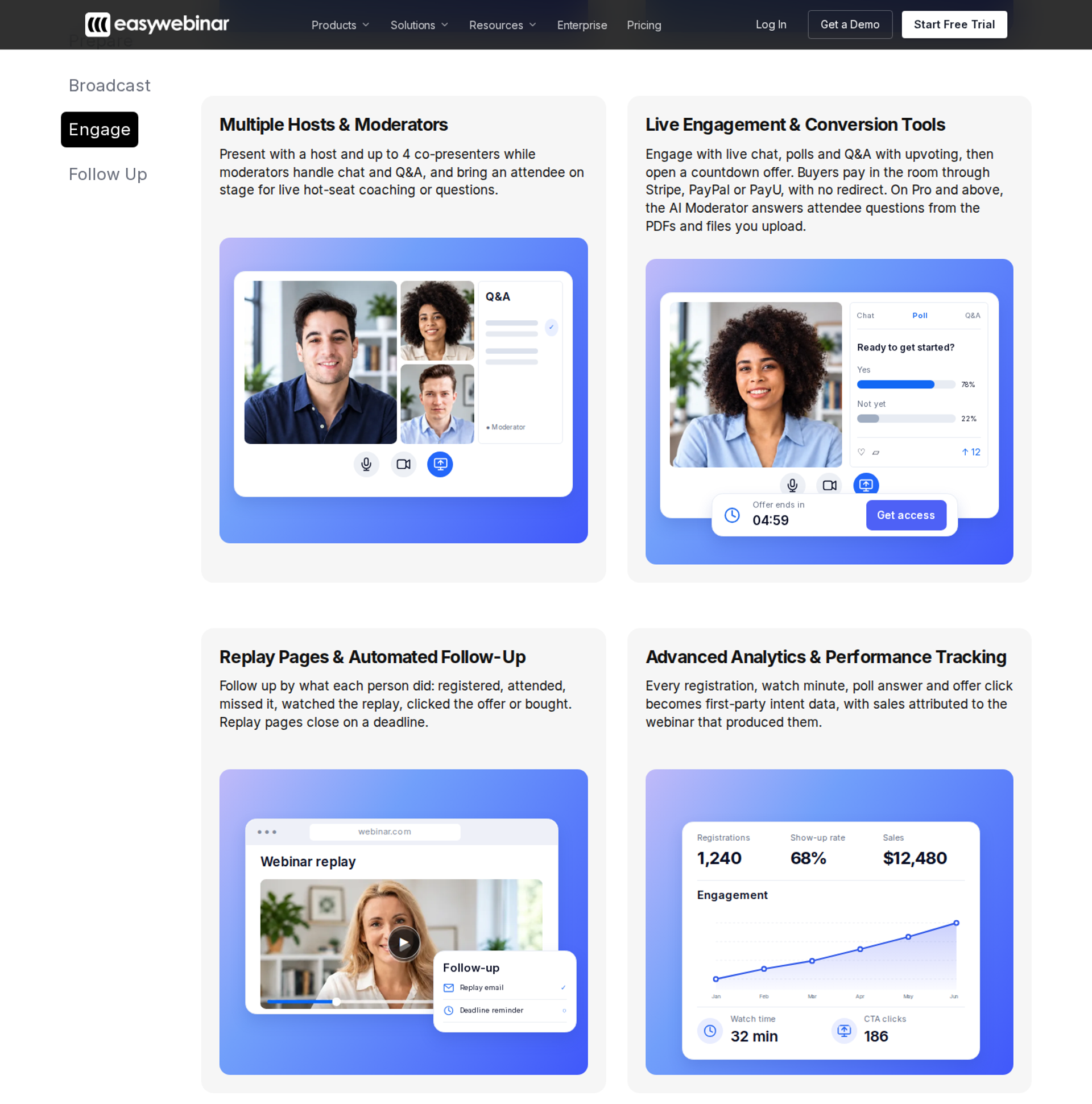
EasyWebinar is best for coaches, course creators, and marketing teams that need engagement to turn into tracked sales. Polls, timed offers, checkout, and attendee data sit in one platform. It may not fit buyers who need lessons, progress tracking, or certificates in the same tool.
| Quick fit | - |
|---|---|
| Best for | Coaches, course creators, consultants, and marketing teams selling through webinars |
| Skip if | You need course lessons, learner progress, or certificates inside the same tool |
| Strongest edge | Live room, in-room checkout, follow-up, and attendee data on one subscription |
| Biggest trade-off | No free plan, and automated webinars start at the Growth plan |
| Pricing snapshot | Launch $44/month, Growth $116/month, Pro $198/month, and Scale $349/month, with a 7-day trial and no credit card required |
Why EasyWebinar ranks #1
EasyWebinar scores highest on the two criteria this list weighs most: engagement depth and conversion tracking. Engagement tools and revenue data share one platform. A poll answer, a question, and an offer click land on the same attendee record as the purchase. Most tools on this list stop at the first half of that chain.
🔁 Live first, then automated
EasyWebinar also covers more formats than any other tool here. You run a session live, find the version that converts, and turn that exact session into an automated webinar. Options include simulive, evergreen, on-demand, and just-in-time. Just-in-time sessions start minutes after someone registers, in that person's own time zone.
I hold one integrity rule on automated sessions. EasyWebinar never presents an automated webinar as live. We never say it is live, and we never let attendees feel duped. My advice is to nail the presentation live first, then automate the winner.
What EasyWebinar does well
- One-click join: Attendees join from any browser with nothing to download, so fewer registrants stall before the first poll. Delivery runs on Dolby OptiView WebRTC (real-time web video) at sub-500ms latency.
- Checkout inside the room: Built-in checkout through Stripe, PayPal, or PayU means buyers pay without a redirect. The sale and the engagement data stay in one place.
- Attendee-level analytics: EasyWebinar records watch time, questions, poll responses, offer clicks, and purchases per attendee. A drop-off heatmap shows where people leave, and lead scoring sorts them into Hot, Warm, and Nurture.
- Follow-up that reacts: No-shows, early leavers, offer-clickers, and replay viewers each get their own sequence. That lifts attendance and conversion without manual list work.
- Your CRM or ours: Use EasyCRM natively, or keep HubSpot, Salesforce Pardot (Account Engagement), ActiveCampaign, Mailchimp, or Kit (formerly ConvertKit). The pricing page lists native HubSpot and Salesforce sync on Pro and above.
- AI-built funnel: The AI Webinar Builder drafts the delivery script, registration and thank-you pages, email sequences, poll questions, and a timed CTA from one prompt. That cuts days from a first launch.
Where EasyWebinar falls short
- Not a course platform. EasyWebinar has no lessons, learner progress, or certificates. Pair it with Kajabi, Teachable, or Thinkific and use EasyWebinar to sell the course.
- Automation is gated by plan. Automated, simulive, and evergreen webinars unlock when you move from Launch to Growth. There is no free plan.
- Automated setup order. A G2 reviewer notes you must upload the presentation before you can set up an automated webinar. That slows teams who promote before recording.
- Thin self-serve docs. Another G2 reviewer found the knowledge base sparse, though support filled the gap.
| Evaluation criterion | EasyWebinar fit | Why it matters |
|---|---|---|
| Live webinars | Strong | Browser join and real-time delivery keep polls and offers in sync with the room. |
| Simulive or automated webinars | Strong | The proven live session becomes the automated one, with no rebuild. |
| Evergreen automation | Strong | Just-in-time, recurring, and on-demand schedules run from the same platform. |
| Funnel pages | Strong | Registration, thank-you, and replay pages are built in. |
| Engagement | Strong | Polls, chat, Q&A, countdowns, and timed offers run in the live room. |
| CRM and follow-up | Strong | EasyCRM or your own CRM, with behavior-based sequences. |
| Monetization | Strong | Checkout runs inside the room, plus paid and ticketed webinars. |
| Analytics | Strong | Per-attendee data ties engagement to purchases. |
| Integrations | Strong | Native CRM and email links. Salesforce support means Pardot, not Sales Cloud. |
| Pricing fit | Partial | Flat monthly plans, but no free plan, and automation starts at Growth. |
| Best-fit buyer | Strong | Operators whose webinars must produce revenue or pipeline. |
Choose EasyWebinar if your webinars must sell, then keep selling on a schedule with every click tracked. Skip it if you need a course platform with lessons and certificates in the same tool.
Reviews
"With my live class I used to sell 10-12 courses. With EasyWebinar I sold 25 courses within 3 weeks of my evergreen 'launch'." - Laura C., Course Creator, January 28, 2025, EasyWebinar G2 - Verified Review
"The biggest challenge is around setting up automated webinars, and needing the presentation uploaded first in order to set it up." - Ash A., March 13, 2026, EasyWebinar G2 - Verified Review
1.2 Zoom Webinars Plus
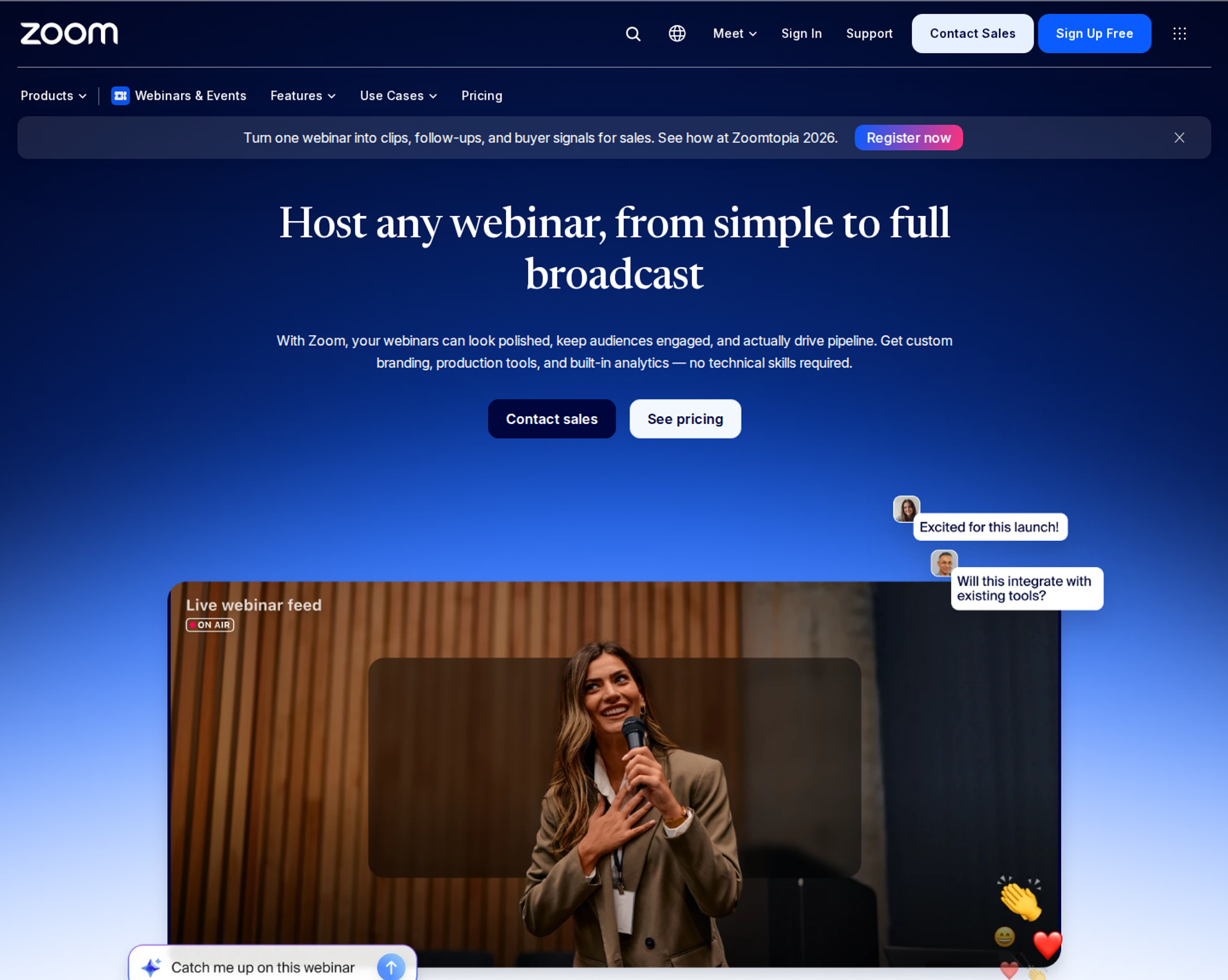
Zoom Webinars Plus is best for teams already standardized on Zoom that need production control for hosted sessions. It adds a backstage, practice sessions, and simulive. It may not fit buyers who need checkout in the room or per-attendee conversion tracking.
| Quick fit | - |
|---|---|
| Best for | Marketing and training teams whose company already runs on Zoom |
| Skip if | Your webinar must sell in the room and feed revenue data to a CRM |
| Strongest edge | Backstage control and a familiar attendee interface |
| Biggest trade-off | Engagement and customization that reviewers call basic |
| Pricing snapshot | Webinars Plus for 100 attendees has been listed at $99/month, or $82.50/month billed annually, and requires a Zoom Workplace Pro license. Zoom renamed and restructured these tiers several times in 2026. |
Why Zoom Webinars Plus ranks #2
Zoom Webinars Plus ranks second on reliability and familiarity. Most attendees already know the interface, which removes friction at the door. Betsy Sabatini, a Zoom tech coach, highlights the backstage, where hosts and panelists talk privately before and during the session without the audience seeing or hearing.
🎬 Where the ranking stops
Zoom Webinars Plus falls behind on the conversion criteria. Zoom runs the meeting well. EasyWebinar runs the webinar that has to sell, with checkout and attendee-level revenue data that Zoom does not include. That gap separates the #1 and #2 spots.
What Zoom Webinars Plus does well
- Backstage control: Hosts coordinate privately during the session, which keeps panel handoffs clean.
- Practice sessions: Hosts can rehearse slides, test audio, and pre-load polls before attendees enter.
- Simulive: Pre-recorded sessions play at a scheduled time, which cuts presenter fatigue.
- Familiar interface: A G2 reviewer notes many attendees already have Zoom installed, which lowers join friction.
- Integrations: The same reviewer credits integrations with most marketing automation and CRM tools.
Where Zoom Webinars Plus falls short
- Basic engagement tools. A 2021 G2 reviewer called polling and surveys rudimentary and found no way to distribute files.
- Limited customization. A 2023 G2 reviewer said the product almost completely lacks look-and-feel options.
- No in-room checkout. Selling requires a redirect to another tool, which splits sale data from engagement data.
- Stacked licensing. You need a paid Zoom plan alongside each webinar license.
| Evaluation criterion | Zoom Webinars Plus fit | Why it matters |
|---|---|---|
| Live webinars | Strong | Stable delivery and a familiar room for attendees. |
| Simulive or automated webinars | Partial | Simulive exists, but there is no evergreen scheduling engine. |
| Evergreen automation | Weak | No just-in-time or recurring automated funnel. |
| Funnel pages | Weak | Reviewers report little control over registration and reminder pages. |
| Engagement | Partial | Polls and Q&A are available but basic. |
| CRM and follow-up | Partial | Works through integrations, with no native CRM. |
| Monetization | Weak | No checkout inside the session. |
| Analytics | Partial | Attendance and poll reports, but not purchases per attendee. |
| Integrations | Strong | Connects with most marketing automation and CRM tools. |
| Pricing fit | Partial | Requires a base Zoom license plus a webinar add-on. |
| Best-fit buyer | Partial | Teams already standardized on Zoom. |
Choose Zoom Webinars Plus if your company already runs on Zoom and you need a controlled stage for panels or training. Skip it if the webinar has to sell in the room. That job fits EasyWebinar's checkout and attendee-level tracking better.
Reviews
"The polling and survey functions are rudimentary." - Casey S., G2 Reviewer (1.5/5), March 16, 2021, Zoom G2 - Verified Review
"It's frustrating to have to log in on two different computers in order to be in the backstage and webinar at the same time." - Rob K., National Membership Association, G2 Reviewer (4/5), February 8, 2024, Zoom G2 - Verified Review
1.3 Riverside
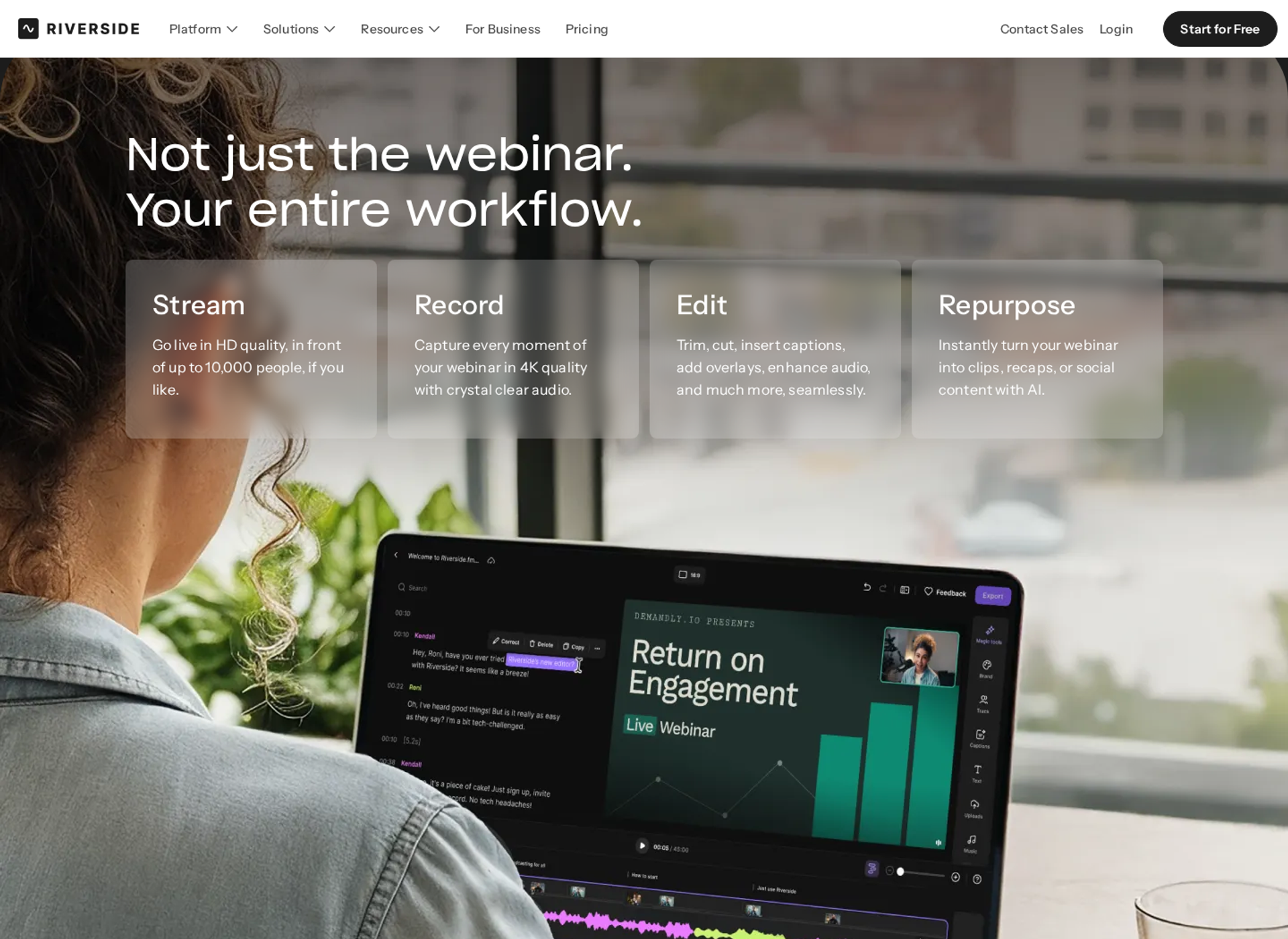
Riverside is best for creators and content teams who want studio-quality webinar recordings they can reuse, because it records each speaker locally in up to 4K. It may not fit sellers who need checkout inside the room or evergreen scheduling.
| Quick fit | - |
|---|---|
| Best for | Podcasters, creators, and B2B content teams who run webinars they plan to repurpose |
| Skip if | You need in-room checkout, a built-in CRM, or more than 100 registrants on a self-serve plan |
| Strongest edge | Local multi-track recording plus AI clips from the same session |
| Biggest trade-off | Webinar tools sit only on the Webinar plan, which caps registrants at 100 |
| Pricing snapshot | Free plan at $0. Webinar plan at $99/month billed monthly or $79/month billed annually. Business is custom and supports up to 10,000 webinar registrants. |
Why Riverside ranks #3
Riverside earns third place on engagement depth and recording quality. The Webinar plan adds Q&A, live call-ins, polls, reactions, webinar analytics, and a HubSpot integration that syncs leads to your CRM. Few hosting rooms on this list pair that toolkit with studio-grade files.
🎙️ Where Riverside stops short of the top two
Riverside is built for creation first and selling second. EasyWebinar ranks above it on the conversion criteria, with checkout inside the room and purchase data tied to each attendee. Zoom Webinars Plus ranks above it on reach, because Riverside's self-serve webinar plan stops at 100 registrants.
What Riverside does well
- Studio-quality capture: Each speaker records locally, so a weak internet connection does not ruin the final file. That gives you a recording worth reusing as a replay or ad.
- In-session engagement: Q&A, live call-ins, polls, and reactions come with the Webinar plan. That keeps the room active without adding a second tool.
- Registration and reminders: The plan includes a lead capture tool, a custom branded registration form, and branded email reminders and follow-ups.
- Repurposing: Magic Clips and AI editing turn one webinar into short videos for social, which extends the session's reach.
- Multistreaming: Grow and above stream to unlimited destinations, including YouTube, Facebook, LinkedIn, and TikTok. Multistreaming means one broadcast goes to several platforms at once.
Where Riverside falls short
- Registrant cap. More than 100 registrants, Salesforce, Marketo, SSO, and a dedicated CSM all require the Business plan.
- Plan gating. Grow includes live streaming but not audience registration, Q&A, polls, reminders, HubSpot, or webinar analytics.
- No checkout in the room. Sales happen on another page, so the purchase does not sit on the same record as the poll answer.
- No evergreen engine. Recurring webinars exist, but there is no just-in-time scheduling for each new registrant.
| Evaluation criterion | Riverside fit | Why it matters |
|---|---|---|
| Live webinars | Strong | Studio-grade audio and video with backstage speaker management. |
| Simulated live or automated webinars | Partial | Pre-recorded sessions can stream at a set time, without an evergreen engine. |
| Evergreen automation | Weak | No just-in-time or rolling schedule for new registrants. |
| Funnel pages | Partial | Branded registration forms exist, but there are no offer or checkout pages. |
| Engagement | Strong | Q&A, call-ins, polls, and reactions on the Webinar plan. |
| CRM and follow-up | Partial | HubSpot sync and email follow-ups, with no native CRM. |
| Monetization | Weak | No in-room checkout or paid webinar flow. |
| Analytics | Partial | Webinar analytics exist, but not purchases per attendee. |
| Integrations | Partial | HubSpot on Webinar. Salesforce and Marketo only on Business. |
| Pricing fit | Partial | Clear self-serve pricing, but scale requires a custom quote. |
| Best-fit buyer | Strong | Content-led teams who value recording quality over in-room sales. |
Choose Riverside if your webinar's second life as content matters as much as the live hour. Skip it if the session must sell and track purchases, where EasyWebinar's checkout and attendee data fit better.
1.4 meetn
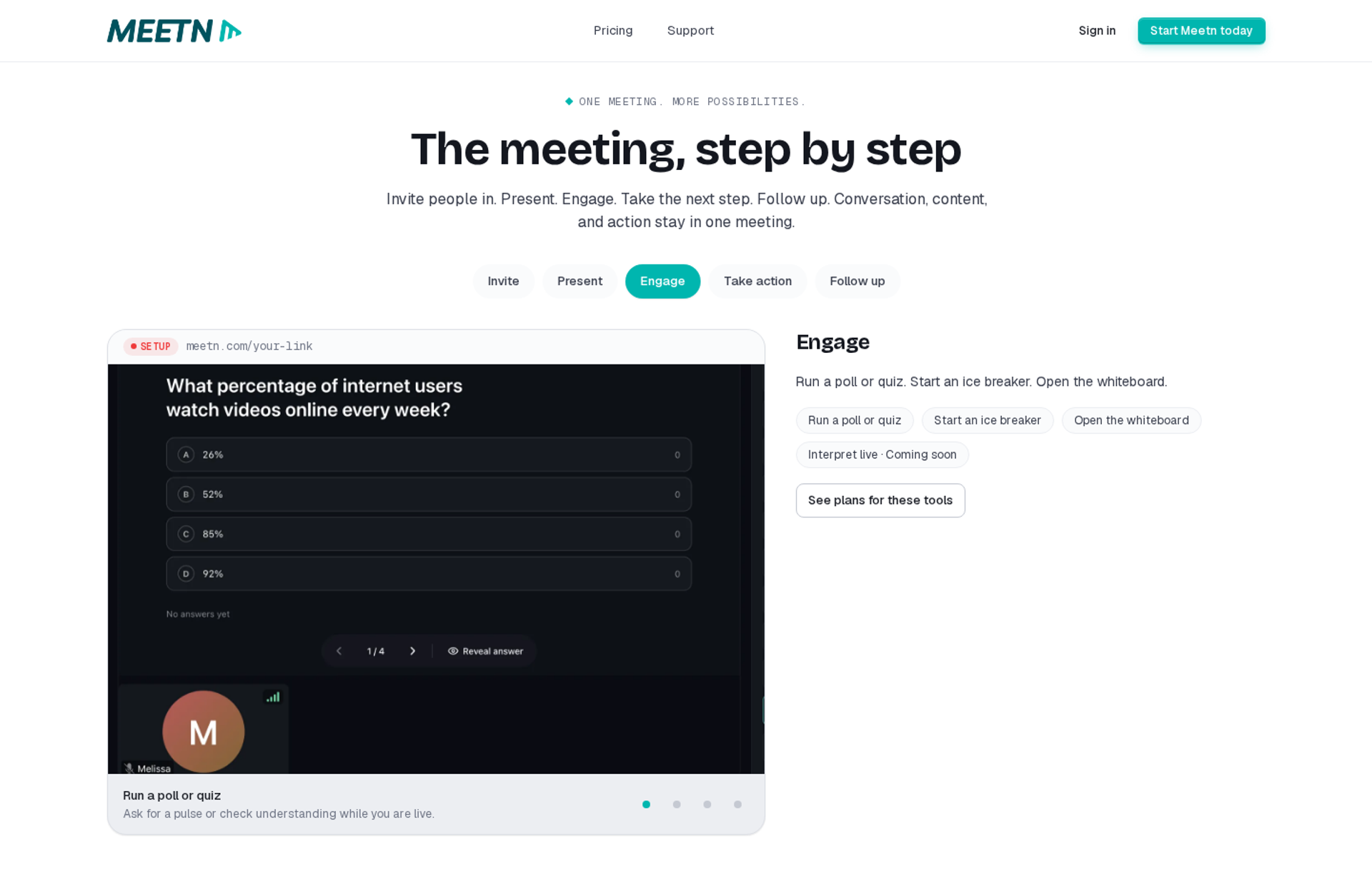
meetn is best for solo sellers and small teams who want low-cost webcasting with sales-call tools, because its Ultimate plan adds webinar settings and room for up to 1,000 attendees. It may not fit buyers who need funnel pages or revenue data tied to each attendee.
| Quick fit | - |
|---|---|
| Best for | Consultants and small sales teams who mix sales calls with occasional webinars |
| Skip if | You need evergreen automation, branded funnel pages, or detailed engagement reporting |
| Strongest edge | Low entry cost with stealth admin entry and file-sharing widgets |
| Biggest trade-off | Basic room design and limited styling control |
| Pricing snapshot | Pro at $9.95/month. Ultimate at $49.95/month with webinar settings, up to 1,000 attendees, and 100 GB of recording storage. Both start with a 14-day free trial. |
Why meetn ranks #4
meetn ranks fourth on price-to-capacity. The Ultimate plan bundles sales tools, webinar settings, one-click video and audio playback, one-click slide sharing, and a Call Now button. For a budget buyer, that covers the basics of a hosted session.
💸 Why it sits below Riverside
meetn trails Riverside on engagement depth and recording quality. It also trails EasyWebinar on every conversion criterion, because it has no in-room checkout, evergreen scheduling, or attendee-level revenue data. EasyWebinar's read is that a cheap room only stays cheap if you never need to know who bought.
What meetn does well
- Low entry cost: The Ultimate plan costs less than most webinar add-ons on this list, which lowers the risk of testing webinars.
- Stealth admin mode: Hosts can enter a room without alerting attendees. That helps a manager check a session quietly.
- File sharing: Widget-based sharing lets hosts hand out resources during the session, which supports engagement.
- Sales tools: One-click playback, slide sharing, and a Call Now button help a host move a prospect toward a sales call.
Where meetn falls short
- Basic room design. The waiting room is plain, and custom styling is limited.
- No automation engine. There is no evergreen or just-in-time scheduling for registrants.
- Thin conversion data. Public material does not document per-attendee engagement or purchase tracking.
| Evaluation criterion | meetn fit | Why it matters |
|---|---|---|
| Live webinars | Partial | Hosts up to 1,000 attendees on Ultimate, with basic room design. |
| Simulated live or automated webinars | Weak | One-click playback exists, but there is no scheduled automated format. |
| Evergreen automation | Weak | No rolling or just-in-time schedule. |
| Funnel pages | Weak | Limited page design and styling. |
| Engagement | Partial | File sharing and playback tools, with fewer interaction options. |
| CRM and follow-up | Not publicly disclosed | Native CRM and follow-up depth are not publicly documented. |
| Monetization | Weak | No documented in-room checkout. |
| Analytics | Not publicly disclosed | Attendee-level reporting is not publicly documented. |
| Integrations | Not publicly disclosed | Integration list is not publicly documented. |
| Pricing fit | Strong | Low monthly cost for a 1,000-attendee room. |
| Best-fit buyer | Partial | Budget-led buyers running simple sessions. |
Choose meetn if you need an affordable room for occasional webinars and sales calls. Skip it if the webinar is a revenue channel that needs automation, checkout, and tracking.
1.5 Heartbeat
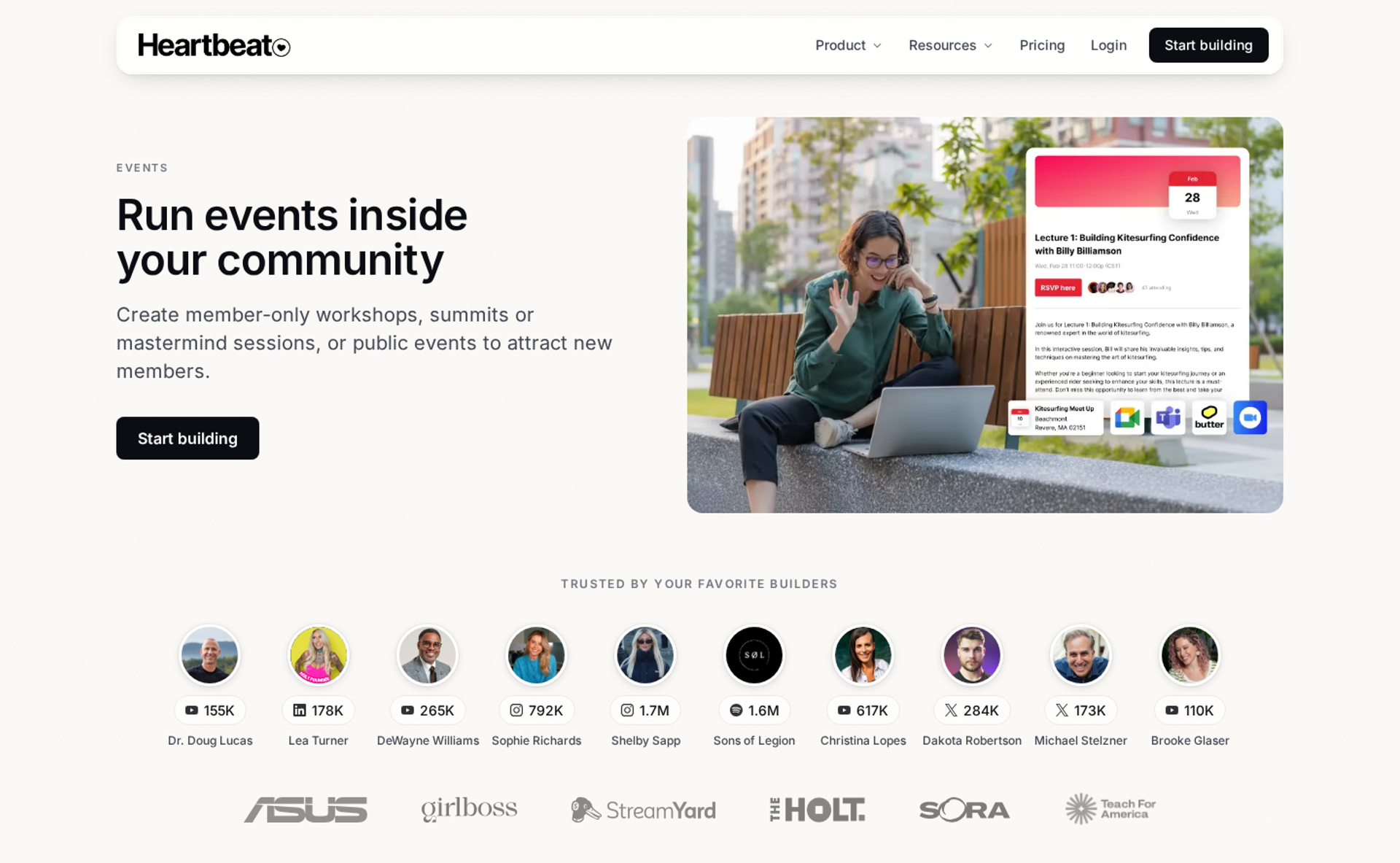
Heartbeat is best for coaches and creators running a paid community with live events, because its public event pages let outsiders RSVP and its Zoom integration tracks attendance. It may not fit sellers who need a webinar room with in-session offers.
| Quick fit | - |
|---|---|
| Best for | Coaches and creators who keep buyers engaged in a paid community after the webinar |
| Skip if | You need the webinar itself to host offers, checkout, and attendee scoring |
| Strongest edge | Public event pages that bring outside leads into a private community |
| Biggest trade-off | Transaction fees on every payment you collect |
| Pricing snapshot | Build at $49/month for up to 350 members. Grow at $149/month for up to 5,000 members. Scale at $849/month. 14-day free trial with no credit card. |
Why Heartbeat ranks #5
Heartbeat ranks fifth because it keeps buyers engaged after the session ends. Public event pages can be shared with people outside the community, which Heartbeat positions as a way to funnel new leads in. That makes it a strong retention layer, not a selling room.
🔁 Partner, not replacement
Heartbeat and EasyWebinar do different jobs in the same funnel. EasyWebinar runs the webinar that sells the membership. Heartbeat hosts the community the buyer joins afterward. In my experience, operators who run both keep the sale and the retention steps cleanly separated.
What Heartbeat does well
- Public events: Outside guests can RSVP without a full account, which lowers friction for new leads.
- Zoom sync: The Zoom integration auto-creates meeting links, syncs recordings, and tracks attendance inside events.
- Automated workflows: Workflows send emails and DMs and grant access when a member takes an action. That cuts manual follow-up.
- Conversion tracking: Grow and Scale track sign-ups and sales with Meta Pixel, Google Tag Manager, and Google Analytics.
- Built-in checkout pages: Memberships, upsells, and paid waitlists each get a ready-made sign-up page.
Where Heartbeat falls short
- Transaction fees. Heartbeat keeps 5% on Build, 2.5% on Grow, and 1.25% on Scale, on top of Stripe's processing fee.
- Room size. Voice and video rooms hold up to 256 attendees on every plan. Larger sessions rely on Zoom.
- Chat organization. Chat channels sit in one long list, which gets crowded as a community grows.
| Evaluation criterion | Heartbeat fit | Why it matters |
|---|---|---|
| Live webinars | Partial | Native rooms hold 256 people; larger sessions run through Zoom. |
| Simulated live or automated webinars | Weak | No scheduled automated webinar format. |
| Evergreen automation | Weak | Evergreen courses exist, but not evergreen webinars. |
| Funnel pages | Partial | Landing and checkout pages for offers, not webinar funnels. |
| Engagement | Strong | Chat, DMs, events, and workflows keep members active. |
| CRM and follow-up | Partial | Workflows handle follow-up, with no lead scoring. |
| Monetization | Strong | Memberships, upsells, and paid waitlists with checkout. |
| Analytics | Partial | Community, course, and event analytics, not webinar revenue per attendee. |
| Integrations | Partial | Zapier, Zoom, and calendar integrations. |
| Pricing fit | Partial | Clear tiers, plus a percentage on every sale. |
| Best-fit buyer | Strong | Community-led coaches and creators. |
Choose Heartbeat if your revenue depends on keeping members engaged after they buy. Skip it if you need the webinar to sell, which pairs better with EasyWebinar in front.
1.6 Circle
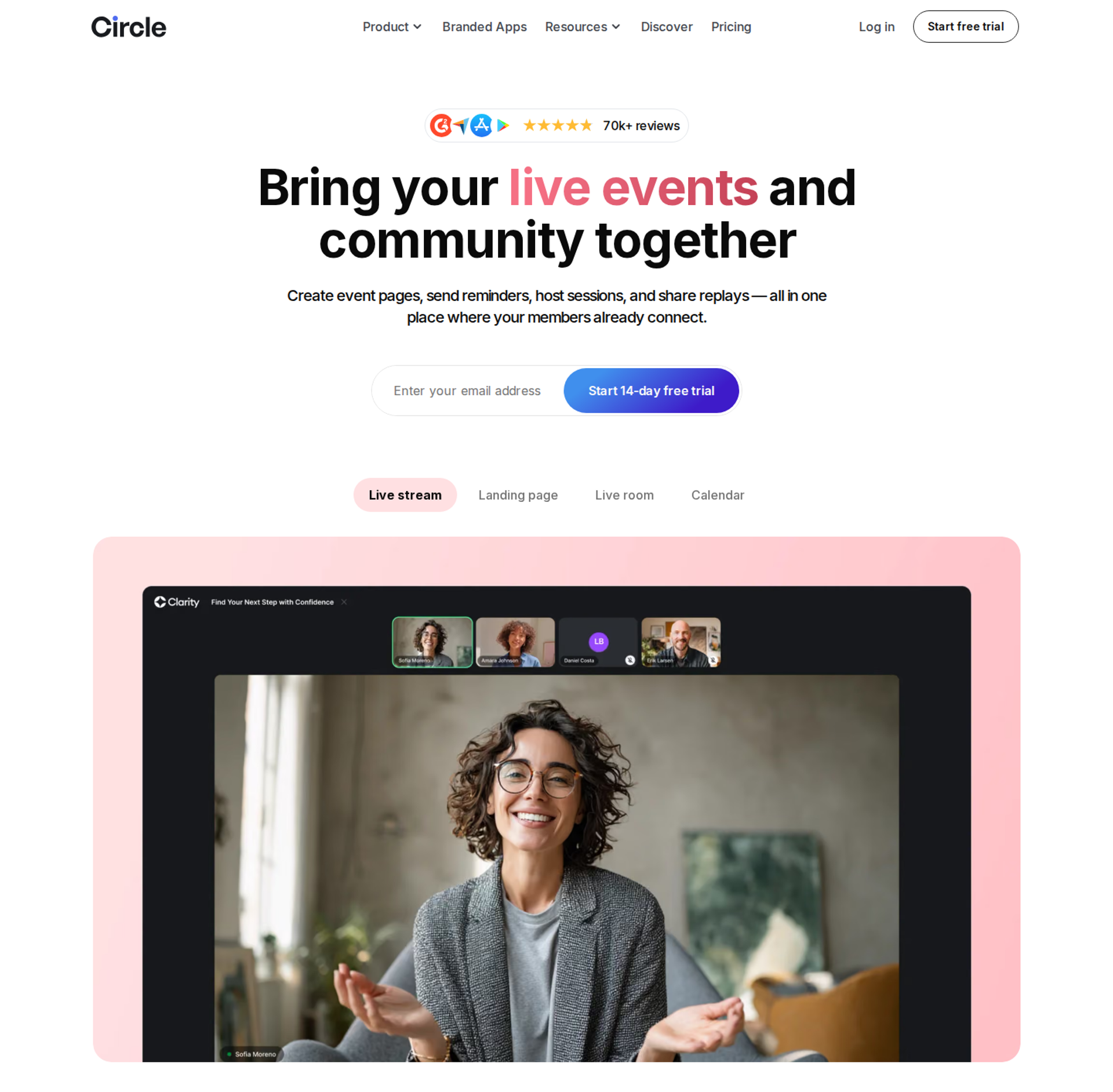
Circle is best for creators who want courses, community, and live events in one home, because it combines event RSVPs, workflows, and branded apps. It may not fit hosts who want outsiders to join public sessions without signing up.
| Quick fit | - |
|---|---|
| Best for | Creators and educators running a membership with courses and recurring events |
| Skip if | Your webinars recruit cold leads who should not have to create an account first |
| Strongest edge | Courses, community feeds, and events under one login |
| Biggest trade-off | Sign-up friction for external guests, plus transaction fees |
| Pricing snapshot | Professional at $89/month and Business at $199/month, both billed yearly. Circle Plus is custom. Transaction fees are 2% on Professional, 1% on Business, and 0.5% on Circle Plus. |
Why Circle ranks #6
Circle ranks sixth because it centralizes the post-webinar experience. Courses, feeds, and live events sit in one place, so buyers have one home to return to. That supports retention, which this list weighs alongside interaction.
🧭 Why it sits below Heartbeat
Circle drops below Heartbeat on one criterion that matters for webinars. External attendees must create a full Circle account to RSVP to a public event. For webinars that recruit new leads, that extra step costs registrations. EasyWebinar avoids it, because attendees join from any browser with nothing to download.
What Circle does well
- All-in-one community: Courses, discussion spaces, and events live together, which simplifies the member experience.
- Event RSVPs and calendars: Members get reminders for recurring live sessions, which supports attendance.
- Workflows and AI agents: Automations handle routine member tasks, which reduces admin work.
- Simple attribution: Tom Ross, who built a six-figure Circle community, tracks attribution with a required profile field asking where members found him.
- Branded apps: White-label mobile apps put the community on members' home screens, on Circle Plus.
Where Circle falls short
- External RSVP friction. Guests must create a full account to attend public events.
- Transaction fees. Every membership payment carries a platform cut on top of processing fees.
- Annual-only display. Circle's pricing page shows only the annual rates. Monthly budgeting takes extra digging.
| Evaluation criterion | Circle fit | Why it matters |
|---|---|---|
| Live webinars | Partial | Hosts community events, not large selling sessions. |
| Simulated live or automated webinars | Weak | No scheduled automated webinar format. |
| Evergreen automation | Weak | No evergreen webinar engine. |
| Funnel pages | Partial | Paywalls and sign-up pages for memberships. |
| Engagement | Strong | Feeds, events, and courses keep members active. |
| CRM and follow-up | Partial | Workflows and member data, with no webinar lead scoring. |
| Monetization | Strong | Paid memberships and courses with built-in payments. |
| Analytics | Partial | Member data, not per-attendee webinar revenue. |
| Integrations | Partial | Zapier and API access on higher tiers. |
| Pricing fit | Partial | Clear annual tiers plus transaction fees. |
| Best-fit buyer | Strong | Membership and course creators. |
Choose Circle if your business runs on a paid community with courses and recurring events. Skip it if your webinars need cold leads to join in one click.
1.7 ScoreApp
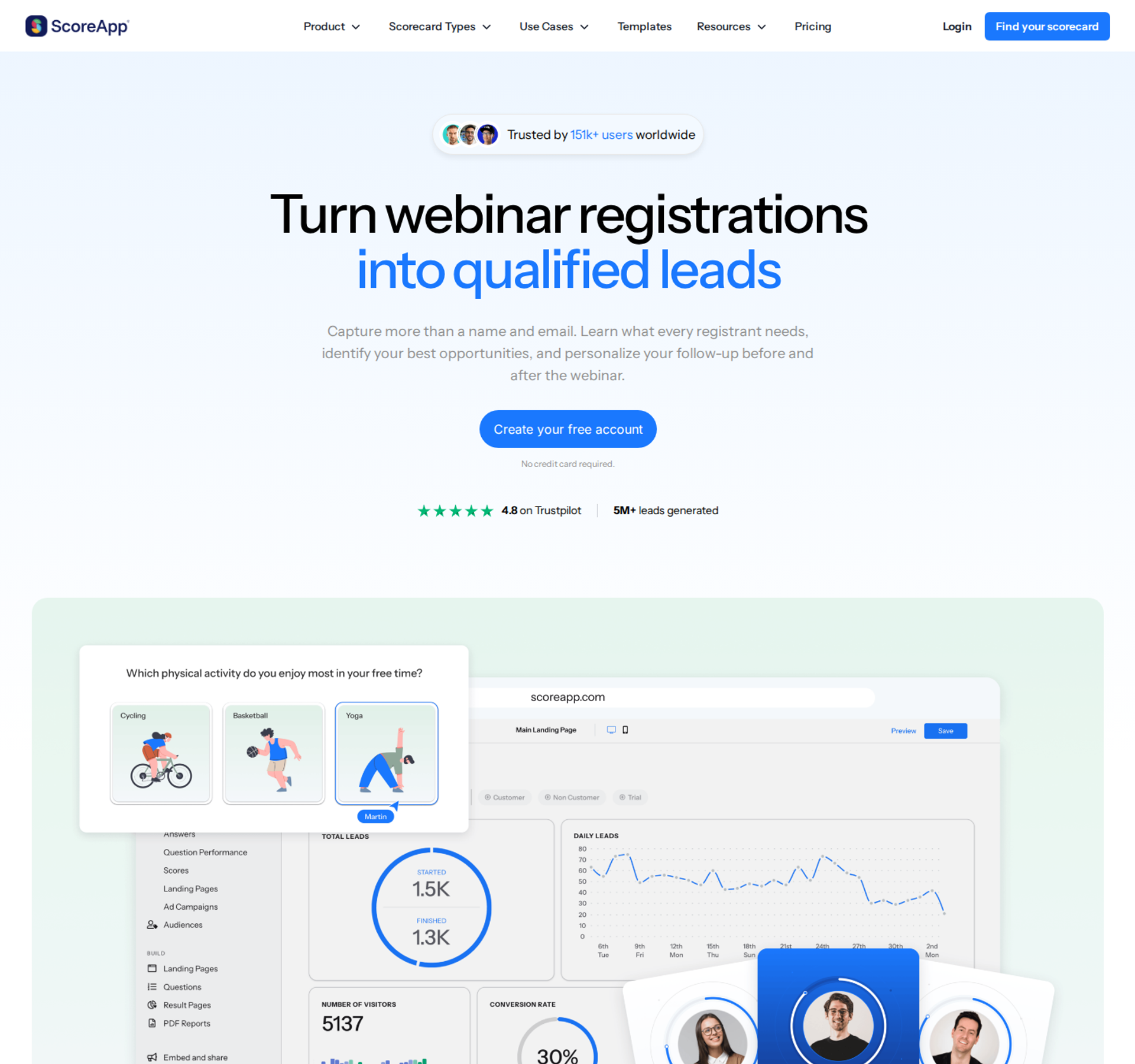
ScoreApp is best for marketers who want registrants scored and segmented before the webinar starts, because a 15-question assessment replaces the standard opt-in page. It may not fit anyone who needs to host or stream the session.
| Quick fit | - |
|---|---|
| Best for | Consultants and B2B marketers who want qualified, segmented registrants |
| Skip if | You need a tool that runs the webinar itself |
| Strongest edge | Lead scoring that routes each registrant into a tailored follow-up path |
| Biggest trade-off | Plans meter both live scorecards and monthly responses |
| Pricing snapshot | Starter at $30/month billed annually ($39 monthly) with 3 live scorecards and 100 responses per month. Business at $75/month annually ($99 monthly). The free plan covers 1 scorecard and 10 responses per month. |
Why ScoreApp ranks #7
ScoreApp ranks seventh because it improves engagement before the session starts. Daniel Priestley, ScoreApp's co-founder, reports opt-in rates of 20% to 40% when a 15-question assessment replaces a standard landing page. Each registrant arrives already tagged by need.
🎯 What it means for the webinar
ScoreApp hands you segments, not a room. EasyWebinar then picks up the same lead in the session and scores it again on behavior, using Hot, Warm, and Nurture tiers. EasyWebinar's read is that pre-webinar intent and in-room behavior together tell sales far more than either one alone.
What ScoreApp does well
- Assessment opt-ins: A quiz-style page gives registrants a reason to answer, which lifts opt-in rates.
- Lead scoring: Each score routes the lead into a matching follow-up sequence, which sharpens the pitch.
- Dynamic result pages: Registrants see a personalized result, which builds trust before the webinar.
- CRM connection: The Starter plan includes CRM connections. Scores can reach your sales stack early.
- Testing at scale: Higher tiers add 30 scorecards, 3,000 responses, and split testing.
Where ScoreApp falls short
- No hosting. ScoreApp needs a separate tool to stream the webinar.
- Double metering. Three scorecards on Starter forces upgrades based on slots, even when volume is low.
- Feature gating. PDFs, abandon emails, and analytics start at the Business tier.
| Evaluation criterion | ScoreApp fit | Why it matters |
|---|---|---|
| Live webinars | Weak | Does not host or stream sessions. |
| Simulated live or automated webinars | Weak | No webinar delivery. |
| Evergreen automation | Weak | No webinar scheduling. |
| Funnel pages | Strong | Assessment landing and result pages replace a standard opt-in. |
| Engagement | Partial | Engages before the session, not during it. |
| CRM and follow-up | Strong | Scores route leads into tailored follow-up. |
| Monetization | Weak | No checkout or paid webinar flow. |
| Analytics | Partial | Assessment analytics on Business and above. |
| Integrations | Partial | CRM connections from Starter. |
| Pricing fit | Partial | Free entry, but metered responses push upgrades. |
| Best-fit buyer | Strong | Marketers who want qualified registrants. |
Choose ScoreApp if you want to know each registrant's need before they show up. Skip it if you are looking for a webinar room, because it does not host one.
1.8 Stan Store
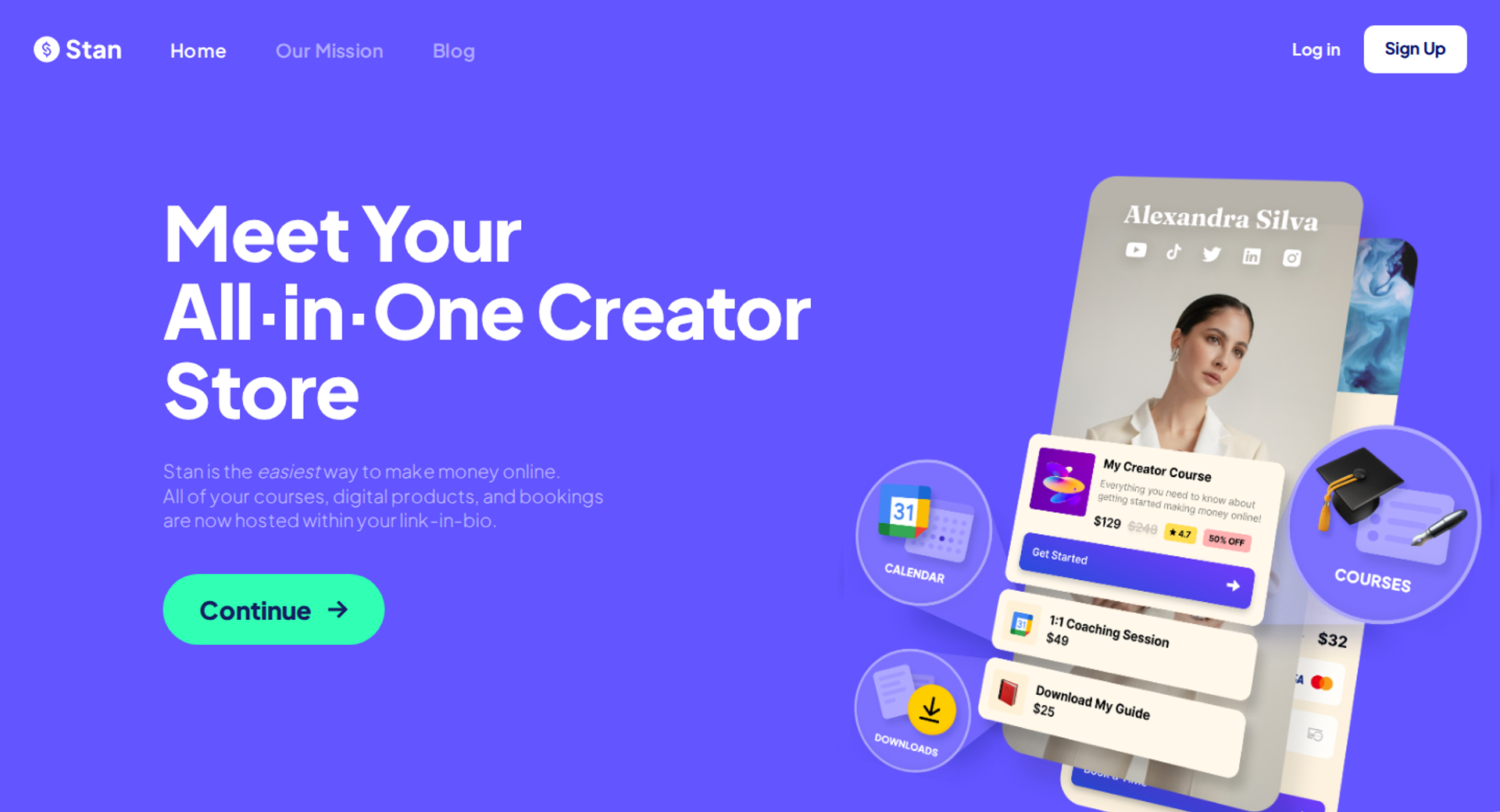
Stan Store is best for social-first creators who sell from a link-in-bio store, because comment triggers can send a sign-up or checkout link to a viewer's DMs. It may not fit hosts who need a webinar room, stage tools, or attendee analytics.
| Quick fit | - |
|---|---|
| Best for | Instagram and TikTok creators turning comments into workshop sign-ups |
| Skip if | You need stage management, a backstage, or in-session engagement data |
| Strongest edge | Comment-to-DM triggers that deliver a link where the viewer already is |
| Biggest trade-off | Email and marketing tools sit behind the higher plan |
| Pricing snapshot | Creator at $29/month or $300/year. Creator Pro at $99/month or $948/year. No platform transaction fees. |
Why Stan Store ranks #8
Stan Store ranks eighth because its engagement happens on social media, not inside the webinar. Modern Millie, a course creator, describes a flow where commenting "webinar" on a Reel sends a checkout link straight to DMs. That captures intent at the scroll, which no other tool here does natively.
📲 Where the handoff happens
Stan Store gets the click, and the webinar has to do the selling. EasyWebinar fills that second step with browser join, in-room offers, and follow-up based on what each attendee did. Its EasyCast tool also streams to social platforms with QR-code offers for viewers who never registered.
What Stan Store does well
- DM triggers: A comment on a Reel or TikTok sends the link automatically, which shortens the path to registration.
- Simple storefront: Digital products and live workshops sit on one mobile page, which suits creators without a website.
- Zero platform fee: Stan charges no transaction fee on either plan. That keeps more of each sale.
- Creator Pro marketing: Creator Pro adds order bumps, upsells, funnels, email broadcasts and flows, advanced analytics, and advertising-pixel tracking.
Where Stan Store falls short
- No webinar room. There is no multi-speaker stage, backstage, or green room.
- Plan gating. Email broadcasts and pixel tracking require Creator Pro.
- Branding. Removing Stan branding from the bottom of your store requires Creator Pro.
| Evaluation criterion | Stan Store fit | Why it matters |
|---|---|---|
| Live webinars | Weak | No multi-speaker stage or backstage tools. |
| Simulated live or automated webinars | Weak | No scheduled webinar delivery. |
| Evergreen automation | Weak | No evergreen webinar engine. |
| Funnel pages | Partial | Store pages and funnels on Creator Pro. |
| Engagement | Partial | Strong on social DMs, absent inside a session. |
| CRM and follow-up | Partial | Email flows on Creator Pro, with no lead scoring. |
| Monetization | Strong | Checkout, upsells, and order bumps with no platform fee. |
| Analytics | Partial | Store analytics, not webinar engagement. |
| Integrations | Partial | Pixel tracking on Creator Pro. |
| Pricing fit | Strong | Two flat plans with no transaction fee. |
| Best-fit buyer | Strong | Social-first creators selling digital products. |
Choose Stan Store if your audience lives on Instagram or TikTok and you need a fast path from comment to sign-up. Skip it if you need a tool that runs the session and measures engagement inside it.
✅ Where EasyWebinar sits in this stack
EasyWebinar is the selling room in the middle of this list. ScoreApp and Stan Store can feed it registrants, and Circle or Heartbeat can hold buyers afterward. EasyWebinar runs the session with polls, timed offers, and in-room checkout. It then ties each answer, click, and purchase to one attendee, synced to EasyCRM or your own CRM.
Q2. How Did We Score These Webinar Engagement Tools?
This guide scored each tool on five weighted criteria: Interaction Depth 25%, Conversion and Data Tracking 25%, Retention-to-Pitch Mechanics 20%, Live and Automated Coverage 15%, and User Reviews 15%. Scores run from 0 to 100. A total of 0 to 20 earns one star, and each further 20 points adds one star. Tracking carries the same weight as interaction, because a poll you cannot tie to a sale says nothing about revenue.
A marketing head opens her post-webinar report on a Friday morning. It shows 61% poll participation and 140 chat messages. Her CFO reads it and asks one question: which of those people bought? That question shaped how this guide weighs every tool on the list.
⚖️ The five weighted criteria
| Criterion | Weight | What we checked |
|---|---|---|
| Interaction Depth | 25% | Chat, polls, Q&A, reactions, and timed CTAs inside the session |
| Conversion and Data Tracking | 25% | Whether answers, clicks, and purchases land on one attendee record and reach a CRM |
| Retention-to-Pitch Mechanics | 20% | Countdowns, timed offers, drop-off data, and anything that holds people until the offer |
| Live and Automated Coverage | 15% | Live, simulive, evergreen, and replay formats from one setup |
| User Reviews | 15% | Verified G2 reviews, with mixed ratings read alongside positive ones |
The eight criteria in the comparison above roll up into these five groups. Funnel pages, checkout, and CRM readiness sit under tracking, because they decide whether data survives the sale.
⏰ Why retention gets its own 20%
Jeremy Haynes, an ad agency owner who has run $80,000 ad budgets on a single webinar, targets 80% retention from peak attendance to the pitch. A tool that cannot show where people leave cannot help you hit that number. Interaction still matters: ON24's 2025 Webinar Benchmarks Report found a 68% increase in engagement reactions per attendee.
EasyWebinar's read, after 14 years of running and studying webinars, is that most scoring models overweight features. I've watched busy rooms produce zero sales. So this model rewards the tool that connects a poll answer to a purchase.
⭐ Final scores and stars
| Tool | Score (out of 100) | Stars |
|---|---|---|
| EasyWebinar | 92 | ⭐⭐⭐⭐⭐ |
| Zoom Webinars Plus | 71 | ⭐⭐⭐⭐ |
| Riverside | 58 | ⭐⭐⭐ |
| meetn | 44 | ⭐⭐⭐ |
| Heartbeat | 38 | ⭐⭐ |
| Circle | 35 | ⭐⭐ |
| ScoreApp | 33 | ⭐⭐ |
| Stan Store | 30 | ⭐⭐ |
EasyWebinar's lead comes from tracking, not interaction alone. Zoom Webinars Plus and Riverside score close on interaction, then lose points on checkout and per-attendee data. Community and add-on tools score lower because they do not run the selling session itself.
💬 What reviewers flagged
"The detailed analytics are great as they save me the hassle of calculating KPIs." - Eliza W., February 11, 2026, EasyWebinar G2 - Verified Review
"Instant replays, plus scheduled times, my own custom thank you page, and all the tagging to understand viewing metrics." - Verified User in Accounting, May 7, 2024, EasyWebinar G2 - Verified Review
"Reporting is a bit of a maze." - Casey S., G2 Reviewer (1.5/5), March 16, 2021, Zoom G2 - Verified Review
✅ How EasyWebinar measures the same thing
EasyWebinar measures engagement the way this scoring model does, one attendee at a time. It records attendance, watch time, poll answers, offer clicks, and purchases on a single record. A drop-off heatmap shows the minute people leave. That data syncs to EasyCRM or to HubSpot, Salesforce Pardot, ActiveCampaign, Mailchimp, or Kit (formerly ConvertKit).
Q3. Why Is EasyWebinar the Best Webinar Engagement Tool for Tracking Engagement to Revenue?
EasyWebinar is a webinar platform built for conversions, live, automated, and on demand. Attendees join from any browser with nothing to download. Polls, chat, Q&A, countdowns, and in-room offers run on Dolby OptiView WebRTC streaming at sub-500ms latency. EasyWebinar records each attendee's answers, offer clicks, and purchases as first-party intent data (data you collect yourself about what each person did). That data flows into EasyCRM or a connected CRM.
🖥️ The room you cannot see
A course creator reaches slide 22 of her sales webinar. Her chat went quiet ten minutes ago. Half the room is answering email in another tab, and she cannot tell who left. Buyers describe this exact job: hold attention to the pitch, then prove who bought.
❌ The old way: three tools and a Zap
Most webinars still run engagement in one tool, checkout in another, and data in a third. A Zap (an automated hand-off between apps) stitches them together. Jeremy Haynes caught his Zapier plan hitting its limit 4 hours before a launch. A couple hundred opt-ins never reached the sales team's dialer.
I lived my own version before EasyWebinar existed. I spent 6 months building a YouTube course that sold zero copies. Webinars were the only thing that moved it. In my first year of live webinars, I built a 14,000-person list and sold $245,000 of that course.
⏰ What changed
Buyers now judge a webinar on revenue, not attendance. A replay sitting on a page no longer counts as follow-up. The session that sold live is expected to keep working after the live hour, with its offers and tracking intact.
✅ What EasyWebinar does about it
EasyWebinar keeps the room, the sale, and the data in one platform:
- Sell inside the room: Built-in checkout through Stripe, PayPal, or PayU, so buyers pay without a redirect.
- Revenue you can trace: Watch time, questions, poll responses, offer clicks, and purchases per attendee, plus a drop-off heatmap and Hot, Warm, and Nurture lead scoring.
- One click in: Browser join on desktop or mobile, so more registrants reach the first poll.
- Live, then automated: The proven session becomes simulive, evergreen, or just-in-time. Just-in-time sessions start minutes after registration, in the attendee's own time zone.
EasyWebinar never presents an automated session as live. Live carries real risk, since my kid could throw ketchup at my face mid-pitch. So I nail it live first, then automate the winner.
💰 Proof from operators
Carla Beisinger generated $5M with one evergreen funnel on EasyWebinar. Reviewers describe similar shifts, along with honest gaps:
"With my live class I used to sell 10-12 courses. With EasyWebinar I sold 25 courses within 3 weeks of my evergreen 'launch'." - Laura C., Course Creator, January 28, 2025, EasyWebinar G2 - Verified Review
"I love the built-in countdown offers and polls as well." - Annette S., October 29, 2024, EasyWebinar G2 - Verified Review
"Replay insights aren't currently captured on live webinars." - Verified User in Professional Training and Coaching, November 1, 2024, EasyWebinar G2 - Verified Review
📊 Where the data goes next
EasyWebinar splits live and replay attendee insights for evergreen webinars, so you see who actually watched. Plans start with a 7-day trial and no credit card, and automated, simulive, and evergreen webinars unlock on Growth. EasyWebinar fits when the webinar has to produce revenue, not just attendance.
Q4. How Do Zoom Webinars Plus, Riverside and meetn Compare as Webinar Hosting Rooms?
Zoom Webinars Plus fits teams already on Zoom that need a backstage, practice sessions, and simulive. Riverside fits studio-quality broadcasts, with local 4K multi-track recording plus Q&A, polls, and reactions on its Webinar plan. meetn fits low-cost webcasting, with a stealth admin mode and up to 1,000 attendees on its Ultimate plan. None of the three takes payment inside the session.
A marketing manager has three tabs open: Zoom, Riverside, and meetn. All three can host Thursday's webinar. The real question is what happens to the data after the last poll closes.
📋 Side-by-side
| Tool | Best for | Standout | Pricing | In-room checkout |
|---|---|---|---|---|
| Zoom Webinars Plus | Teams standardized on Zoom | Backstage and practice session | $99/month for 100 attendees, plus a Zoom Workplace Pro license | No |
| Riverside | Content-led creators | Local 4K multi-track recording | Webinar plan at $99/month billed monthly, $79 billed annually | No |
| meetn | Budget-led hosts | Stealth admin mode | Ultimate at $49.95/month, up to 1,000 attendees | No |
| EasyWebinar | Webinars that must sell | Checkout and attendee data in one room | Launch $44, Growth $116, Pro $198, Scale $349 per month | Yes |
Zoom Webinars Plus
Best for: teams already on Zoom. Not ideal for: in-room selling. Standout: backstage control.
Betsy Sabatini, a Zoom tech coach, points to the backstage, where hosts and panelists talk privately during a session. Practice mode lets hosts rehearse and pre-load polls. Each webinar license also requires a paid Zoom plan.
⚠️ What Zoom reviewers report
"The engagement features were minimal and did not appeal to a large crowd." - Verified User in Education Management, G2 Reviewer (2.5/5), August 4, 2022, Zoom G2 - Verified Review
"It was easy to implement, integrates with our systems well and is always coming out with new features." - Rob K., National Membership Association, G2 Reviewer (4/5), February 8, 2024, Zoom G2 - Verified Review
Riverside
Best for: recorded webinars you plan to repurpose. Not ideal for: large self-serve audiences. Standout: studio-grade files.
The Webinar plan adds Q&A, live call-ins, polls, reactions, webinar analytics, and HubSpot lead sync. More than 100 registrants requires the custom Business plan.
🎙️ Where Riverside fits
Riverside wins when the recording matters as much as the room. It has no checkout, so the sale happens on another page.
meetn
Best for: occasional webinars mixed with sales calls. Not ideal for: branded funnels. Standout: low cost per seat.
Ultimate bundles sales tools, webinar settings, one-click slide sharing, and 100 GB of recording storage. Hosts can enter quietly in stealth mode. The waiting room is basic, and custom styling is limited.
✅ What all three leave to other tools
EasyWebinar adds what these three rooms hand off: registration pages, in-room offers and checkout, and attendee-level analytics on flat monthly pricing. Zoom runs the meeting well. EasyWebinar runs the webinar that has to sell, then turns the winning session into an automated webinar.
Q5. Where Do ScoreApp, Stan Store, Circle and Heartbeat Fit Around a Webinar?
ScoreApp, Stan Store, Circle, and Heartbeat do not host the selling webinar. They work before or after it. ScoreApp replaces the registration page with a 15-question assessment, and its co-founder Daniel Priestley reports opt-in rates of 20% to 40%. Stan Store sends sign-up links to Instagram and TikTok DMs (direct messages) from comment triggers. Circle and Heartbeat keep members engaged after the session through community events. Heartbeat lets guests RSVP to public events without a full account.
A coach sketches her funnel on a whiteboard: Reel, quiz, webinar, community. Four boxes, four tools. Nobody has asked where each lead's data lives as it moves between them.
Before the webinar: ScoreApp and Stan Store
🎯 ScoreApp
Best for: consultants and B2B marketers who want scored registrants. Not ideal for: hosting the session.
ScoreApp swaps a plain opt-in page for an assessment. Each score routes the lead into a matching follow-up path, so the webinar invite already fits their need. Plans meter both live scorecards and monthly responses, with a free tier covering one scorecard and 10 responses.
📲 Stan Store
Best for: social-first creators. Not ideal for: stage tools or in-session data.
Modern Millie, a course creator, describes the flow: a viewer comments "webinar" on a Reel, and a sign-up link lands in their DMs. Stan Store charges $29/month for Creator or $99/month for Creator Pro, with no platform transaction fees.
After the webinar: Circle and Heartbeat
🏠 Circle
Best for: creators running courses, community, and events in one home. Not ideal for: public sessions that recruit cold leads.
External guests must create a full Circle account to RSVP. Tom Ross, who built a six-figure Circle community, tracks attribution with a required profile field asking where members found him. Circle takes 2% on Professional, 1% on Business, and 0.5% on Circle Plus.
💬 Heartbeat
Best for: paid communities that run public events. Not ideal for: large selling sessions.
Bri Leever's 2025 comparison credits Heartbeat for letting outsiders join public and paid events without an account. The trade-off is chat channels that pile into one long list. Heartbeat's Zoom integration auto-creates meeting links, syncs recordings, and tracks attendance inside events.
🔁 How the stages hand off
| Stage | Tool | Job it does | What EasyWebinar adds |
|---|---|---|---|
| Before | ScoreApp | Scores leads before registration | Rescores each lead on in-room behavior |
| Before | Stan Store | Turns social comments into sign-ups | Runs the session those sign-ups attend |
| During | EasyWebinar | Hosts, engages, and sells in the room | Checkout and per-attendee data in one platform |
| After | Circle | Hosts courses and community | Sells community entry with a webinar |
| After | Heartbeat | Hosts community events | Sells community entry with a webinar |
✅ Where EasyWebinar sits between them
EasyWebinar is the selling room in the middle of this stack. It scores each lead again on what they did in the session, sorting them into Hot, Warm, and Nurture. EasyCast multistreams the session with QR-code offers, so viewers who never registered can still buy. Keep your community where it lives, and use EasyWebinar to sell the way in.
Q6. Which Engagement Features Keep Attendees to the Pitch, and When Should You Use Them?
Polls, Q&A, chat prompts, countdowns, and timed offers keep attendees to the pitch when they are spread across the funnel. Before the session, collect questions on the thank-you page. During it, run a diagnostic poll in the first five minutes, then an interaction every 4 to 5 minutes. After it, follow up on what each attendee did. EasyWebinar sends no-shows, early leavers, offer-clickers, and replay viewers into separate follow-up sequences.
A presenter saves every question for minute 45. By then, half the room has drifted to email in another tab. The offer lands on an audience that stopped listening twenty minutes ago.
❌ The old way: 45 minutes, then Q&A
Jono Bacon, a community strategist who has run hundreds of live sessions, noticed most webinars follow one shape. They run 45 minutes of teaching, then 15 minutes of Q&A. He asked why interaction sat only at the end, then tested a structure that spread it throughout.
That end-loaded shape is where rooms empty. Passive viewers quietly leave between minutes 20 and 40, before the offer ever appears.
⏰ What changed: micro-commitments
Darius Benders, who has run $100K webinars, asks at least 20 questions and gets 50 chat responses per hour. Each "type 1 in the chat" is a micro-commitment (a small yes that builds toward a bigger one). The goal shifted from attendance to retention at the pitch. ON24's 2025 benchmarks recorded a 68% rise in engagement reactions per attendee.
| When | Move | Why it works |
|---|---|---|
| Before | Question field on the thank-you page | Alex Cattoni reports 92% of attendees want Q&A, so they stay for their answer |
| First 5 minutes | Diagnostic poll | Gets the first yes and tailors the talk |
| Every 4 to 5 minutes | Poll, chat prompt, or Q&A | Stacks micro-commitments |
| Before the pitch | Bonus held for those who stay | Holds retention to the offer |
| At the pitch | "Drop a 1 in the chat if you want to hear the offer" | The room opts in to the pitch |
| After | Follow-up by behavior | Each person gets the next message they earned |
✅ What EasyWebinar does about it
EasyWebinar runs polls, chat, Q&A, countdowns, and timed offers in real time, on sub-500ms streaming. The poll lands while the audience is still on that slide. Its AI Webinar Builder drafts poll questions and a timed CTA along with the script, pages, and emails.
After the session, EasyWebinar sorts attendees by what they did. Behavior-based sequences go out by email or by SMS through Twilio. They run inside the platform or through Mailchimp, ActiveCampaign, or Kit (formerly ConvertKit).
💰 Prove it live first
EasyWebinar's Webinar Sprint method is simple. Run 5 to 10 live sessions, reach 10% attendee-to-buyer conversion, then automate the winning version. I'd rather see a coach run eight rough live sessions than polish one for six weeks.
⭐ The timing, built in
EasyWebinar keeps the timing above in one place: questions collected at registration, polls and offers timed in the room, and follow-up triggered by behavior. Jason Caruso made $14K from his first webinar on the platform.
Q7. How Do You Measure Webinar Engagement That Actually Converts?
Measure what comes before revenue: retention from peak attendance to the pitch, poll and Q&A participation, offer clicks, purchases per attendee, and replay behavior. Then tie each metric to a CRM record without fragile middleware (connector tools that pass data between apps). EasyWebinar's drop-off heatmap shows the minute attendees leave. EasyWebinar's attendee-level data syncs to EasyCRM, HubSpot, or Salesforce Pardot (Account Engagement).
A sales lead opens the CRM on Monday. The webinar report says 400 attended, but only 210 contacts show up in her dialer list. Nobody can say which half asked questions or clicked the offer.
📊 The metrics that come before revenue
| Metric | What it tells you | Benchmark |
|---|---|---|
| Retention to the pitch | Whether the room was there for the offer | 80% from peak (Jeremy Haynes) |
| Chat responses | Whether micro-commitments are building | 50 per hour (Darius Benders) |
| Poll and Q&A participation | Who is active, not just present | Track per attendee |
| Offer clicks | Who showed buying intent | Track per attendee |
| Attendee-to-buyer rate | Whether the session is ready to automate | 10% (Casey Zeman, EasyWebinar) |
| Replay behavior | Who watched later, and how far | Separate from live |
❌ The old way: tracking through Zaps
Most stacks pass webinar data through Zapier. Jeremy Haynes caught his Zapier plan hitting its cap 4 hours before a launch, with a couple hundred opt-ins missing from the CRM. Sync gaps also appear at the registration step:
"If using a Zoom registration form then the registration information does not sync to Marketo." - Pavel P., G2 Reviewer (1/5), January 12, 2021, Zoom G2 - Verified Review
⏰ What changed: first-party intent data
Webinar data is now judged as first-party intent data: what each person watched, asked, clicked, and bought. ON24's 2025 report found personalized experiences drove 48% higher CTA conversion rates than those without. Personalization only works when that data reaches your system intact.
✅ What EasyWebinar does about it
EasyWebinar records watch time, questions, poll responses, offer clicks, and purchases for each attendee. It adds a drop-off heatmap, a conversion funnel, segmentation, and Hot, Warm, and Nurture lead scoring. Data exports to CSV and fires GA4 and Meta Pixel events.
EasyWebinar sends that data to EasyCRM natively, which includes lead scoring and an auto-dialer. Native HubSpot and Salesforce sync starts on the Pro plan. One drop-off fix I teach: set a watch threshold, find where people leave, and rework that segment.
💰 Proof from operators
Rick Mulready reported 166% ROI on cold paid traffic with EasyWebinar. He saw a 30% registration rate at $8 to $12 CPL (cost per lead). Reviewers note strengths and gaps:
"The seamless integration with email marketing and other tools has also helped streamline our workflow, making it easier to nurture leads and track engagement." - Jo K., March 26, 2025, EasyWebinar G2 - Verified Review
"Intergration is somewhat limited, but if you are comfortable with Zapier you can easily update that." - Verified User in Professional Training and Coaching, November 1, 2024, EasyWebinar G2 - Verified Review
✅ Know what made money
EasyWebinar attributes revenue back to each webinar, so you know what made money, not just who showed up. Sales gets the warmest leads first. The next session gets tuned on purchases, not attendance.
Frequently Asked Questions

Casey Zeman
Founder of EasyWebinar
About Author
Over the past decade, I've helped thousands of entrepreneurs, coaches, and consultants turn webinars into a predictable, powerful way to grow their audience, build trust, and scale, without the constant hustle. I created EasyWebinar because I couldn't find a system that combined authenticity, engagement, and automation the way I needed. So, I built one.
Related Posts

10 Best Community Engagement Platforms in 2026
Compare the 10 best community engagement platforms in 2026. Course creators, evaluate live hosting, analytics, and replay to pick your winner today.

10 Best Online Coaching Tools in 2026: Live Session Quality, Scheduling, Recording, and Client Engagement Analytics
Compare the 10 best online coaching tools of 2026 on session quality, scheduling, and analytics. Discover the right fit for your coaching revenue model.

10 Best Webinar Hosting Platforms Ranked by Uptime, Streaming Quality & Cost
Compare 10 webinar hosting platforms ranked by uptime, streaming quality, and cost. Discover which tool actually turns attendees into revenue.
Turn every webinar into a revenue stream
Launch your first paid event in just a few clicks - and start monetizing your expertise.
Book a Call