10 Best Webinar Platforms for Influencers in 2026

Casey Zeman
Published on Sep 29, 2026 • 51 min read

TL;DR
- Reel views are passing attention. Webinars give creators 45 minutes of sit-down attention, which is where followers decide to buy a program, coaching offer, or paid workshop.
- We scored 10 platforms on mobile join, monetization, live-to-automated leverage, stack simplicity, and reviews. EasyWebinar ranked first, followed by Stan Store, Zoom Webinars, and Skool.
- Most influencers need two tools: one that holds the audience, such as Stan Store, Skool, or Circle, and one that converts it with checkout inside the webinar room.
- Ask permission before pitching, sell $50 to $100 workshop tickets to filter out freeloaders, and repeat sponsor disclosures throughout livestreams, as the FTC advises.
- Prove the webinar live first, automate once roughly 10% of attendees buy, and present automated sessions as automated, never as live.
- Compare total stack cost, including transaction fees and per-attendee pricing, not entry prices. Skool's 10% Hobby fee costs $500 a month at $5,000 in monthly revenue.
Q1. What are the 10 Best Webinar Platforms for Influencers in 2026?
The 10 platforms in this guide are EasyWebinar, Stan Store, Zoom Webinars, Skool, Circle, Riverside, meetn, Heartbeat, ScoreApp, and GoHighLevel. EasyWebinar ranks first on the job influencers hire a webinar for: turning followers into buyers. Attendees join from a phone browser with nothing to install, and buyers pay at a checkout inside the room through Stripe, PayPal, or PayU. The session that converts live can then run as an automated webinar every day on the same subscription. The other nine platforms hold, record, or capture an audience. Each does that job well, and most creators pair one of them with a webinar that sells.
The ranked list:
- EasyWebinar
- Stan Store
- Zoom Webinars
- Skool
- Circle
- Riverside
- meetn
- Heartbeat
- ScoreApp
- GoHighLevel
⭐ Why this decision carries real money
I spent six months building a YouTube course that sold zero copies, and the follower count did nothing to change that. Weekly webinars changed it: a 14,000-person list and $245,000 in sales in year one. The platform behind that hour decides whether a follower's attention turns into revenue. This guide evaluated 10 vendors against seven criteria. The primary reader is the creator who runs launches every week. The shadow readers are the business manager, the virtual assistant or operations lead who owns the tool stack, and the bookkeeper checking total monthly spend.
Our Evaluation Criteria
Phone-to-room friction 📱
How many taps a follower needs to get from a Reel or DM link into the live room on a phone, including any app download.
Selling inside the session 💰
Whether buyers can pay during the webinar (checkout, paid tickets, timed offers) or must leave for another page.
Live-to-automated leverage ⏰
Whether a session that converts live can run on its own schedule afterward, and whether that needs a second product.
Social reach 📡
Whether one session can stream to YouTube, Facebook, or LinkedIn, and whether viewers there can still buy.
Follow-up by behavior 📬
Whether no-shows, early leavers, and offer clickers get different messages, through a built-in CRM or one the creator already uses.
Stack weight ⚖️
How many separate tools and bills the creator needs to run one complete funnel.
Operator evidence ✅
What verified reviews say about reliability, support, and real results.
Who This Guide Is For
- Influencers with an engaged following who want to sell a program, coaching offer, or paid workshop instead of relying only on brand deals.
- Creator-coaches moving from low-ticket link-in-bio sales to higher-ticket offers that need a live pitch.
- Creators tired of going live every week who want their best session working on a schedule.
- Business managers and virtual assistants who run the tool stack and want fewer logins and handoffs.
- Bookkeepers and finance partners who need total monthly cost of the stack, not entry prices.
Comparison Table
| Provider | Best For | Standout Strength | Known Limitation | Monetization Depth | Support Model | Pricing Model |
|---|---|---|---|---|---|---|
| EasyWebinar ⭐⭐⭐⭐⭐ | Influencers selling a program or paid workshop with a webinar that keeps working after the live hour | Checkout inside the room plus live-to-automated on one subscription | Not a course host or community; automation, checkout, and EasyCast start at the Growth plan | In-room checkout, paid and ticketed webinars, QR-code offers for social viewers | Live chat, knowledge base, onboarding call | Flat monthly tiers, no per-attendee fees |
| Stan Store ⭐⭐⭐⭐ | Creators selling digital products and bookings from link-in-bio | Mobile storefront with Stan AutoDM comment-to-DM links | No broadcast room with multi-speaker stage or in-session offers | Storefront checkout; upsells and order bumps on Creator Pro | Not publicly disclosed | Flat monthly, two tiers, 0% platform fee |
| Zoom Webinars ⭐⭐⭐⭐ | Creators whose co-hosts and audience already use Zoom | Familiar interface and stable large broadcasts | A G2 reviewer reports almost no look-and-feel customization | Paid registration on some Zoom webinar and event plans | Not publicly disclosed | Per license, tiered by attendee capacity, on top of a paid Zoom license |
| Skool ⭐⭐⭐⭐ | Creators running a paid community with courses and a calendar | Gamified leaderboards in a simple layout | Pricing is per group, so each community is billed separately | Memberships and one-time sales | Not publicly disclosed | Flat monthly per group plus a transaction fee |
| Circle ⭐⭐⭐ | Creators running a written, asynchronous community with events | Courses, events, and community under one brand | Public event RSVPs require attendees to create a Circle account | Paywalls with a plan-based transaction fee | Standard support; priority support on higher tiers | Annual-billed tiers plus a transaction fee |
| Riverside ⭐⭐⭐ | Creators who need studio-grade recordings to cut into Reels | Local 4K multi-track recording with AI Magic Clips | Recording hours are capped per month by tier | Branded registration forms; checkout not publicly disclosed | Not publicly disclosed | Free plan, monthly tiers, custom Business plan |
| meetn ⭐⭐⭐ | Coaches wanting a low-cost webcasting room with sales tools | Webinar mode up to 1,000 attendees on its higher tier | Basic waiting room and limited custom styling | Not publicly disclosed | Not publicly disclosed | Monthly subscription tiers |
| Heartbeat ⭐⭐⭐ | Communities selling public or paid events to non-members | Ticketed events without forcing account creation | Chat channels lack topic organization | Event ticketing inside the community | Not publicly disclosed | Tiered flat monthly, no free plan |
| ScoreApp ⭐⭐ | Creators who want a quiz-based opt-in before a webinar | Scorecard quizzes that segment leads into follow-up | Not a webinar room; responses are metered monthly | None in-session; lead capture only | Not publicly disclosed | Free plan plus tiers metered by monthly responses |
| GoHighLevel ⭐⭐ | Creators already running their CRM and funnels on GoHighLevel | CRM, pages, email, and SMS under one login | Usage-based SMS and phone charges sit on top of the plan | Funnel checkout | Not publicly disclosed | Flat monthly tiers plus usage-based charges |
1.1 EasyWebinar
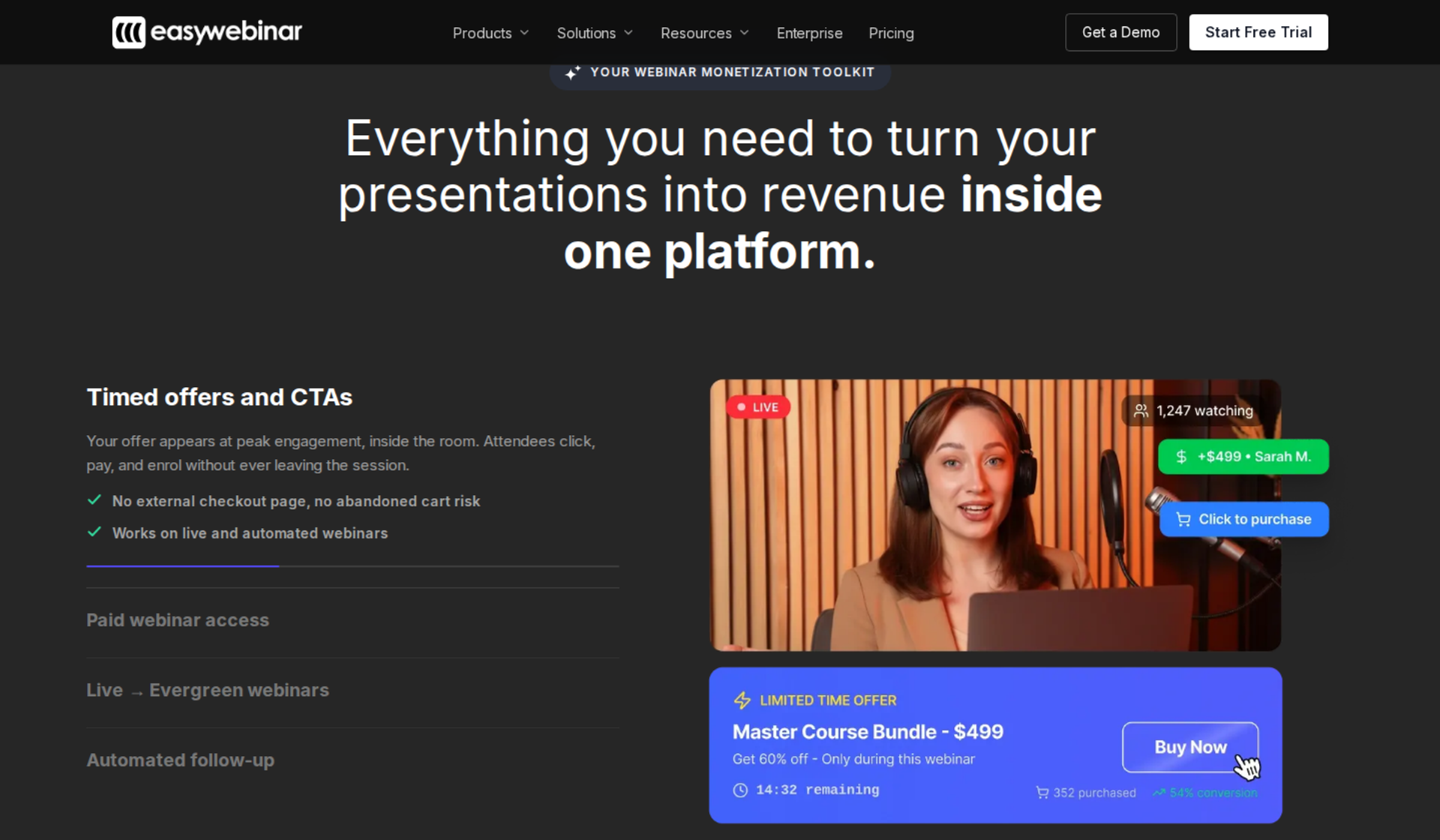
EasyWebinar is a webinar platform built for conversions, best for influencers who sell a program, coaching offer, or paid workshop and need that webinar to keep selling after the live hour. It ranks first because followers join from a phone browser, pay inside the room, and the winning session runs automatically on the same subscription. It may not fit creators who need a course host with lessons and certificates.
| Criterion | EasyWebinar |
|---|---|
| Best for | Influencers and creator-coaches selling a $100+ offer from a webinar |
| Skip if | You need a course host with lessons, certificates, or a community feed |
| Strongest edge | Live-to-automated on one platform, with checkout inside the room |
| Biggest trade-off | The entry Launch plan covers live webinars only; automation and checkout start at Growth |
| Pricing snapshot | Flat monthly pricing with no per-attendee fees . Launch $44/mo, Growth $116/mo, Pro $198/mo, Scale $349/mo. No free plan; 7-day trial . |
⭐ Why EasyWebinar ranks #1
EasyWebinar scores highest on the two criteria that carry half the weight here: selling inside the session and live-to-automated leverage. Influencer traffic starts on a phone, so EasyWebinar's browser join removes the app download that loses followers between the DM link and the room. Once they are in, the offer and the checkout sit in the same window as the pitch.
The second reason is what happens after the live hour. EasyWebinar turns the exact session that converted into an automated webinar on the same subscription, with no second product to buy. Carla Beisinger built $5M with one evergreen funnel on EasyWebinar, which is the clearest picture of a proven session working on a schedule.
💡 Where the standard advice gets this backwards
EasyWebinar's read is that influencers are told to automate too early. My own rule is to run the webinar live 5 to 10 times and automate only once about 10% of attendees buy. EasyWebinar is built for that order of operations: prove the session live, then let the same session run on a schedule.
✅ What EasyWebinar does well
- One-click join from any phone browser. EasyWebinar attendees go from the link to the room with nothing to download, so a follower arriving from a DM is not lost at an app store. Delivery runs on Dolby OptiView WebRTC at sub-500ms (about half a second of delay), so polls and offers land while people are watching.
- Checkout inside the room. EasyWebinar shows timed offer buttons during the pitch and takes payment through Stripe, PayPal, or PayU without a redirect. Paid and ticketed webinars let a creator sell seats to the workshop itself.
- Live to automated in one switch. EasyWebinar converts a proven session into Evergreen, Simulive, or Just-in-Time formats. Just-in-Time means the session starts minutes after someone registers, in that person's own time zone, so the follower who signs up from a Reel at midnight does not wait days.
- Reach beyond the room. EasyCast streams one session to YouTube, LinkedIn, and Facebook at once. QR-code offers let viewers there buy, and keyword triggers with ManyChat link delivery send sign-up links into DMs.
- Follow-up that reacts. EasyWebinar sends different sequences to no-shows, early leavers, offer clickers, and replay viewers, by email or by SMS through Twilio. Creators can keep Kit (formerly ConvertKit), ActiveCampaign, or GoHighLevel, or use the built-in EasyCRM.
- AI builds the funnel. EasyWebinar's AI Webinar Builder writes the script, registration and thank-you pages, emails, polls, and timed offer in about 10 to 15 minutes, from a short set of questions.
⚠️ Where EasyWebinar falls short
- Not a course host or community. EasyWebinar has no lesson library, certificates, or member feed. Creators who need those keep Kajabi, Teachable, Circle, or Skool, and use EasyWebinar as the conversion layer in front.
- The entry plan is live-only. On EasyWebinar, automation, EasyCRM, checkout, and EasyCast start at the Growth plan, so the Launch price is not the price of the full funnel.
- No free plan. EasyWebinar offers a 7-day trial instead, which is short for creators who want months of testing before paying.
- No clip repurposing. EasyWebinar does not cut webinar recordings into vertical short-form clips, so Reels repurposing needs a separate tool such as Riverside.
| Evaluation criterion | EasyWebinar fit | Why it matters |
|---|---|---|
| Live webinars | Strong | Every EasyWebinar plan includes live webinars with browser join. |
| Automated or evergreen webinars | Strong | Just-in-Time, Evergreen, and Simulive run from the same session, starting at Growth. |
| Mobile browser join | Strong | Followers arriving from a phone join without installing an app. |
| Social reach | Strong | EasyCast streams to social channels with QR-code offers for off-platform viewers. |
| Funnel pages | Strong | Registration, thank-you, and replay pages are built in, and the AI Builder drafts them. |
| Engagement | Strong | Chat, polls, Q&A, timed offers, and countdowns run in the live room. |
| CRM and follow-up | Strong | Behavior-based sequences run through EasyCRM or the creator's existing CRM. |
| Monetization | Strong | Checkout inside the room plus paid and ticketed webinars. |
| Course hosting and community | Weak | EasyWebinar pairs with a course or community platform instead of replacing one. |
| Pricing fit | Partial | Flat monthly pricing with no per-attendee fees, but the full funnel starts at Growth. |
| Best-fit buyer | Strong | Creators selling a program or workshop from a webinar that runs on autopilot. |
Choose EasyWebinar if your followers already trust you and you want one webinar to sell a program or paid workshop, live first and then automatically. Skip it if you need a course host, a community feed, or a free plan.
💬 Reviews
A course creator selling with live classes reports moving to an EasyWebinar evergreen webinar and selling 25 courses in three weeks, against 10 to 12 per live class. She also notes Just-in-Time sits on a higher plan.
"With my live class I used to sell 10-12 courses. With EasyWebinar I sold 25 courses within 3 weeks of my evergreen 'launch'." - Laura C., 5/5, EasyWebinar G2 - Verified Review
A photographer who switched from StreamYard to work toward automation praises setup speed and built-in emails. She also reports video quality briefly pixelating when switching from slides back to camera.
"I've been going live every month since 2020 and I'm exhausted." - Verified User in Photography, 4.5/5, EasyWebinar G2 - Verified Review
1.2 Stan Store
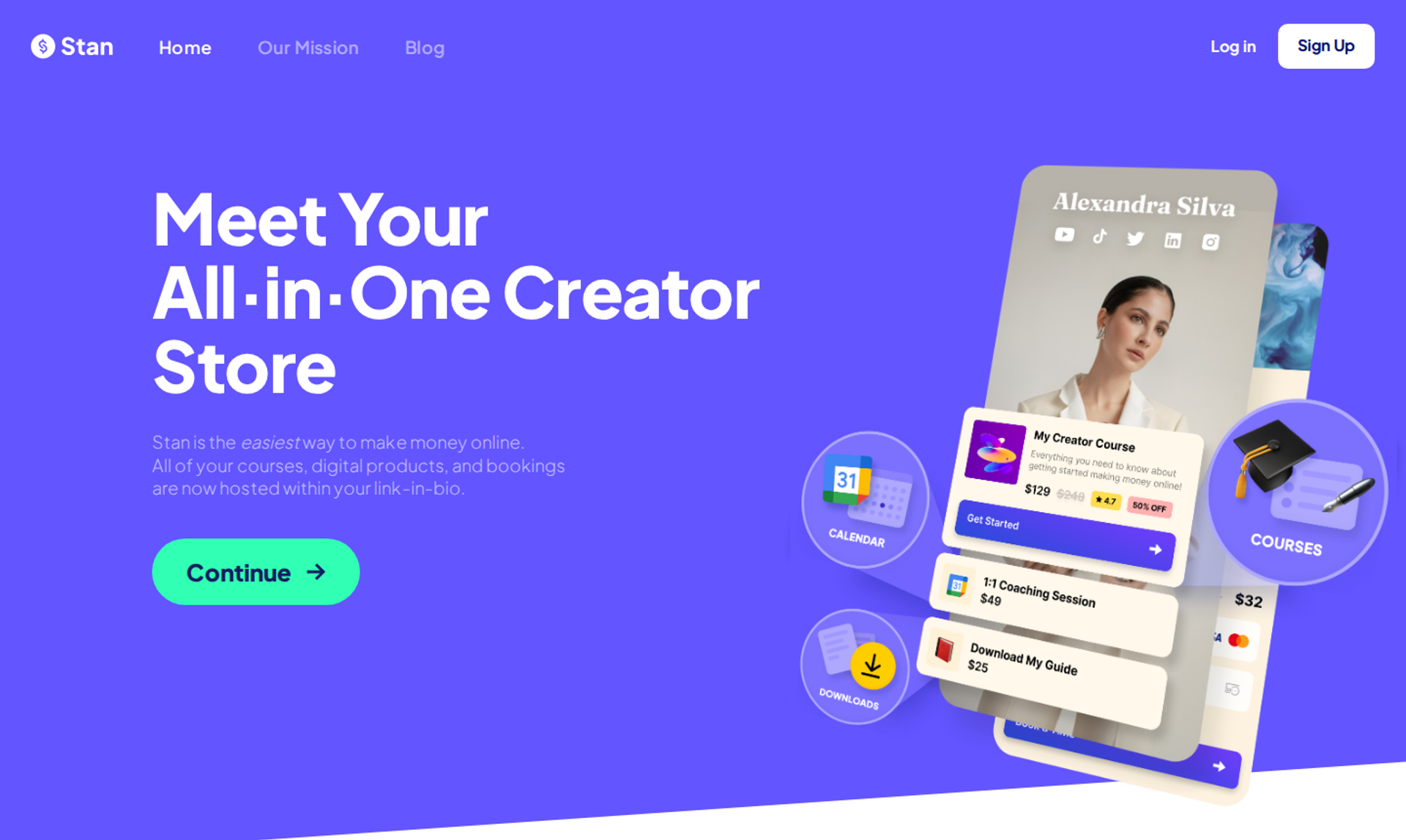
Stan Store is a mobile-first link-in-bio storefront, best for creators who sell digital products, bookings, and short courses directly from Instagram and TikTok. It belongs on this list because comment-to-DM automation gets followers from a Reel to a checkout in a few taps. It may not fit creators who need a live webinar room to pitch a higher-ticket offer.
| Criterion | Stan Store |
|---|---|
| Best for | Creators selling low-to-mid-ticket digital products from link-in-bio |
| Skip if | Your offer needs a live pitch, a multi-speaker stage, or in-session offers |
| Strongest edge | Stan AutoDM sends a checkout link to anyone who comments a keyword |
| Biggest trade-off | Email marketing, upsells, and pixel tracking sit on the higher Creator Pro plan |
| Pricing snapshot | Creator $29/mo or $300/yr; Creator Pro $99/mo or $948/yr . 0% platform fee on both; Stripe and PayPal processing fees still apply. |
⭐ Why Stan Store ranks #2
Stan Store scores well on phone-to-room friction because the whole storefront is built for a phone screen. Its Creator plan already includes a mobile and desktop storefront, calendar booking, a course builder, recurring subscriptions, lead magnets, and Stan AutoDM. For a follower who comments a keyword on a Reel, the path to a purchase is short.
Stan Store ranks below EasyWebinar because it has no broadcast room. A creator selling a $500 program still needs a separate tool for the live pitch, which adds a login and a handoff. EasyWebinar's data supports the idea that higher-ticket offers close in the room, not on a product page, which is why Stan works best as the front door rather than the closer.
✅ What Stan Store does well
- Comment-to-DM links. Stan AutoDM sends a link automatically when a follower comments a keyword, which keeps the follower inside the app instead of hunting for a link in bio.
- A storefront built for phones. Creators launch a store in minutes without code or hosting, so the first product can go live the same day.
- Bookings and subscriptions in one place. Calendar booking and recurring subscriptions let a creator sell coaching calls and memberships from the same link.
- No platform cut. Both plans charge a 0% platform fee, so Stan takes nothing per sale beyond payment processing.
- Growth tools on Creator Pro. Creator Pro adds upsells and order bumps, affiliate management, email broadcasts and flows, and pixel tracking for Meta, Google, Pinterest, and TikTok.
⚠️ Where Stan Store falls short
- No live webinar room. Stan Store lacks multi-speaker stage management, a backstage green room, and in-session offers, so the live pitch runs on another tool.
- Key selling tools cost more. Email marketing, upsells, and pixel tracking require Creator Pro, a $70 monthly jump over Creator.
- Branding stays visible. Removing the Stan referral banner from the bottom of a store requires Creator Pro, and the store URL stays on stan.store on every plan.
| Evaluation criterion | Stan Store fit | Why it matters |
|---|---|---|
| Live webinars | Weak | No native broadcast room, so live pitches need a second tool. |
| Automated or evergreen webinars | Weak | No automated webinar scheduling. |
| Mobile browser join | Strong | The storefront is built for phone traffic from social apps. |
| Social reach | Strong | AutoDM turns Reel comments into direct links. |
| Funnel pages | Partial | Product pages and lead magnets exist; funnels and upsells need Creator Pro. |
| Engagement | Weak | No live chat, polls, or timed offers during a session. |
| CRM and follow-up | Partial | Email flows arrive on Creator Pro; no behavior-based webinar follow-up. |
| Monetization | Strong | Storefront checkout with a 0% platform fee. |
| Pricing fit | Strong | Two flat tiers with no platform cut on sales. |
| Best-fit buyer | Strong | Creators selling digital products and bookings from link-in-bio. |
Choose Stan Store if your revenue comes from digital products, bookings, and short courses sold straight from link-in-bio. Skip it as your only tool if your main offer needs a live pitch; pair it with a webinar platform that sells in the room.
1.3 Zoom Webinars
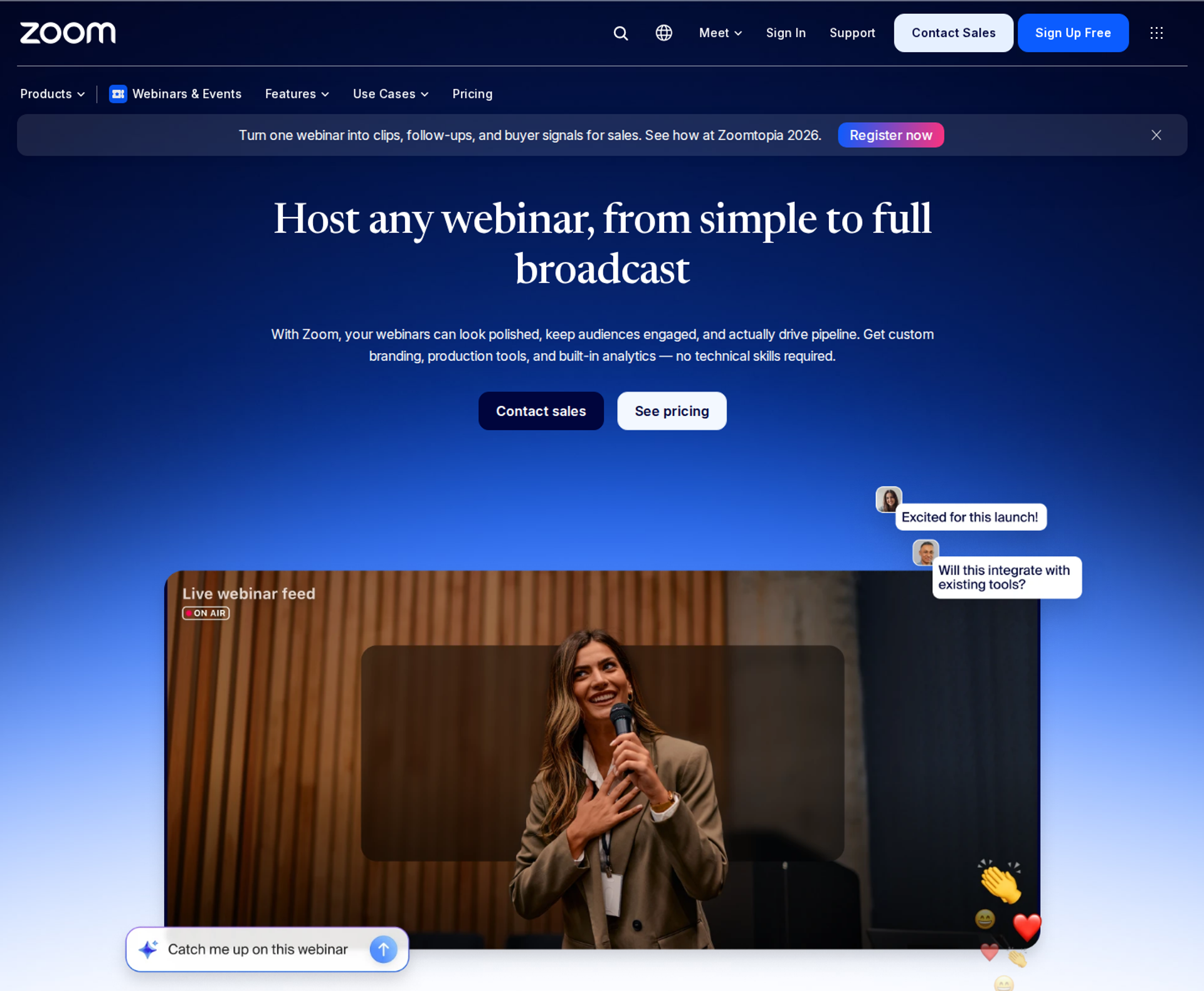
Zoom Webinars is a large-audience broadcast product built on Zoom's meeting platform, best for creators whose co-hosts and audience already use Zoom every day. It belongs on this list for its familiar interface and very large capacity, but it may not fit creators who need to sell inside the session or run the same webinar automatically.
| Criterion | Zoom Webinars |
|---|---|
| Best for | Creators with co-hosts and audiences already standardized on Zoom |
| Skip if | You need checkout inside the room or a webinar that runs on a schedule |
| Strongest edge | Familiar interface and capacity that scales to very large broadcasts |
| Biggest trade-off | Few options to brand the room or the registration experience |
| Pricing snapshot | Sold as an add-on to a paid Zoom Workplace license . As of August 2026, webinar plans run $83.33 to $415.83 per month, plus Workplace Pro at $15.99 per user per month. |
⭐ Why Zoom Webinars ranks #3
Zoom Webinars earns its spot on reliability and familiarity. Zoom states that a Zoom Webinar can support up to 1 million attendees. A G2 reviewer notes that many attendees already have Zoom on their computers, so the interface feels familiar.
Zoom ranks below EasyWebinar and Stan Store because it scores lower on selling inside the session and on live-to-automated leverage. EasyWebinar keeps the offer, the checkout, and the attendee data in one window, while Zoom leaves most of the funnel to other tools. For an influencer, that means more handoffs between the Reel and the sale.
✅ What Zoom Webinars does well
- Scale without worry. Zoom's capacity covers almost any creator launch, so the room will not cap a viral moment.
- Familiar room for co-hosts. Guests already know Zoom's controls, which cuts rehearsal time for interviews and panels.
- Core engagement tools. Zoom Webinars includes built-in practice sessions, a chat panel, Q&A, polling and quizzes, and engagement reports.
- Wide integration coverage. A G2 reviewer reports integrations with almost every marketing automation and CRM tool, so attendee lists can flow into an existing email system.
- Paid registration on some plans. Some Zoom webinar and event plans allow paid registration, with payments handled inside the Zoom flow.
⚠️ Where Zoom Webinars falls short
- Two licenses to buy. Zoom Events and Webinars are add-ons to a Zoom One paid plan, with one Zoom One license required per webinar license.
- Limited branding. A 2023 G2 reviewer says Zoom Webinars almost completely lacks look-and-feel customization, which makes it harder for a creator's brand to stand out.
- Registration friction. A 2023 G2 reviewer flags that registration requires users to leave the landing page, which adds a step for phone traffic.
| Evaluation criterion | Zoom Webinars fit | Why it matters |
|---|---|---|
| Live webinars | Strong | Stable large broadcasts with practice sessions. |
| Automated or evergreen webinars | Partial | Pre-recorded sessions exist, but there is no evergreen scheduling engine. |
| Mobile browser join | Partial | Reviewers report registration steps that pull users off the landing page. |
| Social reach | Partial | Streams to third-party platforms, but viewers there cannot buy in the stream. |
| Funnel pages | Weak | Registration pages offer little branding control. |
| Engagement | Partial | Chat, Q&A, and polls are included; timed offers are not. |
| CRM and follow-up | Partial | Integrations exist; behavior-based follow-up needs another tool. |
| Monetization | Partial | Paid registration on some plans; no checkout inside the session. |
| Pricing fit | Partial | The webinar add-on sits on top of a paid Zoom license. |
| Best-fit buyer | Strong | Creators whose guests and audience already live on Zoom. |
Choose Zoom Webinars if your co-hosts and audience already use Zoom and the webinar's job is teaching, not selling. Skip it if the session needs to close a sale in the room. EasyWebinar is built for that job, with checkout in the session and the same webinar running on a schedule afterward.
💬 Reviews
A membership association praises Zoom for easy rollout and integrations, but notes it must log in on two computers to be backstage and in the webinar.
"It was easy to implement, integrates with our systems well and is always coming out with new features." - Rob K., 4/5, Zoom Webinars G2 - Verified Review
Another reviewer finds Zoom user-friendly, but says its pricing options are limited for large webinars and registration pulls users off the landing page.
"It could also cause chaos because of the registration process needing to leave the landing page for all users." - Hetvi B., 3.5/5, Zoom Webinars G2 - Verified Review
1.4 Skool
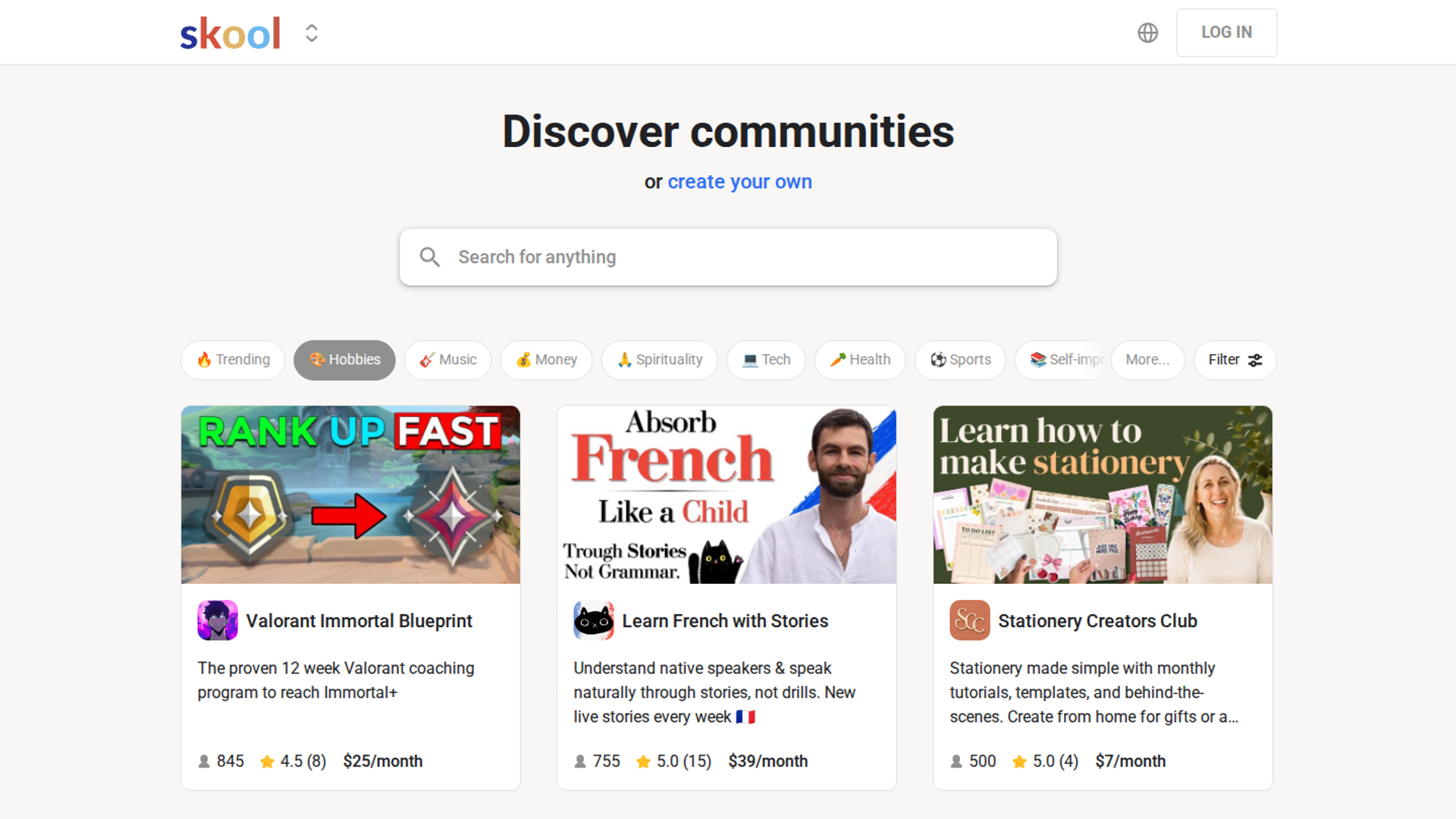
Skool is a community platform that combines a member feed, a course classroom, and an events calendar, best for creators running a paid community around their personal brand. It belongs on this list because many influencers sell membership as their core offer, but it may not fit creators who need a dedicated webinar room to sell that membership.
| Criterion | Skool |
|---|---|
| Best for | Creators running a paid community with courses and recurring calls |
| Skip if | You need a webinar room with timed offers, or one subscription for several communities |
| Strongest edge | A simple layout with gamified leaderboards that keeps members posting |
| Biggest trade-off | Transaction fees on every sale, and each community is billed separately |
| Pricing snapshot | Hobby $9/month plus a 10% transaction fee. Pro $99/month plus a 2.9% transaction fee . No free plan; 14-day trial. |
⭐ Why Skool ranks #4
Skool scores well on stack weight for creators whose product is the community itself. Feed, classroom, and calendar sit in one place, so members do not juggle logins. JK Molina's three-tier offer model, a workshop ticket, then core community, then VIP access, is a common pattern on Skool.
Skool ranks below the top three because it was not built to run the sales webinar that fills the community. EasyWebinar's positioning treats this as a partner job: host the community on Skool, then sell the membership with a webinar. That pairing keeps each tool doing what it does best.
✅ What Skool does well
- Community, courses, and calendar together. Members find posts, lessons, and live call times in one app, which lowers support questions.
- Gamified engagement. Leaderboards reward participation, which helps creators keep members active between calls.
- Simple pricing to start. Skool offers a 14-day free trial, and both plans carry identical features.
- One-time sales added. In 2026, Skool added standalone "Buy Now" courses and one-time purchases, so creators can sell a course outright.
⚠️ Where Skool falls short
- Fees scale with revenue. The 10% Hobby fee overtakes Pro's $99 plus 2.9% at about $1,270 per month in revenue.
- Billed per community. Skool pricing is per group, so a creator running two communities pays twice.
- Higher-ticket fee step. For payments above $900, the Pro plan fee rises to 3.9% plus $0.30.
| Evaluation criterion | Skool fit | Why it matters |
|---|---|---|
| Live webinars | Partial | Live calls run inside the community, not as a sales room. |
| Automated or evergreen webinars | Weak | No scheduled webinar engine. |
| Mobile browser join | Strong | Members use a mobile-friendly app and site. |
| Social reach | Weak | No multistreaming to public social channels. |
| Funnel pages | Partial | Discovery and about pages exist; no webinar registration funnel. |
| Engagement | Strong | Leaderboards and feeds keep members active. |
| CRM and follow-up | Weak | No behavior-based webinar follow-up. |
| Monetization | Strong | Memberships and one-time sales, with transaction fees. |
| Pricing fit | Partial | Low entry price, but fees grow with revenue. |
| Best-fit buyer | Strong | Creators whose main product is a paid community. |
Choose Skool if a paid community is your core offer and you want members to stay engaged. Skip it as your sales tool. Many creators pair Skool with EasyWebinar, using the webinar to sell the membership and Skool to deliver it.
1.5 Circle
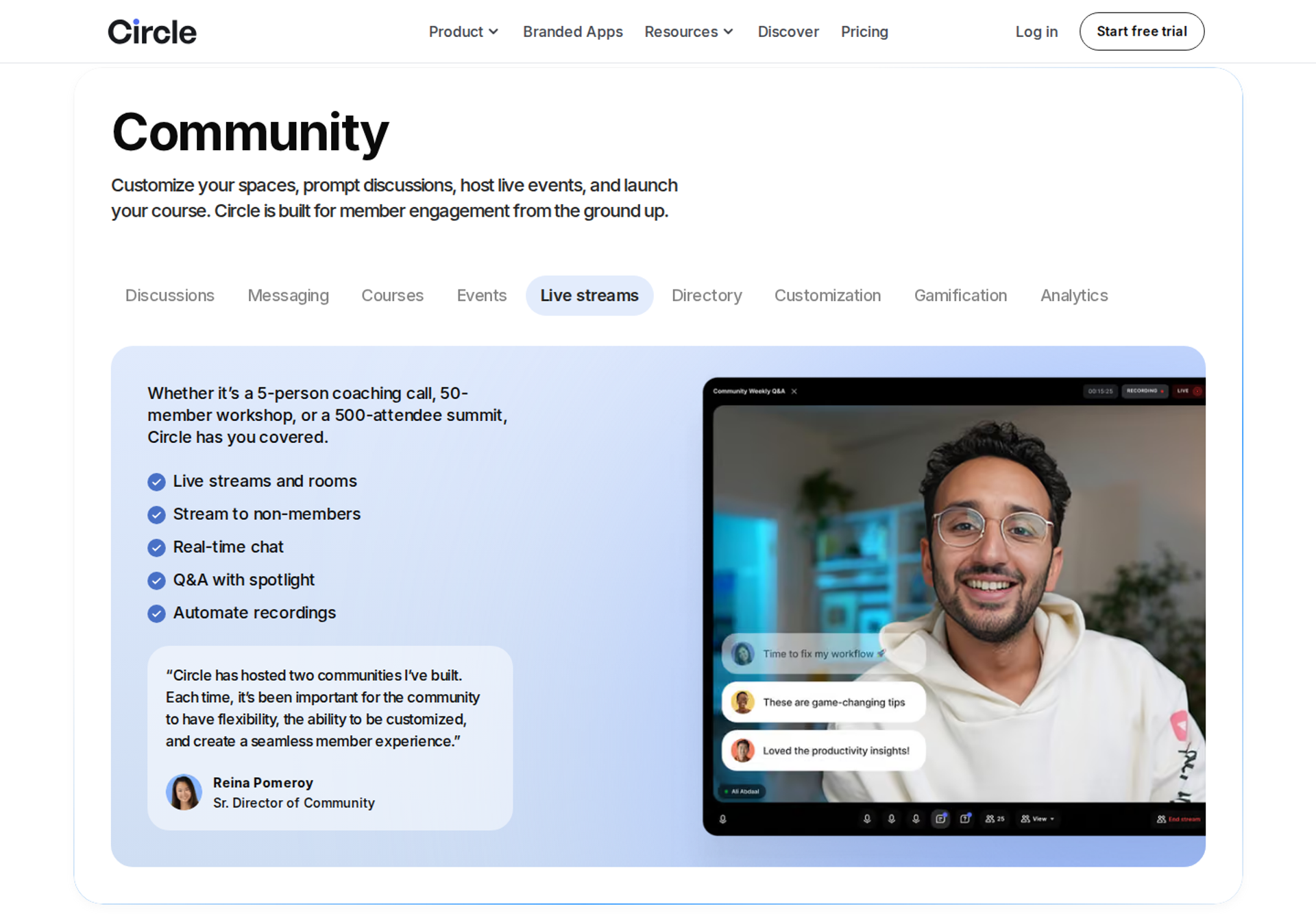
Circle is a branded community platform for courses, events, and discussion, best for creators running a written, asynchronous community with a professional feel. It belongs on this list because it hosts live events for members, but it may not fit creators who need to sell to the public without sign-up friction.
| Criterion | Circle |
|---|---|
| Best for | Creators running a branded community with courses and member events |
| Skip if | Your events are mostly for non-members you want to convert |
| Strongest edge | Courses, events, and discussion under one brand |
| Biggest trade-off | Public event RSVPs require attendees to create a Circle account |
| Pricing snapshot | Professional $89/month and Business $199/month, billed annually; Circle Plus is custom . Transaction fees: 2%, 1%, and 0.5% by plan. No free plan; 14-day trial. |
⭐ Why Circle ranks #5
Circle scores well on stack weight for community-led creators. Tom Ross, who built a six-figure membership on Circle, values having everything under one roof. Circle also offers white-label mobile apps on its top tier, which matters to creators building a brand.
Circle ranks below Skool for this audience because its pricing starts higher and public events add friction. When an outside follower must create a full account to RSVP, fewer people make it to the event. EasyWebinar's browser join lets that same follower register and join with nothing to install, so many creators sell on EasyWebinar and deliver on Circle.
✅ What Circle does well
- One branded home. Courses, discussion, and events share one brand, which helps premium creators look established.
- Clear support tiers. Circle offers standard support on Professional, priority support on Business, and a dedicated launch team on Plus.
- Attribution inside the community. Tom Ross replaced analytics guesswork with a required "Where did you hear about us?" profile field, which showed YouTube drove most new members.
- Lower fees as you grow. Transaction fees drop from 2% to 0.5% on higher plans, which helps at scale.
⚠️ Where Circle falls short
- Sign-up friction for public events. Outside attendees must create a Circle account to RSVP, which costs registrations from cold social traffic.
- Add-ons raise the bill. Email marketing requires a paid add-on called Email Hub, and extra admins cost more on Professional.
- Fees on top of Stripe. Circle's platform fee sits on top of Stripe's roughly 2.9% plus $0.30.
| Evaluation criterion | Circle fit | Why it matters |
|---|---|---|
| Live webinars | Partial | Member events and live streams run inside the community. |
| Automated or evergreen webinars | Weak | No scheduled webinar engine. |
| Mobile browser join | Partial | Members join easily; public attendees must create an account. |
| Social reach | Weak | No multistreaming to public social channels. |
| Funnel pages | Partial | Landing and paywall pages exist; no webinar funnel. |
| Engagement | Strong | Discussion, courses, and events keep members active. |
| CRM and follow-up | Partial | Email requires the Email Hub add-on. |
| Monetization | Strong | Paywalls with plan-based fees. |
| Pricing fit | Partial | Higher entry price plus add-ons and fees. |
| Best-fit buyer | Strong | Creators running a branded, written community. |
Choose Circle if your business runs on a branded community and most event attendees are already members. Skip it as your public sales tool. Pair it with EasyWebinar to sell the membership through a webinar, then deliver inside Circle.
1.6 Riverside
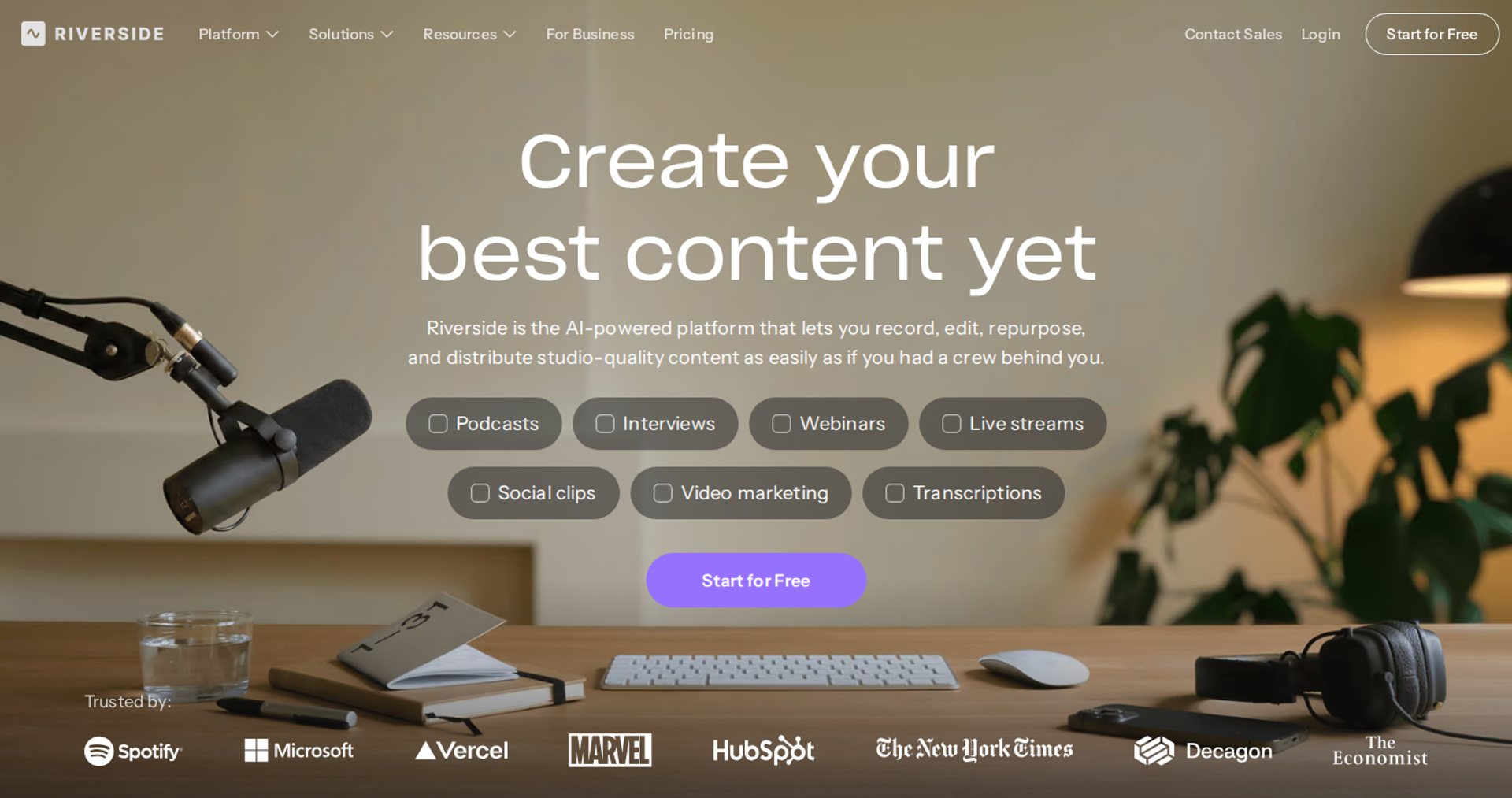
Riverside is a studio recording platform, best for creators who need high-quality interviews and recordings to cut into Reels and TikToks. It belongs on this list because short-form clips drive webinar sign-ups, but it may not fit creators who need to sell inside the session.
| Criterion | Riverside |
|---|---|
| Best for | Creators recording interviews and turning them into short-form clips |
| Skip if | Your webinar needs checkout, evergreen scheduling, or behavior-based follow-up |
| Strongest edge | Local 4K multi-track recording that holds quality when internet dips |
| Biggest trade-off | Recording hours are capped per month by tier |
| Pricing snapshot | Free plan. Pro $29/month or $24/month annually; Webinar $99/month or $79/month annually; Business custom (pricing page, August 2026) . |
⭐ Why Riverside ranks #6
Riverside wins on production quality and repurposing. Local 4K recording with per-track files is the main reason people choose Riverside. Its AI Magic Clips feature cuts long recordings into vertical clips with captions, which feeds Instagram and TikTok.
Riverside ranks in the middle because it is built to record, not to sell. EasyWebinar's positioning places Riverside as the studio-quality choice and does not claim clip repurposing, which EasyWebinar does not offer. A creator who records on Riverside and sells on EasyWebinar covers both jobs.
✅ What Riverside does well
- Quality that survives bad connections. Local recording captures each guest on their own device, so a Wi-Fi dip does not ruin the master file.
- Short-form clips from long recordings. Magic Clips produces vertical, captioned clips that drive followers back to the next webinar.
- A dedicated webinar plan. Riverside's current lineup includes Free, Pro, Grow, Webinar, and Business plans.
- CRM handoff. Riverside offers branded registration forms and CSV sync to HubSpot and Salesforce, so registrants reach the creator's CRM.
⚠️ Where Riverside falls short
- Hours are capped. Recording hours are tiered per month, so busy creators can hit limits.
- Extra seats cost more. Extra editor seats are add-ons on Pro, Grow, and Webinar, and built in only on Business.
- Thin selling tools. In-session offers and checkout are not part of Riverside's core strengths, so selling needs another platform.
| Evaluation criterion | Riverside fit | Why it matters |
|---|---|---|
| Live webinars | Partial | A webinar plan exists; production is the focus. |
| Automated or evergreen webinars | Weak | No evergreen scheduling engine. |
| Mobile browser join | Not publicly disclosed | Confirm the attendee join flow on a phone before launch. |
| Social reach | Strong | Magic Clips feeds Reels and TikTok. |
| Funnel pages | Partial | Branded registration forms; no full funnel. |
| Engagement | Not publicly disclosed | Confirm polls and timed offers on the Webinar plan. |
| CRM and follow-up | Partial | CSV sync to HubSpot and Salesforce. |
| Monetization | Weak | No checkout inside the session. |
| Pricing fit | Strong | Free plan and a low entry tier. |
| Best-fit buyer | Strong | Creators who sell through content quality and clips. |
Choose Riverside if recording quality and short-form clips drive your growth. Skip it as your sales webinar. Pair it with EasyWebinar, which sells in the room and runs the session on a schedule.
1.7 meetn
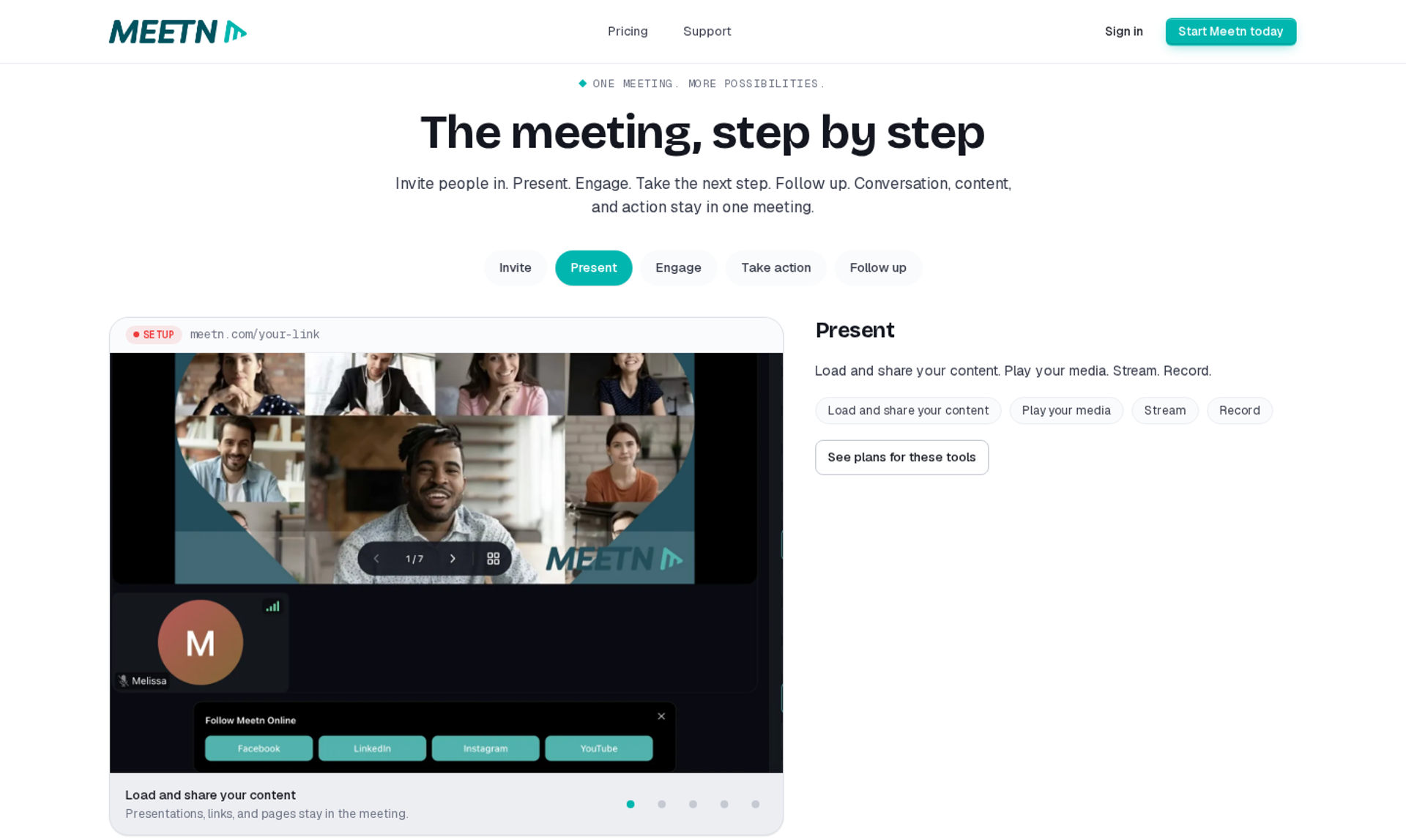
meetn is a browser-based meeting and webcasting platform with sales tools, best for coaches who want a low-cost room for sales calls and mid-size webinars. It belongs on this list because of its low entry price and sales features, but it may not fit creators who need evergreen automation or checkout in the room.
| Criterion | meetn |
|---|---|
| Best for | Coaches running sales calls and mid-size webinars on a tight budget |
| Skip if | You need evergreen scheduling, built-in checkout, or a custom-styled room |
| Strongest edge | Sales tools such as on-screen clickable links and post-session redirects |
| Biggest trade-off | A basic waiting room and limited custom styling |
| Pricing snapshot | Pro $9.95/month; Ultimate $49.95/month with webinar settings and up to 1,000 attendees (partner listing) . A lifetime deal is sold on AppSumo. |
⭐ Why meetn ranks #7
meetn scores well on cost and phone-to-room friction. A July 2026 AppSumo reviewer notes meetn now offers browser-based joining without an app. That matters for influencers whose traffic comes from phones.
meetn ranks below the community and recording tools for this audience because its funnel is thin. There are no evergreen schedules, and no checkout runs inside the room. EasyWebinar covers that job, so meetn suits creators who mainly need a low-cost live room.
✅ What meetn does well
- Low monthly cost. meetn Ultimate lists at $49.95 per month with sales tools, webinar settings, and up to 1,000 attendees.
- Links on screen. The same AppSumo reviewer reports showing clickable links on screen, so attendees do not hunt through chat.
- Redirect after the session. That reviewer also redirects attendees to a sales page when they leave, which keeps buying intent moving.
- Pre-loaded slides. Presenters upload slides in advance instead of sharing a screen, which reduces live glitches.
⚠️ Where meetn falls short
- Basic room design. meetn's waiting room is basic, and custom CSS styling is limited, which caps brand presence.
- No evergreen engine. Creators who want the same session to run on a schedule need another platform.
- Capacity sits on higher tiers. meetn allows up to 1,000 attendees only on tier two or above.
| Evaluation criterion | meetn fit | Why it matters |
|---|---|---|
| Live webinars | Partial | Webinar settings and 1,000-attendee capacity on Ultimate. |
| Automated or evergreen webinars | Weak | No evergreen scheduling. |
| Mobile browser join | Strong | Browser-based join without an app. |
| Social reach | Partial | Livestreaming to other platforms is supported. |
| Funnel pages | Weak | No built-in registration funnel. |
| Engagement | Partial | Chat and on-screen links; limited timed offers. |
| CRM and follow-up | Not publicly disclosed | Confirm CRM and email integrations before launch. |
| Monetization | Partial | Post-session redirects to a sales page; no in-room checkout. |
| Pricing fit | Strong | Low monthly price and a lifetime option. |
| Best-fit buyer | Strong | Coaches running sales calls and mid-size webinars on a budget. |
Choose meetn if you mainly need a low-cost live room for sales calls and occasional webinars. Skip it if your webinar must sell in the room or run on a schedule, which is the job EasyWebinar is built for.
1.8 Heartbeat
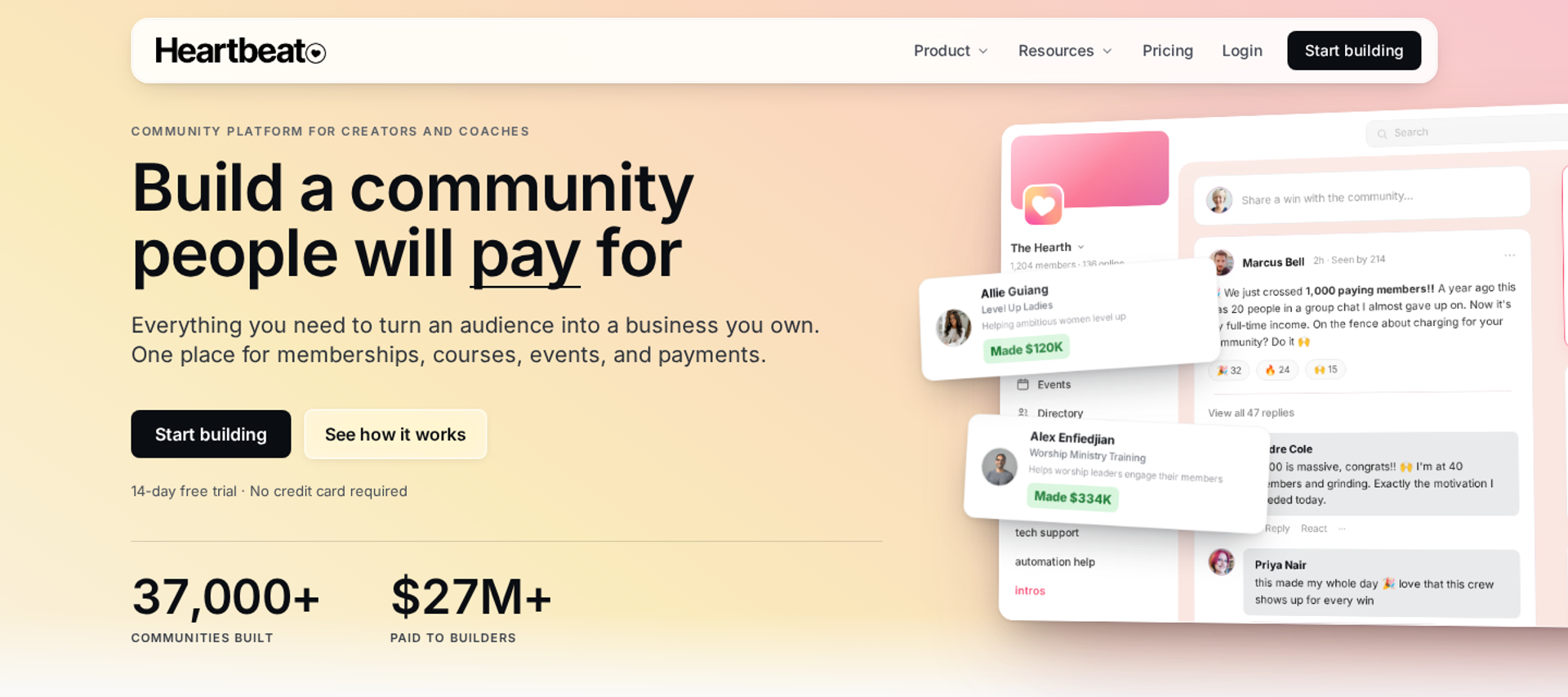
Heartbeat is a community platform with event ticketing, best for creators who run a private community but sell public or paid events to non-members. It belongs on this list for its event handling, but it may not fit creators who want a dedicated webinar sales room.
| Criterion | Heartbeat |
|---|---|
| Best for | Community owners selling public or paid events to non-members |
| Skip if | You need evergreen webinars or in-session offers |
| Strongest edge | Public and paid event ticketing without forcing account creation |
| Biggest trade-off | Chat channels lack topic organization |
| Pricing snapshot | Plans from $49/month (Build); no free plan . Heartbeat changed its top-tier pricing on September 27, 2026, with tiers now ranging up to $849/month . |
⭐ Why Heartbeat ranks #8
Heartbeat solves a real gap in community tools: selling events to people who are not members yet. Public and paid events run without forcing outside attendees to create an account. That is the friction Circle users report.
Heartbeat ranks lower because it is a community tool first. Webinar selling features, such as timed offers and evergreen schedules, sit outside its scope. EasyWebinar handles those jobs.
✅ What Heartbeat does well
- Events for non-members. Ticketed public events reach followers who have not joined yet, which opens a path into the community.
- Community and events together. Members see events alongside discussion, which keeps attendance high.
- Flat entry pricing. Heartbeat uses flat-rate pricing, so cost does not vary by team size.
⚠️ Where Heartbeat falls short
- Disorganized chat at scale. Channels sit in one long list without topics, which overwhelms growing communities.
- Moving pricing. On September 27, 2026, Heartbeat raised its top plan from $149 to $766 per month, so budget forecasts need a fresh check.
- No webinar sales room. Creators selling high-ticket offers need a separate webinar platform.
| Evaluation criterion | Heartbeat fit | Why it matters |
|---|---|---|
| Live webinars | Partial | Events run inside the community. |
| Automated or evergreen webinars | Weak | No evergreen scheduling. |
| Mobile browser join | Partial | Non-members can join events without an account. |
| Social reach | Weak | No multistreaming. |
| Funnel pages | Partial | Event pages; no webinar funnel. |
| Engagement | Partial | Strong events, weak chat organization. |
| CRM and follow-up | Not publicly disclosed | Confirm integrations before launch. |
| Monetization | Strong | Paid event ticketing. |
| Pricing fit | Partial | Low entry tier, but top-tier pricing just changed. |
| Best-fit buyer | Strong | Community owners selling events to outsiders. |
Choose Heartbeat if your community sells tickets to public events and you want outsiders to join easily. Skip it as your sales webinar. Pair it with EasyWebinar for pitches that need checkout in the room.
1.9 ScoreApp
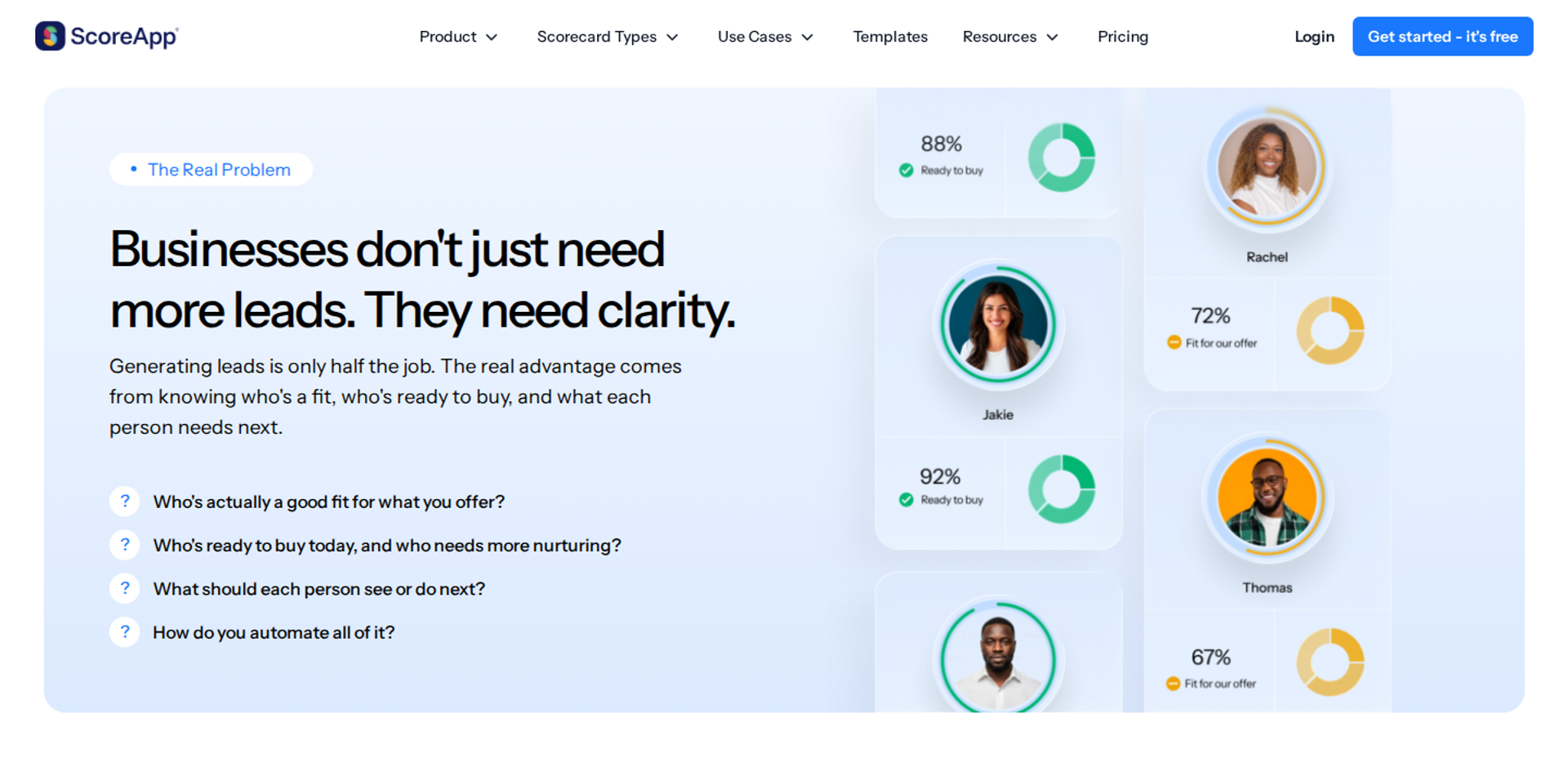
ScoreApp is a quiz and scorecard lead-capture tool, best for creators who want to qualify followers before inviting them to a webinar. It belongs on this list because it improves the step before registration, but it is not a webinar room.
| Criterion | ScoreApp |
|---|---|
| Best for | Creators who want quiz-based opt-ins that segment leads before a webinar |
| Skip if | You need a live room, automation, or checkout |
| Strongest edge | Scorecard quizzes that sort leads into tailored follow-up |
| Biggest trade-off | Responses are metered monthly, so a viral quiz can hit a cap |
| Pricing snapshot | Free plan. Starter $39/month ($30 annually), Business $99/month ($75 annually), Pro $149/month ($112 annually), Enterprise from $799/month . |
⭐ Why ScoreApp ranks #9
ScoreApp earns a place for one job: replacing a plain opt-in form with a quiz. A quiz tells the creator what each lead needs, which shapes the webinar pitch.
ScoreApp ranks near the bottom because it does not host webinars. It belongs in the stack before the webinar, feeding segmented leads into EasyWebinar's registration and follow-up.
✅ What ScoreApp does well
- Smarter opt-ins. Quiz answers sort leads into groups, so the creator knows who is ready for a paid offer.
- Tailored follow-up. Each score band can trigger its own email sequence.
- AI quiz builder on every plan. Even the free tier includes the AI quiz builder, jump logic, and CRM connections.
⚠️ Where ScoreApp falls short
- Not a webinar platform. No live room, recording, or checkout, so a second tool is required.
- Metered responses. The free plan allows 1 live scorecard and 10 responses per month. Successful quizzes push creators into higher tiers.
- No trial on paid plans. Paid plans carry a 14-day money-back guarantee rather than an advertised trial.
| Evaluation criterion | ScoreApp fit | Why it matters |
|---|---|---|
| Live webinars | Weak | No webinar room. |
| Automated or evergreen webinars | Weak | No webinar scheduling. |
| Mobile browser join | Strong | Quizzes work in a phone browser. |
| Social reach | Partial | Quiz links share well on social. |
| Funnel pages | Strong | Quiz pages replace plain opt-in forms. |
| Engagement | Partial | Interactive before the webinar, not during it. |
| CRM and follow-up | Strong | Segmented sequences by score. |
| Monetization | Weak | No checkout. |
| Pricing fit | Partial | Free to test; costs rise with responses. |
| Best-fit buyer | Strong | Creators qualifying leads before a webinar. |
Choose ScoreApp if you want to qualify followers before your webinar. Skip it if you expect it to host the session. It works as the front step to an EasyWebinar registration page.
1.10 GoHighLevel
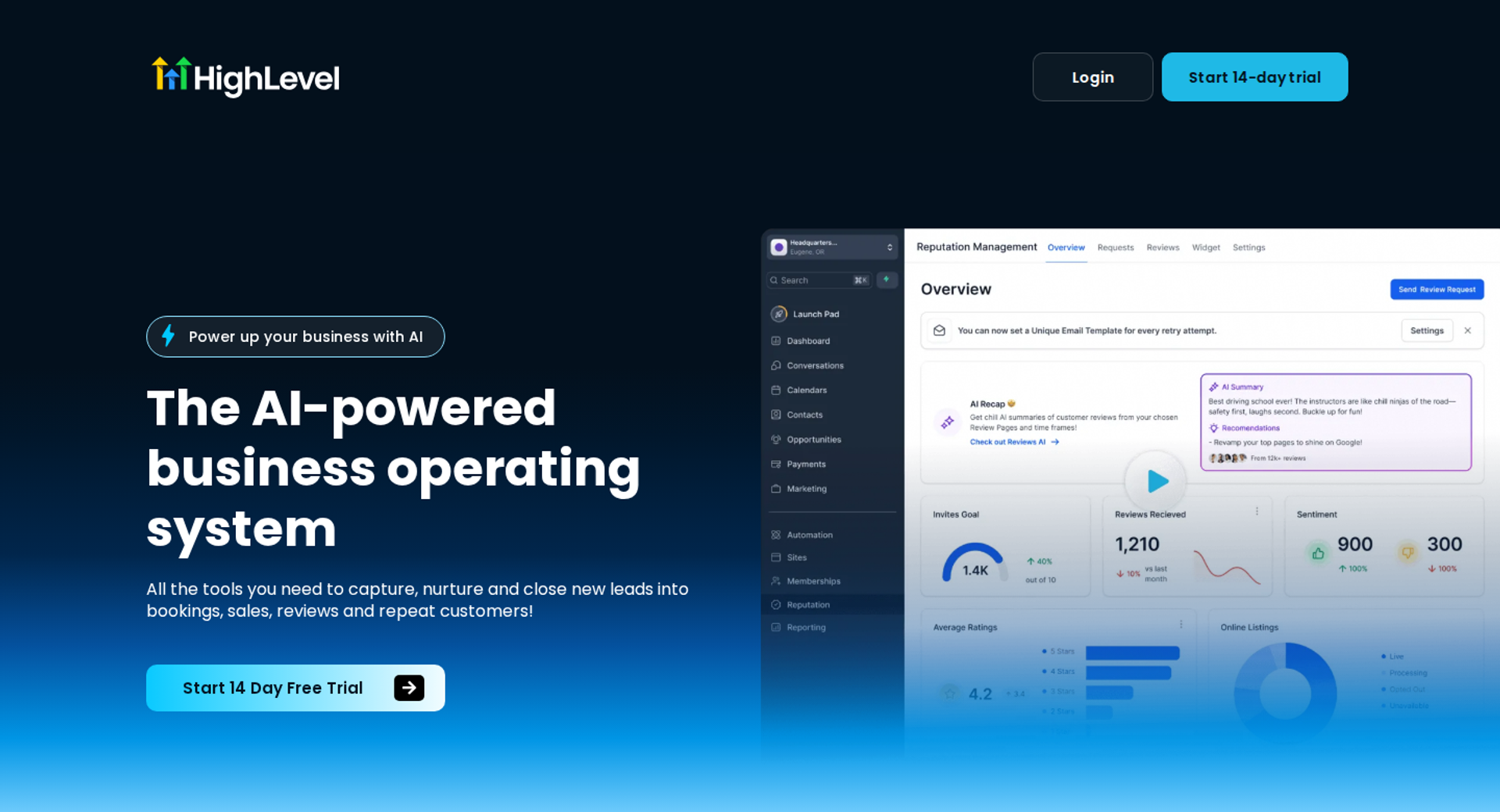
GoHighLevel is a CRM and marketing suite with funnels, email, and SMS, best for creators already running their business on it. It belongs on this list because many creators use it for funnels and follow-up, but it may not fit creators who need a dedicated webinar room or video recording quality.
| Criterion | GoHighLevel |
|---|---|
| Best for | Creators and their agencies already running CRM and funnels on GoHighLevel |
| Skip if | You want a dedicated webinar room or a lean stack with predictable bills |
| Strongest edge | CRM, funnel pages, email, and SMS under one login |
| Biggest trade-off | Usage-based SMS and phone charges sit on top of the plan |
| Pricing snapshot | Starter $97/month, Unlimited $297/month, SaaS Pro $497/month; no free plan; 14-day trial . |
⭐ Why GoHighLevel ranks #10
GoHighLevel earns a spot because funnels and follow-up matter as much as the live room. Its CRM and SMS tools keep leads moving between touchpoints.
GoHighLevel ranks last for this audience because it is a broad suite, not a webinar platform. Bri Leever warns creators that tools trying to be everything can dilute each part. EasyWebinar integrates natively with GoHighLevel, so creators can keep their CRM and add a webinar that sells.
✅ What GoHighLevel does well
- One login for marketing. CRM, pages, email, and SMS share data, which cuts copy-paste between tools.
- SMS follow-up. Text reminders reach followers who ignore email.
- Room to grow. Unlimited removes the one-location cap, and SaaS Pro lets agencies resell the platform under their own brand.
⚠️ Where GoHighLevel falls short
- Usage costs add up. Phone system costs run extra per minute and message, and AI features sit on the SaaS Pro plan.
- Learning curve. The breadth of tools takes time to set up, which slows a creator's first launch.
- Not a webinar room. Live selling and evergreen sessions need a dedicated platform.
| Evaluation criterion | GoHighLevel fit | Why it matters |
|---|---|---|
| Live webinars | Weak | No dedicated webinar room. |
| Automated or evergreen webinars | Weak | No evergreen webinar engine. |
| Mobile browser join | Not publicly disclosed | Depends on the connected video tool. |
| Social reach | Weak | No multistreaming. |
| Funnel pages | Strong | Funnel and page builder included. |
| Engagement | Weak | No in-session polls or timed offers. |
| CRM and follow-up | Strong | CRM, email, and SMS automation. |
| Monetization | Partial | Funnel checkout, not in-session checkout. |
| Pricing fit | Partial | Entry plan is clear; usage fees vary. |
| Best-fit buyer | Strong | Creators already running their stack on GoHighLevel. |
Choose GoHighLevel if your CRM and funnels already live there and you need SMS follow-up. Skip it as your webinar room. EasyWebinar connects natively to GoHighLevel, so creators can keep their CRM and sell inside the webinar.
⭐ How EasyWebinar fits this list
EasyWebinar ranks first because the other nine platforms each solve one part of the influencer funnel: the storefront, the community, the recording, the quiz, or the CRM. EasyWebinar handles the conversion step: browser join, checkout in the room, and the proven session running on a schedule. Most creators keep one or two of these tools and put EasyWebinar in front as the sales layer.
Q2. How Did We Score These Influencer Webinar Platforms?
This guide scores each platform out of 100 across five weighted categories: Mobile and Social-to-Room Conversion (25%), Monetization (25%), Live-to-Automated Leverage (20%), Stack Simplicity (15%), and User Reviews (15%). Each 20-point band equals one star, so 81 to 100 earns five stars. EasyWebinar scores 88 because one subscription covers both in-room checkout and live-to-automated scheduling. No other platform in this list covers both in full.
⭐ Why phones and money carry half the weight
A creator's business manager opens the link-in-bio dashboard on Monday. Thousands of clicks came from one Reel, yet the sales column shows almost nothing. That gap is what this rubric measures.
EasyWebinar's own funnel reviews keep finding the same two leak points: the tap from the phone into the room, and the moment a buyer is asked to leave and pay somewhere else. So those two categories hold 50% of the score.
The weighted criteria
These five categories group the seven criteria from Q1.
| Category | Weight | What we checked |
|---|---|---|
| Mobile and Social-to-Room Conversion 📱 | 25% | App-free phone join, DM-friendly links, multistreaming to social channels |
| Monetization 💰 | 25% | Paid tickets, checkout inside the session, timed offers, sponsor-friendly offer slots |
| Live-to-Automated Leverage ⏰ | 20% | Whether a proven session can run on a schedule without a second product |
| Stack Simplicity ⚖️ | 15% | Number of tools and bills needed for one complete funnel |
| User Reviews ✅ | 15% | Verified review evidence on reliability, support, and results |
The scores
| Platform | Score | Stars | Why it landed here |
|---|---|---|---|
| EasyWebinar | 88 | ⭐⭐⭐⭐⭐ | Browser join, in-room checkout, and live-to-automated on one subscription; not a course host |
| Stan Store | 72 | ⭐⭐⭐⭐ | Strong phone checkout and DM links; no webinar room |
| Zoom Webinars | 64 | ⭐⭐⭐⭐ | Reliable and familiar; little in-session selling and no evergreen engine |
| Skool | 62 | ⭐⭐⭐⭐ | Community, courses, and calendar together; transaction fees and no sales room |
| Circle | 56 | ⭐⭐⭐ | Branded community; public RSVPs need an account |
| Riverside | 52 | ⭐⭐⭐ | Studio recording and clips; selling happens elsewhere |
| meetn | 50 | ⭐⭐⭐ | Low cost, app-free join; no evergreen or checkout |
| Heartbeat | 48 | ⭐⭐⭐ | Ticketed events for non-members; community-first |
| ScoreApp | 36 | ⭐⭐ | Quiz opt-ins; not a webinar room |
| GoHighLevel | 34 | ⭐⭐ | CRM and SMS depth; no dedicated webinar room |
⚠️ How we kept the scoring honest
Prices come from vendor pages or dated pricing trackers checked between August and October 2026. Fee structures counted against Monetization. For example, Skool charges $9 a month plus 10% on payments on Hobby, and $99 plus 2.9% on Pro.
EasyWebinar's own limits were scored too. EasyWebinar's entry Launch plan covers live webinars only, and automation and checkout start at Growth. It also lost Stack Simplicity points because creators who sell courses still need a separate course host.
💡 Where this rubric could be wrong
EasyWebinar's scoring leans toward creators who sell their own offers. I might be weighting Monetization too heavily for influencers whose income is mostly brand deals. If that is you, read the Social Reach rows in Q1 more closely than the stars.
EasyWebinar earns its five stars on the two categories that turn attention into revenue. Checkout sits inside the room through Stripe, PayPal, or PayU. The session that converts live can then run as an automated webinar on the same subscription. Flat monthly pricing with no per-attendee fees also kept its Stack Simplicity score steady as audiences grow.
Q3. How Do You Run an Influencer Marketing Webinar That Turns Reel Viewers Into Attendees?
Reel views are passing attention, and buying needs sit-down attention. JK Molina found his insight-driven Instagram audience earned 15 times more per follower than his Twitter audience. To move followers from a Reel into a webinar, use a comment-keyword DM that sends the sign-up link, and let them join from the phone browser. EasyWebinar attendees join in one click with nothing to download. EasyCast streams the same session to YouTube and Facebook, with QR-code offers for viewers there.
⭐ The likes-to-cash gap
A fitness creator posts a Reel at 7 p.m., and it reaches 200,000 views by morning. Her inbox fills with hearts, but her course checkout shows three sales. Reach and revenue are measuring different things.
Yuri Elkaim draws the line clearly: posting Reels "is not time on brand." A webinar is where a follower sits with you for 45 minutes. EasyWebinar is built for that sit-down hour, which is why the platform focuses on getting followers into the room.
❌ The old way leaks followers at every tap
The usual path runs like this: post more Reels, say "link in bio," and send followers to a registration form. Then they hit a webinar room that asks for an app download. Each step loses people, and phone users feel it most.
Reviewers have reported this for years. A 2019 G2 review of Zoom Webinars said voice quality dropped on mobile and the mobile version had limited features. That review is old, but the pattern it describes still shows up whenever phone traffic meets an app-first room.
✅ What changed: insight content plus DM triggers
Two shifts fixed the front of the funnel. First, JK Molina's "whale bait" idea took hold: insight-based posts that prove you know something attract buyers, while generic how-to tips attract freeloaders. Second, comment triggers replaced the link in bio.
Modern Millie asks viewers to comment a keyword on her Reels, which sends an automated DM with the link. The follower never leaves the app to hunt for a link. The last gap is the room itself.
✅ What EasyWebinar does with that traffic
EasyWebinar closes the last gap with browser join. Followers go from the DM link to the room with nothing to install, on desktop or mobile. Delivery runs on Dolby OptiView WebRTC at under half a second of delay, so polls and offers land while people are watching.
- Keyword triggers and ManyChat delivery. EasyWebinar sends registration links into DMs when followers comment a keyword.
- EasyCast multistreaming. EasyWebinar streams one session to YouTube, LinkedIn, and Facebook at once.
- QR-code offers. Viewers on those channels can buy even if they never registered.
⭐ Proof from my own launches
I learned this the hard way. My YouTube course took six months to build and sold zero copies. Weekly webinars changed that: my first year built a 14,000-person email list and $245,000 in course sales.
"I've been using Streamyard for my webinars but switched to EasyWebinar so I could allow the attendees to choose their time." - Verified User in Photography, 4.5/5, EasyWebinar G2 - Verified Review
"While using this tool on mobile phone quality of voice goes poor." - Chris j., 0/5, 2019, Zoom Webinars G2 - Verified Review
"It could also cause chaos because of the registration process needing to leave the landing page for all users." - Hetvi B., 3.5/5, Zoom Webinars G2 - Verified Review
EasyWebinar treats the path from Reel to room as one job. Keyword triggers deliver the link, browser join removes the app download, and EasyCast plus QR-code offers reach viewers who never registered. Streaming alone is not a funnel, so the registration page, the offer, and the checkout stay attached to every stream.
Q4. How Do Influencers Make Money From a Webinar Without Sounding Like a Cheesy Guru?
Influencers earn from webinars in three ways: paid tickets, offers sold inside the session, and brand sponsorships. A $50 to $100 ticket filters out freeloaders, and JK Molina reports ticket buyers are 56 times more likely to buy his higher-ticket offer. Asking permission before the pitch keeps trust intact, and sponsored sessions need clear disclosure. EasyWebinar sells seats with paid registration and takes payment inside the room through Stripe, PayPal, or PayU, with no redirect.
⭐ The guru fear is real
A wellness creator rehearses her first paid webinar and freezes at slide 30, the offer slide. "I don't want to sound like those guys," she tells me. Her followers trust her because she never pushes.
EasyWebinar's read is that the fear points at the wrong problem. Followers don't mind an offer. They mind a pitch that comes from nowhere and sends them somewhere else to pay.
❌ The old way breaks the moment
The old playbook was a free Zoom link, an hour of teaching, then a hard pitch. Buyers then clicked out to a separate checkout page. Free webinars on cold traffic often see only 10% to 20% of registrants show up.
Every redirect after the pitch costs buyers. The energy in the room fades while the page loads.
✅ What changed: ladders, permission, and sponsors
Creators now sell access to themselves, not generic courses. As JK Molina puts it, "people don't buy coaching they buy coaches." His offer ladder looks like this:
| Tier | What it is | Price |
|---|---|---|
| Workshop ticket | Live or recorded session | $50 to $100 |
| Core community | Ongoing group access | $100 to $250 per week |
| VIP access | Direct messaging with the creator | 2 to 3 times the core rate |
Permission replaced pressure. Russell Brunson asks the audience to "drop a one in the chat" if they want to hear about the paid offer. The pitch becomes a requested next step.
Sponsored webinars and disclosure rules
Brand sponsorships add a third revenue stream, with rules attached. The FTC says disclosure is required if the influencer has any financial, employment, personal, or family relationship with a brand. Disclosures should be hard to miss and repeated throughout livestreams. People join late, so one mention at the start is not enough.
✅ What EasyWebinar does in the room
EasyWebinar keeps the sale and the session in one window:
- Paid registration. EasyWebinar sells seats to paid workshops and masterclasses, then delivers replays and follow-up.
- In-room checkout. Timed offer buttons appear at the moment the creator chooses, and payment runs through Stripe, PayPal, or PayU.
- Countdowns and polls. EasyWebinar adds urgency and lets the audience opt in before the offer appears.
⭐ Proof the approach works
"I love that we can have a poll, offer and countdown." - Verified User in Photography, 4.5/5, EasyWebinar G2 - Verified Review
"The only downside is that to have the 'just in time' feature you have to pay a premium that is about double the price of the basic subscription." - Laura C., 5/5, EasyWebinar G2 - Verified Review
EasyWebinar is built for the moment the offer lands. The buyer pays while still watching, and the sale, the attendee, and the data stay in one place. Creators can sell seats to the workshop itself, then take payment for the next tier inside that same room.
Q5. When Should an Influencer Turn a Live Webinar Into an Automated One?
Automate a webinar only after the live version converts. My Webinar Sprint method runs 5 to 10 live sessions until about 10% of attendees buy, then records the winning version. EasyWebinar turns that exact session into an automated webinar in Just-in-Time, Evergreen, or Simulive format, on the same subscription. Automation starts at the Growth plan. Automated sessions are presented as automated, never as live.
⏰ The live treadmill
A photographer goes live every month for five years to sell her offer. One night she types a G2 review in all caps: "AUTOMATED WEBINARS." Then she adds, "I've been going live every month since 2020 and I'm exhausted."
That is the moment most influencers hit. EasyWebinar sees it in creators who have a session that sells but no time left to keep presenting it. The question is not whether to automate. It is when.
❌ The old way: live forever, or two products
Creators used to choose between two bad options. Option one was going live forever, with every sale tied to the creator's calendar. Option two was buying a separate automation product and rebuilding the presentation inside it.
Both cost something. Option one burns out the creator. Option two adds a second login, a second bill, and a rebuild that rarely matches the version that worked live.
✅ What changed: prove it live, then schedule it
The shift is a clear threshold. Run the session live until it hits roughly a 10% attendee-to-buyer rate. Each live run tells you which story, offer, and objection lands.
Then add a deadline. A 72-hour replay window works well: one email on day one, one on day two, and two on day three. Tom Ross made a similar move after his daughter was born. He swapped stressful cohort launches for an always-open membership and got steadier monthly revenue.
✅ What EasyWebinar does with a proven session
EasyWebinar converts the session that worked into an automated webinar on the same platform. One login, one subscription, no rebuild. The formats include:
- Just-in-Time. The session starts minutes after someone registers, in that person's own time zone. A follower who signs up at midnight does not wait days.
- Evergreen. The session runs on a recurring schedule you set.
- Simulive. A pre-recorded session plays at a set time.
- Instant Replay and On-Demand. Late followers watch when it suits them.
EasyWebinar also adds "Next Available" and "Wait For It" scheduling, which show limited dates to create honest scarcity.
⭐ Proof from creators who made the switch
Laura C. sold 10 to 12 courses per live class. After moving to an EasyWebinar evergreen webinar, she sold 25 in three weeks.
"This is an incredible tool that feels like a live class but takes away the exhaustion of showing up live." - Laura C., 5/5, EasyWebinar G2 - Verified Review
"I've been going live every month since 2020 and I'm exhausted." - Verified User in Photography, 4.5/5, EasyWebinar G2 - Verified Review
"The biggest challenge is around setting up automated webinars, and needing the presentation uploaded first." - Ash A., 5/5, EasyWebinar G2 - Verified Review
Ash's point matters. EasyWebinar needs the recording before an automated webinar goes up, so plan the recording before you promote the schedule.
EasyWebinar is built for the webinar that already works. Run it live, find the version that converts, then turn that exact session into an automated webinar on the same platform and subscription. Carla Beisinger built $5M with one evergreen funnel this way. Prove it live first, then let it run every day.
Q6. What Webinar Stack Does an Influencer Need, and What Does It Really Cost?
Most influencers need two tools: one that holds the audience and one that converts it. The holding tool is usually a link-in-bio store or a community platform. Compare the total cost of the stack, including transaction fees and per-attendee pricing, not entry prices. EasyWebinar works as the conversion layer in front of Circle, Skool, or a course platform. EasyWebinar uses flat monthly pricing with no per-attendee fees, and every plan starts with a 7-day trial.
💸 Tool sprawl shows up on the card statement
A creator's bookkeeper lines up the month's card charges: Zoom, a page builder, an email tool, a checkout app, a community platform, and a scheduling tool. Each one looked cheap alone. Together, they cost more than the creator's top coaching client pays.
Bri Leever names the pattern: creators "hodgepodging Zoom links and Luma calendars and Google Docs together." EasyWebinar sees the same stack in many new accounts, where nothing talks to anything else.
❌ The old way: stitch it, or buy everything
The first old way is stitching tools together. In my experience, connecting each funnel stage to the next turns into a tangled build. Getting it right takes six months to a year.
The second old way is buying one platform that tries to do everything. Bri Leever warns that these suites often end up mediocre at each job. The video, the community, and the email all suffer.
✅ What changed: simple scales, fancy fails
The better setup splits the work in two. One tool holds the audience. One tool converts it. Fees matter as much as plan prices.
| Tool | Pricing model | What makes the bill grow |
|---|---|---|
| Stan Store | Flat monthly, two tiers | Email, upsells, and pixel tracking sit on the higher tier |
| Skool | Flat monthly per community | 10% or 2.9% transaction fee on every sale |
| Circle | Annual-billed tiers | 2% to 0.5% platform fee, plus add-ons like Email Hub |
| Zoom Webinars | Per license, tiered by attendee capacity | Requires a paid Zoom license per webinar license |
| EasyWebinar | Flat monthly, no per-attendee fees | Automation, checkout, and EasyCast start at the Growth plan |
Fees add up fast. At $5,000 a month in revenue, Skool's 10% Hobby fee costs $500 a month, more than five times the plan price.
✅ What EasyWebinar replaces, and what it doesn't
EasyWebinar puts the webinar, registration pages, email follow-up, CRM, and checkout on one bill. You can keep Kit (formerly ConvertKit), ActiveCampaign, or GoHighLevel, or use the built-in EasyCRM. Your community and course stay where they live.
EasyWebinar does not replace Circle, Skool, or a course host. Its job is the sale in front of them: run the webinar, take payment in the room, and follow up automatically.
⭐ What creators report
"The integration with my email service provider was seamless, allowing me to automate a follow-up sales sequence once someone watches the webinar." - Jennifer B., 5/5, EasyWebinar G2 - Verified Review
"To have the 'just in time' feature you have to pay a premium that is about double the price of the basic subscription." - Laura C., 5/5, EasyWebinar G2 - Verified Review
Jennifer also asked to show registrants their own time zone on her plan. That kind of detail is worth checking before you pick a tier.
EasyWebinar keeps the conversion stack on one bill: webinar, landing pages, email, CRM, and checkout. Price it against the tools it replaces, line by line, using each vendor's own pricing page. It earns its cost the moment your webinars have to produce revenue.
Q7. Which Platform Setup Fits Your Stage as an Influencer?
The right setup depends on what the creator sells and how much of the funnel already exists. Creators selling low-ticket digital products from link-in-bio fit Stan Store. Creators building a paid community fit Skool or Circle. Creators who need studio recordings fit Riverside. Creators selling a program or paid workshop through a webinar that runs after the live hour fit EasyWebinar. Growing creators usually pair one holding tool with one converting tool.
⭐ The question that decides the stack
A creator signs up for three free trials in one afternoon and opens all three dashboards. By evening, she has no idea which one to keep. The question she skipped is simple: what am I selling, and where does the sale happen?
EasyWebinar asks new accounts that question during onboarding, because the answer decides which other tools stay in the stack.
Setups by creator stage
| Stage | What you sell | Holding tool | Converting tool | Why this pairing |
|---|---|---|---|---|
| Starter | First digital product, under $100 | Stan Store | Stan Store checkout | Comment-to-DM links and storefront checkout cover a low-ticket sale |
| Community builder | Paid membership | Skool or Circle | EasyWebinar | The community delivers; the webinar sells the membership |
| Launcher | A program or paid workshop, $100 and up | Stan Store or an email list | EasyWebinar | Live pitch, checkout in the room, and paid seats |
| Scaled creator | Evergreen offers across time zones | Community or course host | EasyWebinar with EasyCRM or GoHighLevel | Automated sessions plus behavior-based follow-up |
| Content-led creator | Brand deals and clips | Riverside | EasyCast for live sessions | Studio recordings for Reels; streaming plus offers for sales |
✅ What each holding tool does best
- Stan Store is a mobile-first creator storefront that lets creators launch without code or hosting.
- Skool keeps features the same across both plans, so the choice comes down to fees.
- Circle includes courses, events, and community under one brand, with branded mobile apps on its top tier.
- Riverside records locally in 4K with a separate track for each speaker.
When EasyWebinar is not the right fit
⚠️ Honest exclusions
EasyWebinar is not a course host, so creators selling accredited courses with lessons and certificates need a course platform. EasyWebinar is also not built for podcast studios, internal team meetings, or free hosting.
If your income is mostly brand deals and you don't sell your own offer, a recording tool plus social live may be enough.
💡 My read on stage two
Most creators I talk to sit between "starter" and "launcher" longer than they should. They add a second storefront when they actually need a room to pitch a bigger offer.
EasyWebinar is simple enough for your first webinar and built to run the whole funnel as you grow. Keep the community or storefront you already use, and add EasyWebinar where the sale happens.
Frequently Asked Questions

Casey Zeman
Founder of EasyWebinar
About Author
Over the past decade, I've helped thousands of entrepreneurs, coaches, and consultants turn webinars into a predictable, powerful way to grow their audience, build trust, and scale, without the constant hustle. I created EasyWebinar because I couldn't find a system that combined authenticity, engagement, and automation the way I needed. So, I built one.
Related Posts

10 Best Community Engagement Platforms in 2026
Compare the 10 best community engagement platforms in 2026. Course creators, evaluate live hosting, analytics, and replay to pick your winner today.

10 Best Online Coaching Tools in 2026: Live Session Quality, Scheduling, Recording, and Client Engagement Analytics
Compare the 10 best online coaching tools of 2026 on session quality, scheduling, and analytics. Discover the right fit for your coaching revenue model.

10 Best Webinar Hosting Platforms Ranked by Uptime, Streaming Quality & Cost
Compare 10 webinar hosting platforms ranked by uptime, streaming quality, and cost. Discover which tool actually turns attendees into revenue.
Turn every webinar into a revenue stream
Launch your first paid event in just a few clicks - and start monetizing your expertise.
Book a Call