10 Best Virtual Event Software 2026: Picks That Actually Drive Revenue

Casey Zeman
Published on May 12, 2026 • 50 min read
TL;DR
- The best virtual event software depends on what the event must produce. Conferences, expos, networking events, member sessions, and revenue events each need a different platform architecture.
- RingCentral Events and Cvent suit multi-session and hybrid conferences, vFairs suits expos, Airmeet and Whova suit networking, Circle suits member events, and Riverside suits studio-quality broadcasts.
- EasyWebinar ranks first for events that must sell or build pipeline, because a proven live session becomes an automated webinar with in-room checkout on one subscription.
- Every platform was scored out of 100 on attendee experience, engagement, post-event value, data and security, and pricing transparency, with the weights published in full.
- On-demand viewing accounts for half of webinar attendees, so the replay and the follow-up that comes after it matter as much as the live hour.
- True cost includes prerequisite licenses, ticketing commissions, per-organizer seats, and the separate tools for pages, email, CRM, and checkout, not just the sticker price.
Q1: What Are the 10 Best Virtual Conference & Virtual Event Software Tools in 2026?
The best virtual event software depends on what the event has to produce after the live hour. EasyWebinar runs live webinars that attendees join from any browser. It then turns the session that converts into an automated webinar that runs every day, on one subscription. Zoom Events & Webinars fits teams already standardized on Zoom. RingCentral Events and Cvent fit large multi-session conferences, and vFairs fits virtual expos. Airmeet and Whova fit networking-heavy conferences. Webex Events fits Cisco-based organizations, Circle fits community events, and Riverside fits studio-quality broadcasts.
- EasyWebinar
- Zoom Events & Webinars
- RingCentral Events
- vFairs
- Cvent
- Airmeet
- Whova
- Webex Events & Webinars
- Circle
- Riverside
A marketing director opens Monday's registration export and sees 1,200 sign-ups, 310 attendees, and no record of who bought. That gap is why this purchase is high-stakes: the platform decides whether an event produces pipeline or just a recording. This guide evaluates 10 vendors against eight defined criteria, written for the event producer or marketer who runs the platform every week. The same shortlist must also satisfy a CFO checking total stack cost, an IT director reviewing security, and a revenue leader asking what the event returned.
Our Evaluation Criteria
Event format coverage 🎥
This assesses which formats run natively: live, simulive, automated, evergreen, on-demand, multi-session, and hybrid.
Attendee access and reliability ✅
This assesses whether attendees can join without downloads, and whether the stream holds during the moment that matters.
Engagement and production controls 🎛️
This assesses backstage rooms, moderated Q&A, polls, timed offers, and speaker management.
Post-event value ⏰
This assesses what the event keeps doing after the live hour, such as replays, automated sessions, and behavior-based follow-up. Post-event value matters because on-demand viewing accounts for half of all webinar attendees, according to ON24.
CRM and follow-up readiness 📇
This assesses whether the platform has a native CRM (customer relationship management system), lead scoring, and named integrations with HubSpot, Salesforce Pardot, or Marketo.
Monetization 💰
This assesses support for paid tickets, in-session offers, and checkout that keeps attendees on the page.
Analytics and attribution 📊
This assesses attendee-level data on watch time, questions, clicks, and purchases, tied back to revenue.
Pricing transparency and support 💸
This assesses whether pricing is published, and what support model each plan includes.
Who This Guide Is For
- Event producers and marketers running recurring virtual events, summits, or product launches.
- Coaches and course creators turning a live workshop into a repeatable sales event.
- Demand generation and RevOps teams that need attendee behavior inside the CRM the same day.
- Founders and consultants replacing separate tools for hosting, pages, email, CRM, and checkout.
- Buying-committee readers: CFOs validating stack cost, IT leaders checking SSO and SOC 2, and marketing heads measuring pipeline.
Virtual Event Software Compared
| Provider | Best For | Standout Strength | Known Limitation | Event Formats Covered | Support Model | Pricing Model |
|---|---|---|---|---|---|---|
| EasyWebinar ⭐⭐⭐⭐⭐ | Creators, coaches, and marketing teams whose events must sell or build pipeline | Turns a proven live session into an automated webinar with in-room checkout, on one subscription | No multi-track agendas, breakout rooms, or expo halls; automation starts at Growth | Live, simulive, evergreen, just-in-time, on-demand, and paid webinars | Onboarding call; dedicated account manager on Pro; Slack support on Scale | Flat monthly by audience tier; no per-attendee fees |
| Zoom Events & Webinars ⭐⭐⭐⭐ | Teams already standardized on Zoom running webinars or multi-session events | Familiar join flow with capacity up to 100,000 attendees | Backstage and simulive need Webinars Plus or Events, on top of a paid Workplace license | Live single and multi-session; simulive on Plus and Events; hybrid on Events | Standard support; paid Professional Event Services | Capacity-based monthly or annual; pay-per-attendee on Plus and Events |
| RingCentral Events ⭐⭐⭐⭐ | Event teams running frequent virtual and hybrid conferences | Unlimited events, registrations, and attendees per organizer license | Cost scales with each organizer seat; G2 ease-of-use score of 8.8 vs. a 9.1 category average | Webinars, virtual, hybrid, and onsite events | Tiered by plan; details not publicly disclosed | Per organizer per month, with annual commitment |
| vFairs ⭐⭐⭐⭐ | Teams running virtual expos, job fairs, and sponsor-heavy events | Immersive booth and exhibitor environments | Quote-only pricing, so budgeting starts with a sales call | Virtual, hybrid, and in-person; 3D expo halls | Dedicated assistance, a recurring G2 reviewer theme | Quote-based |
| Cvent ⭐⭐⭐⭐ | Enterprise event teams managing complex registration and multi-event programs | Enterprise registration and event operations | Quote-based pricing, so cost is unknown until a sales cycle | Virtual, hybrid, and in-person programs | Not publicly disclosed | Quote-based |
| Airmeet ⭐⭐⭐⭐ | Community-style summits where networking is the main draw | Virtual social lounges for attendee networking | Ticket sales carry a 2% to 4% commission, and the Events tier is quote-based | Virtual and hybrid | Managed Events option for outsourced production | Attendee-based tiers, billed monthly or annually; Events quote-based |
| Whova ⭐⭐⭐ | Associations and academic conferences with heavy agendas | Attendee app with agenda and networking tools | Quoted per event, so recurring programs mean repeated sales conversations | In-person, virtual, and hybrid | Not publicly disclosed | Quote-based, per event |
| Webex Events & Webinars ⭐⭐⭐ | Cisco-standardized organizations running hybrid events | Enterprise-grade security for hybrid and virtual programs | A 2025 G2 reviewer reports lag and connection problems | Virtual, hybrid, and in-person; multi-track | Chat support, per a 2025 G2 reviewer | Quote-based |
| Circle ⭐⭐⭐ | Creators running events inside a paid community | Events live alongside courses and discussions | Built around community membership, not standalone event funnels | Live streams and events inside a community | Not publicly disclosed | Monthly subscription tiers |
| Riverside ⭐⭐⭐ | Teams producing studio-quality broadcasts and recordings | Local 4K multi-track recording that holds up through internet dips | Webinar plan caps at 100 registrants; larger events need Business | Live streams, webinars, simulive, and 4K recordings | Dedicated CSM and 24/7 priority support on Business | Freemium plus monthly tiers; Business is custom |
1.1 EasyWebinar
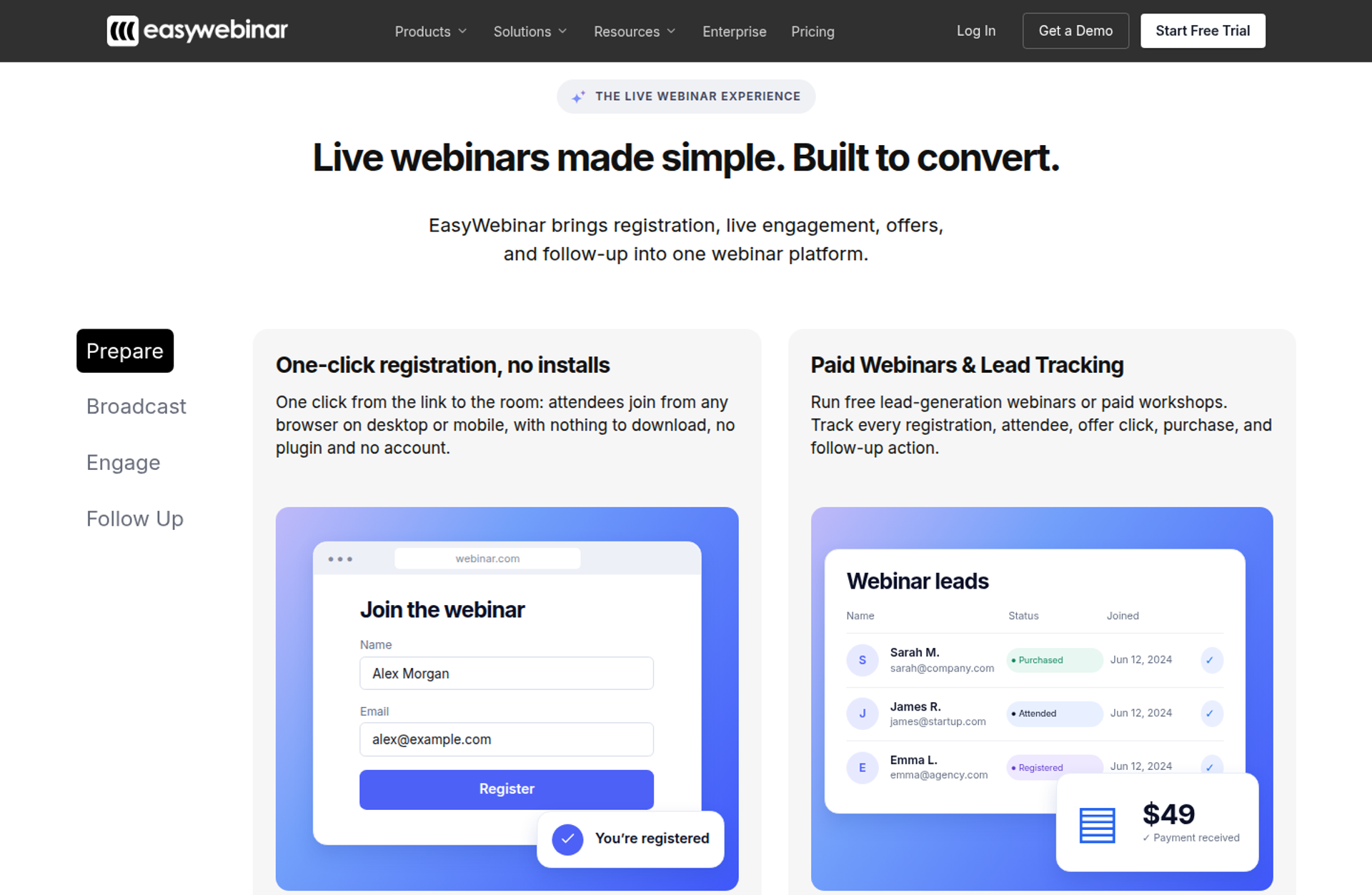
EasyWebinar is a webinar platform built for conversions. It is best for creators, coaches, and marketing teams whose events must sell or build pipeline after the live hour. It runs live sessions that attendees join from any browser, then turns the proven session into an automated webinar. It may not fit teams that need multi-track summits or expo halls.
| Quick fit | - |
|---|---|
| Best for | Launches, masterclasses, paid workshops , and product demos where the event has to sell |
| Skip if | You need multi-track agendas, breakout rooms, expo halls, or onsite hybrid check-in |
| Strongest edge | Run it live, then turn that exact session into an automated webinar on the same subscription |
| Biggest trade-off | Fewer conference-style features; automation, EasyCRM, and checkout start at Growth |
| Pricing snapshot | Growth $116/mo, Pro $198/mo, Scale $349/mo, and Launch $44/mo (live only), billed monthly. Annual billing gives 2 months free. Every plan starts with a 7-day trial, card required. |
⭐ Why EasyWebinar ranks #1
EasyWebinar ranks first because this guide weights post-event value and CRM readiness as heavily as engagement. It covers both halves of the job: the live room, and the automated session that keeps working afterward. Attendees join from any browser, and the same account runs simulive, evergreen, and just-in-time sessions from the Growth plan up.
I learned why this matters on my own launches. In my first year of live webinars, I built a 14,000-person email list and sold $245,000 of my course. The live hour was also my ceiling, because I could only be in one room at a time. EasyWebinar's design follows that lesson: prove the session live, then let the version that converted run every day.
✅ What EasyWebinar does well
- Browser join, nothing to download. Attendees click one link and land in the room on desktop or mobile. That removes the plugin step that costs you attendees.
- Live to automated in one switch. A proven session can run as simulive, evergreen, on-demand, or just-in-time. Just-in-time sessions start minutes after registration, in the attendee's own time zone.
- Checkout inside the room. Buyers pay through Stripe, PayPal, or PayU without a redirect, so the sale and the attendee data stay in one record. See how in-room selling works.
- Your CRM or ours. EasyCRM, the built-in CRM, scores leads as Hot, Warm, or Nurture. Pro adds native HubSpot and Salesforce Pardot (Account Engagement) sync.
- AI Webinar Builder. From one prompt, it drafts the script, registration and thank-you pages, emails, polls, and a timed call to action.
- Reliability built for the pitch. EasyWebinar carries a 99.9% uptime guarantee and streams on Dolby OptiView WebRTC, with a spec as low as 500ms. Sessions keep running past the plan limit.
⚠️ Where EasyWebinar falls short
- No conference architecture. There are no multi-track agendas, breakout rooms, expo halls, or sponsor booths. Parallel-track conferences fit Cvent, RingCentral Events, or Zoom Events better.
- No onsite hybrid tooling. Badge printing and QR check-in are not part of the platform.
- Launch is live only. Automated webinars, EasyCRM, checkout, and EasyCast multistreaming start at Growth. There is no free plan.
- Video first, then setup. Automated sessions need the recording uploaded before you configure them, which a 2026 G2 reviewer flagged as a problem for early promotion.
| Evaluation criterion | EasyWebinar fit | Why it matters |
|---|---|---|
| Live events | Strong | Browser join, moderator controls, Q&A, polls, and timed offers in the room. |
| Simulive or automated | Strong | Simulive, automated, and just-in-time sessions run from the same account from Growth. |
| Evergreen automation | Strong | Recurring "Next Available" dates and scarcity date blocks are built in. |
| Multi-track and networking | Weak | There are no parallel tracks, breakouts, or networking lounges. |
| Registration and funnel pages | Strong | Registration, thank-you, and replay pages are included, with AI drafting. |
| Engagement | Strong | Chat, polls, Q&A, countdowns, and timed offers run in the live room. |
| CRM and follow-up | Strong | EasyCRM is built in, with native HubSpot and Salesforce Pardot sync on Pro. |
| Monetization | Strong | Paid and ticketed webinars, plus checkout inside the session. |
| Analytics | Strong | Attendee-level watch time, questions, clicks, and purchases, plus a drop-off heatmap. |
| Pricing fit | Strong | Flat monthly plans with no per-attendee fees; overage past the limit is billed under the terms. |
| Best-fit buyer | Creators, coaches, and B2B marketers | Their events must produce revenue or pipeline, not just attendance. |
Choose EasyWebinar if your virtual event is a launch, demo, masterclass, or paid workshop that has to keep selling after the live hour. Skip it if you are producing a multi-day conference with parallel tracks, an expo floor, or onsite check-in.
⭐ Reviews
Evergreen depth is the standout for solo operators, though one reviewer wants to set up registration before the video is recorded. This reviewer rated EasyWebinar 5/5 in March 2026.
"EasyWebinar is hands-down THE webinar platform for evergreen webinars, no contest." - Ash A., Owner, March 13, 2026, EasyWebinar G2 - Verified Review
A StreamYard switcher valued moving toward automation, but saw brief pixelation when switching from slides to camera. This reviewer rated EasyWebinar 4.5/5 in August 2025.
"Switched to EasyWebinar so I could allow the attendees to choose their time and work towards automation." - Verified User in Photography, August 26, 2025, EasyWebinar G2 - Verified Review
1.2 Zoom Events & Webinars
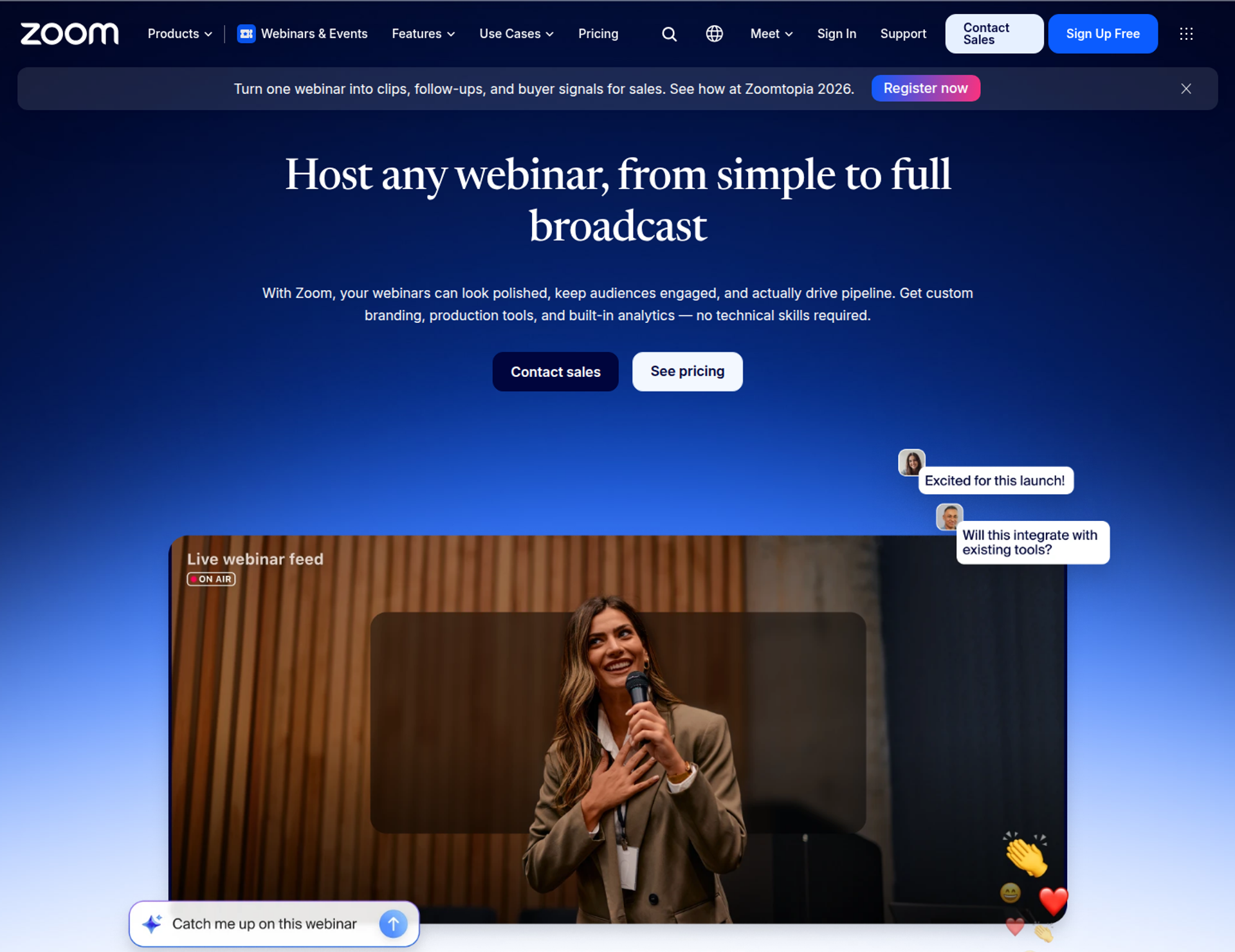
Zoom Events & Webinars is best for teams already standardized on Zoom that need dependable webinars or multi-session events at large scale. It offers a familiar join flow and capacity up to 100,000 attendees. It may not fit teams that need evergreen scheduling or a native CRM.
| Quick fit | - |
|---|---|
| Best for | Organizations already on Zoom running webinars, summits, or multi-track virtual events |
| Skip if | You want a winning session to run on an evergreen schedule, or you need a built-in CRM |
| Strongest edge | Attendee familiarity, capacity up to 100,000, and sessions up to 30 hours |
| Biggest trade-off | Production features sit on higher tiers, which stack on a paid Zoom Workplace license |
| Pricing snapshot | Webinars costs $89/mo billed monthly or $66.67/mo billed annually. Webinars Plus costs $99 or $82.50, and Events costs $149 or $124.17. These are entry tiers, and prices rise with capacity. |
⭐ Why Zoom Events & Webinars ranks #2
Zoom scores well on access, scale, engagement, and integrations. Its Events tier adds multi-day agendas, up to 15 simultaneous tracks, ticketing, an expo floor, and hybrid check-in. That breadth covers conference formats that EasyWebinar does not serve.
It ranks below EasyWebinar on post-event value. Webinars Plus and Events run pre-recorded sessions as simulive, but Zoom's pricing page lists no just-in-time or evergreen scheduling. EasyWebinar's read is that Zoom wins when the event itself is the deliverable, and loses ground when the event must keep selling afterward.
✅ What Zoom Events & Webinars does well
- Low-friction join. Attendees don't need a Zoom account, which helps external audiences get in quickly.
- Scale on every tier. All three plans support up to 100,000 attendees, 1,000 video panelists, and 30-hour sessions.
- Conference structure on Events. You get multi-track sessions, a lobby, an expo floor, sponsor spaces, and attendee networking.
- Production tools on Plus and Events. A private backstage, simulive sessions, and production studio layouts support polished multi-speaker shows.
- Marketing integrations. Native HubSpot, Marketo, Pardot, Salesforce, and Eloqua connections, plus 300+ marketplace apps, feed your existing stack.
- Security and admin. SSO via SAML 2.0, SOC 2 Type 2, and GDPR are listed on all three tiers.
⚠️ Where Zoom Events & Webinars falls short
- Stacked licensing. Webinar plans require a paid Zoom Workplace plan first, so the real cost is two subscriptions.
- Features split by tier. Backstage, simulive, breakout rooms, and advanced analytics are not on the base Webinars plan.
- No evergreen engine or native CRM. Recordings and reports export, but follow-up depends on the marketing tools you already run.
- Limited branding. A 2023 G2 reviewer found few options to change the look and feel.
| Evaluation criterion | Zoom Events & Webinars fit | Why it matters |
|---|---|---|
| Live events | Strong | 100,000-attendee capacity and a join flow most attendees already know. |
| Simulive or automated | Partial | Simulive runs on Webinars Plus and Events only. |
| Evergreen automation | Weak | No just-in-time or evergreen scheduling is listed. |
| Multi-track and networking | Strong | Events supports up to 15 simultaneous tracks, networking, and an expo floor. |
| Registration and funnel pages | Partial | Basic landing pages on Webinars; advanced pages on Plus and Events. |
| Engagement | Strong | Chat, Q&A, polls, quizzes, reactions, and surveys on every tier. |
| CRM and follow-up | Partial | Strong integrations, but no native CRM or behavior-based sequences. |
| Monetization | Partial | Ticketing through PayPal, plus Stripe on Plus and Events. |
| Analytics | Partial | Basic reports on Webinars; engagement scores and dashboards on Plus and Events. |
| Integrations | Strong | HubSpot, Marketo, Pardot, Salesforce, Eloqua, and 300+ marketplace apps. |
| Pricing fit | Partial | Capacity-based tiers sit on a Workplace license; pay-per-attendee is available on Plus and Events. |
| Best-fit buyer | Zoom-standardized organizations | Teams that value familiarity and conference structure over post-event automation. |
Choose Zoom Events & Webinars if your organization already runs on Zoom and needs multi-session conferences, hybrid check-in, or very large audiences. Skip it if the event has to keep selling on a schedule, or if you want a CRM built in.
⭐ Reviews
A national membership association found it easy to implement, but needs two computers to sit in backstage and the webinar at once. This reviewer rated Zoom 4/5 in February 2024.
"It's frustrating to have to log in on two different computers in order to be in the backstage and webinar at the same time." - Rob K., National Membership Association, February 8, 2024, Zoom - G2 Verified Review
A marketing team praised stable video at scale, but found branding options thin. This reviewer rated Zoom 2/5 in February 2023.
"Zoom Webinars almost completely lacks customization options to the look&feel." - Gabor F., Marketing Team, February 23, 2023, Zoom - G2 Verified Review
1.3 RingCentral Events
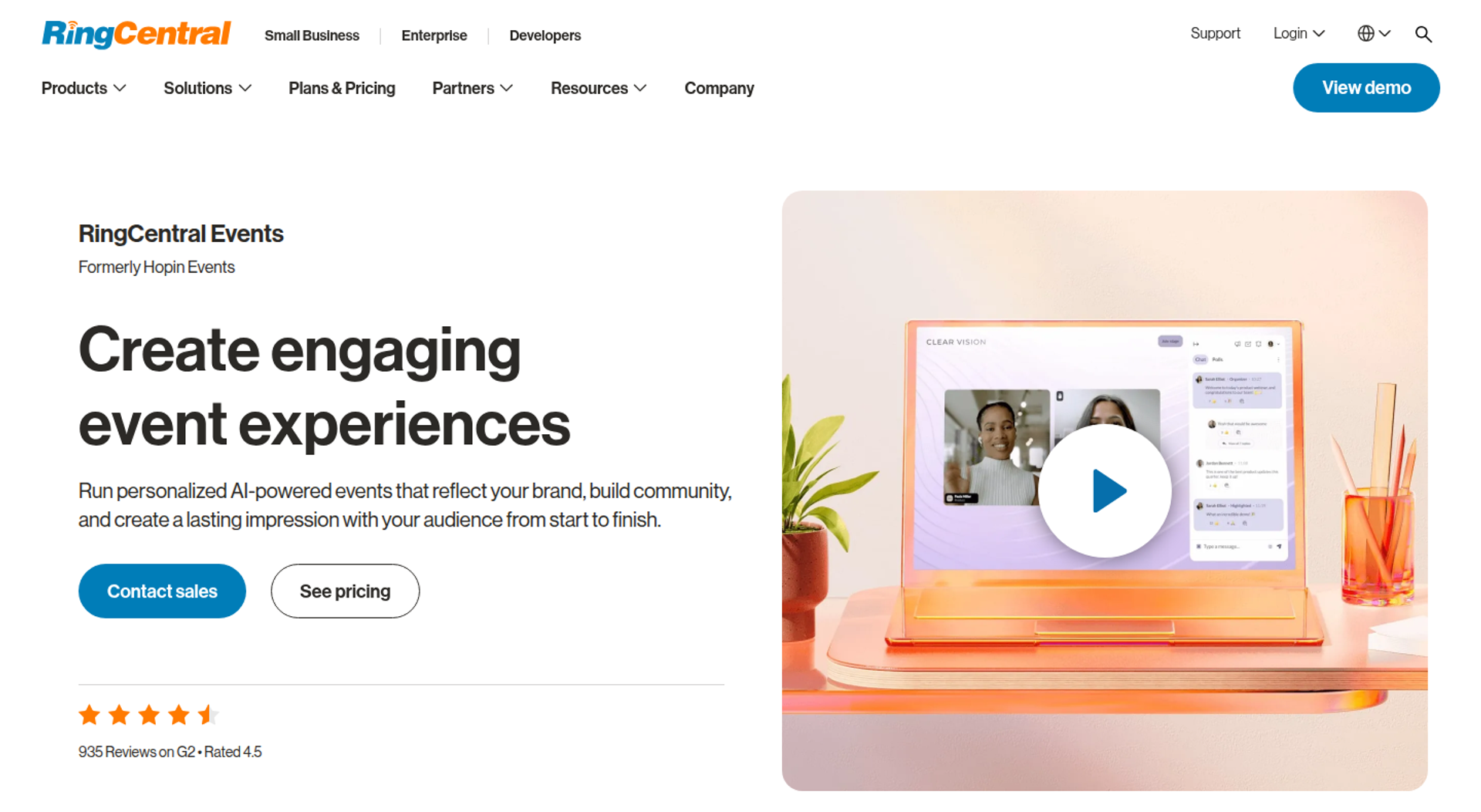
RingCentral Events is best for event teams running frequent virtual, hybrid, and onsite conferences that need unlimited attendees on each organizer license. It supports single webinars through multi-day, multi-session events, but it may not fit teams that need evergreen sessions or a native CRM.
| Quick fit | - |
|---|---|
| Best for | Event marketing teams running recurring multi-session virtual or hybrid conferences |
| Skip if | Several people on your team create events and budget is tight, or you need evergreen scheduling |
| Strongest edge | Unlimited events, registrations, and attendees on every organizer license |
| Biggest trade-off | Each person who creates events needs a paid seat |
| Pricing snapshot | Events Pro starts at $99 per organizer per month. Toolradar's September 2026 check lists Pro+ at $199 and Enterprise at $299 per organizer per month. Annual billing saves up to 16%, and a 30-day free trial is available. |
⭐ Why RingCentral Events ranks #3
RingCentral Events scores well on format coverage, analytics, and integrations. It runs webinars and multi-day, multi-session events across virtual, hybrid, and onsite formats. Its analytics include individual engagement scores and cross-event reporting, exported to HubSpot or Marketo.
It ranks below Zoom on ease of use and speaker control. G2 scores it 8.8 on ease of use against a 9.1 category average, and 8.2 on speaker access against 8.9. EasyWebinar takes a different route after the event: RingCentral's Creator Lab turns recordings into clips and blog posts, while EasyWebinar turns a proven session into an automated webinar.
✅ What RingCentral Events does well
- No overage surprises. Every plan includes unlimited events and registrations, so a session that outperforms does not force a plan change.
- Format range. One platform covers single-session webinars and multi-day hybrid events, which reduces tool switching across an event calendar.
- AI setup help. AI Writer drafts registration copy, and AI sorts incoming questions into categories during the event.
- Content after the event. Creator Lab generates highlight clips, transcripts, blog posts, and follow-up emails from recordings.
- Integrations. More than 40 apps connect, including Salesforce, Mailchimp, ActiveCampaign, Kahoot, Miro, and Slido.
⚠️ Where RingCentral Events falls short
- Seat-based cost. Per-organizer pricing means a five-person events team pays $495 to $1,495 a month, according to Toolradar.
- Below-average usability scores. G2 ratings for ease of use and speaker control trail the category average.
- Features gated by tier. FitGap reports that SSO, onsite features, and a dedicated customer success manager sit on Pro+.
- No automated scheduling. Evergreen and just-in-time sessions are not listed, so value after the event comes from repurposed content.
| Evaluation criterion | RingCentral Events fit | Why it matters |
|---|---|---|
| Live events | Strong | Unlimited attendees and a broadcast studio on every plan. |
| Simulive or automated | Not publicly disclosed | No pre-recorded or automated session scheduling is listed on the pricing page. |
| Evergreen automation | Weak | No evergreen or just-in-time scheduling is listed. |
| Multi-track and networking | Strong | Multi-day, multi-session events with hybrid and onsite support. |
| Registration and funnel pages | Partial | Branded registration pages with AI-written copy. |
| Engagement | Strong | Q&A, polls, and add-ons such as Kahoot and Slido. |
| CRM and follow-up | Partial | CRM exports and AI follow-up emails, but no native CRM. |
| Monetization | Not publicly disclosed | Ticketing and checkout terms are not listed on the pricing page. |
| Analytics | Strong | Individual engagement scores and cross-event dashboards. |
| Integrations | Strong | 40+ apps, including Salesforce, Marketo, and HubSpot. |
| Pricing fit | Partial | Cost is predictable for one organizer and climbs quickly with team size. |
| Best-fit buyer | Event marketing teams | High-volume programs with one or two event owners. |
Choose RingCentral Events if one or two organizers run a heavy calendar of virtual and hybrid conferences. Skip it if many people on your team build events, or the session has to keep selling on a schedule.
1.4 vFairs
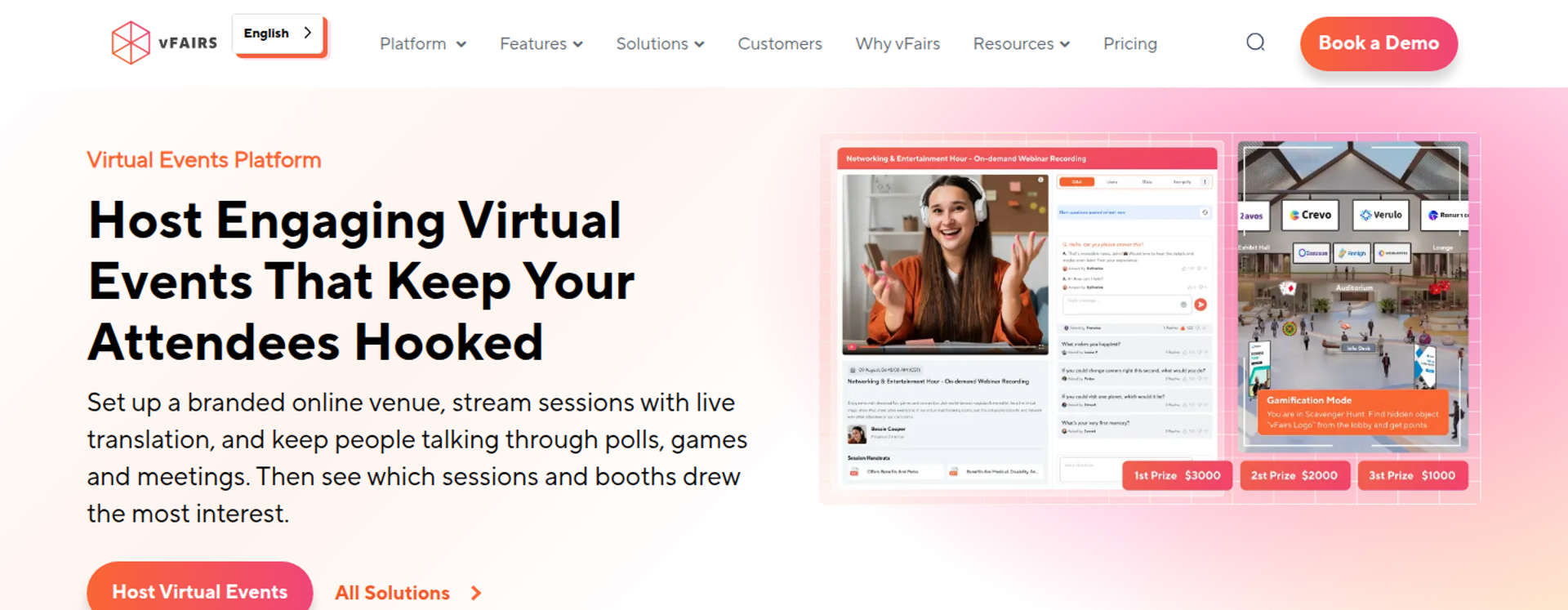
vFairs is best for teams running virtual expos, job fairs, and sponsor-heavy conferences that need booths and exhibitor halls. It offers immersive 3D venues with dedicated support, but it may not fit buyers who need published pricing or evergreen sales sessions.
| Quick fit | - |
|---|---|
| Best for | Expo, career fair, and sponsor-driven event teams |
| Skip if | You need self-serve pricing, or a session that runs on an evergreen schedule |
| Strongest edge | 3D virtual venues with a lobby, exhibit hall, auditorium, and help desk |
| Biggest trade-off | Pricing is custom and sales-led |
| Pricing snapshot | Not publicly listed. vFairs sells custom quotes across single-event and multi-event licenses . |
⭐ Why vFairs ranks #4
vFairs earns its spot on exhibitor tooling and support. In G2's Winter 2026 reports, it earned 101 badges, including Leader in Virtual Event Platforms and Virtual Career Fair Platforms. G2 scores its interactive content at 9.1, against an 8.7 category average.
It ranks below RingCentral Events on pricing transparency and post-event automation. EasyWebinar does not offer exhibit halls or sponsor booths, so vFairs covers a job EasyWebinar leaves to event platforms.
✅ What vFairs does well
- Immersive venues. Branded 3D lobbies and exhibit halls give sponsors a visible place to meet attendees.
- Exhibitor tooling. Custom booths and lead retrieval help prove sponsor return, which supports renewals.
- Engagement mechanics. Polls, leaderboards, and scavenger hunts keep attendees moving between booths and sessions.
- Hands-on support. Licenses include a dedicated account team and live support on event day.
- Format breadth. Virtual, hybrid, and in-person events, multi-track webinars, and a mobile app run from one vendor.
⚠️ Where vFairs falls short
- Quote-only pricing. Budgeting starts with a sales call, which slows a shortlist comparison.
- Event-centric design. No evergreen scheduling or native CRM is listed, so leads leave for other tools after the event.
- Licensing by event. Single-event and multi-event licenses suit planned programs better than weekly sessions.
| Evaluation criterion | vFairs fit | Why it matters |
|---|---|---|
| Live events | Strong | Live embedded webinars inside a branded venue. |
| Simulive or automated | Partial | On-demand pre-recorded webinars are included. |
| Evergreen automation | Weak | No evergreen scheduling engine is listed. |
| Multi-track and networking | Strong | Multi-track webinars, networking, and exhibit halls. |
| Registration and funnel pages | Strong | Custom landing pages and registration forms. |
| Engagement | Strong | Gamification, polling, and live text, audio, and video chat. |
| CRM and follow-up | Not publicly disclosed | CRM integrations exist; confirm the named connectors in the demo. |
| Monetization | Partial | Registration and ticketing are offered as a package. |
| Analytics | Strong | Event and booth-level metrics and reporting. |
| Integrations | Not publicly disclosed | The integration list is not published with pricing. |
| Pricing fit | Partial | Custom quotes per event or program. |
| Best-fit buyer | Expo and career fair organizers | Sponsor revenue and booth traffic are the success metrics. |
Choose vFairs if your event revenue depends on exhibitors, sponsors, or recruiters meeting attendees in booths. Skip it if you need transparent pricing or a session that keeps selling after the event.
1.5 Cvent
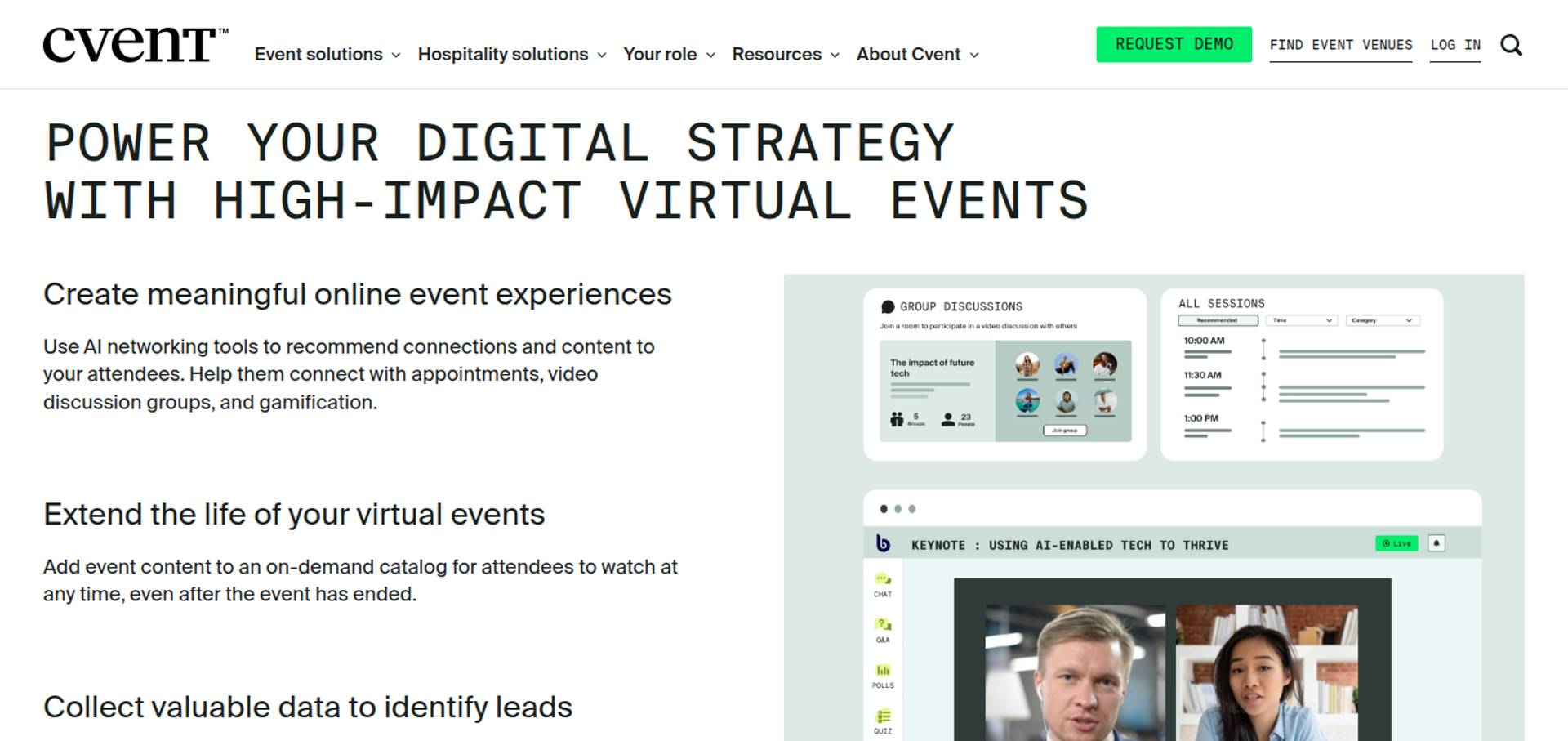
Cvent is best for enterprise event and meetings teams managing registration, onsite check-in, and virtual delivery across many events. It offers a modular suite built for event operations at scale, but it may not fit small teams that want self-serve pricing.
| Quick fit | - |
|---|---|
| Best for | Enterprise event teams running large, multi-event programs |
| Skip if | You run a handful of sessions a year, or want to buy without a sales cycle |
| Strongest edge | Four core solutions (Registration, Attendee Hub, OnArrival, and Essentials) sold separately or bundled |
| Biggest trade-off | Modular, quote-based pricing that grows as you add capabilities |
| Pricing snapshot | Not publicly listed. The University of Washington's published service rates list Attendee Hub plus Event App at $7 per registrant per event. |
⭐ Why Cvent ranks #5
Cvent ranks on operational depth. Registration, payments, the Attendee Hub, onsite badging, and AI-driven appointment matching cover the whole event lifecycle. That breadth matters when events are a department, not a campaign.
It ranks below vFairs because pricing is opaque and the setup is heavier. EasyWebinar competes for mid-market webinar programs, while Cvent serves enterprise event operations that EasyWebinar does not chase.
✅ What Cvent does well
- Registration and payments at scale. Complex registration paths and payments run in one module, which suits large programs.
- Attendee Hub. A virtual lobby, live or pre-recorded video, and the mobile event app are now one product.
- Onsite check-in. OnArrival handles check-in and badging for hybrid events.
- Matchmaking. Cvent Appointments schedules attendee meetings using AI matching.
⚠️ Where Cvent falls short
- Opaque pricing. Every plan requires a quote, and some modules add per-registrant fees.
- Long lead time. University of Washington guidance asks teams to complete Attendee Hub onboarding at least four weeks before the event.
- No evergreen sessions or in-session checkout. Neither appears in Cvent's four core solutions.
| Evaluation criterion | Cvent fit | Why it matters |
|---|---|---|
| Live events | Strong | Live video through Attendee Hub for virtual and hybrid events. |
| Simulive or automated | Partial | Pre-recorded video delivery is supported. |
| Evergreen automation | Weak | No evergreen scheduling is listed. |
| Multi-track and networking | Strong | Appointments and attendee hub networking. |
| Registration and funnel pages | Strong | Registration is a core module. |
| Engagement | Strong | Polling, Q&A, and gamification through the event app. |
| CRM and follow-up | Partial | Integrations exist; there is no webinar-style behavior follow-up. |
| Monetization | Strong | Registration payments are built in. |
| Analytics | Strong | Program-level event reporting. |
| Integrations | Strong | Broad enterprise integration catalog. |
| Pricing fit | Weak | Quote-based and modular, which is costly for small programs. |
| Best-fit buyer | Enterprise event operations | Many events a year with registration and onsite needs. |
Choose Cvent if your team runs dozens of in-person, hybrid, and virtual events with complex registration. Skip it if you need a fast, self-serve platform for a few sessions a quarter.
1.6 Airmeet
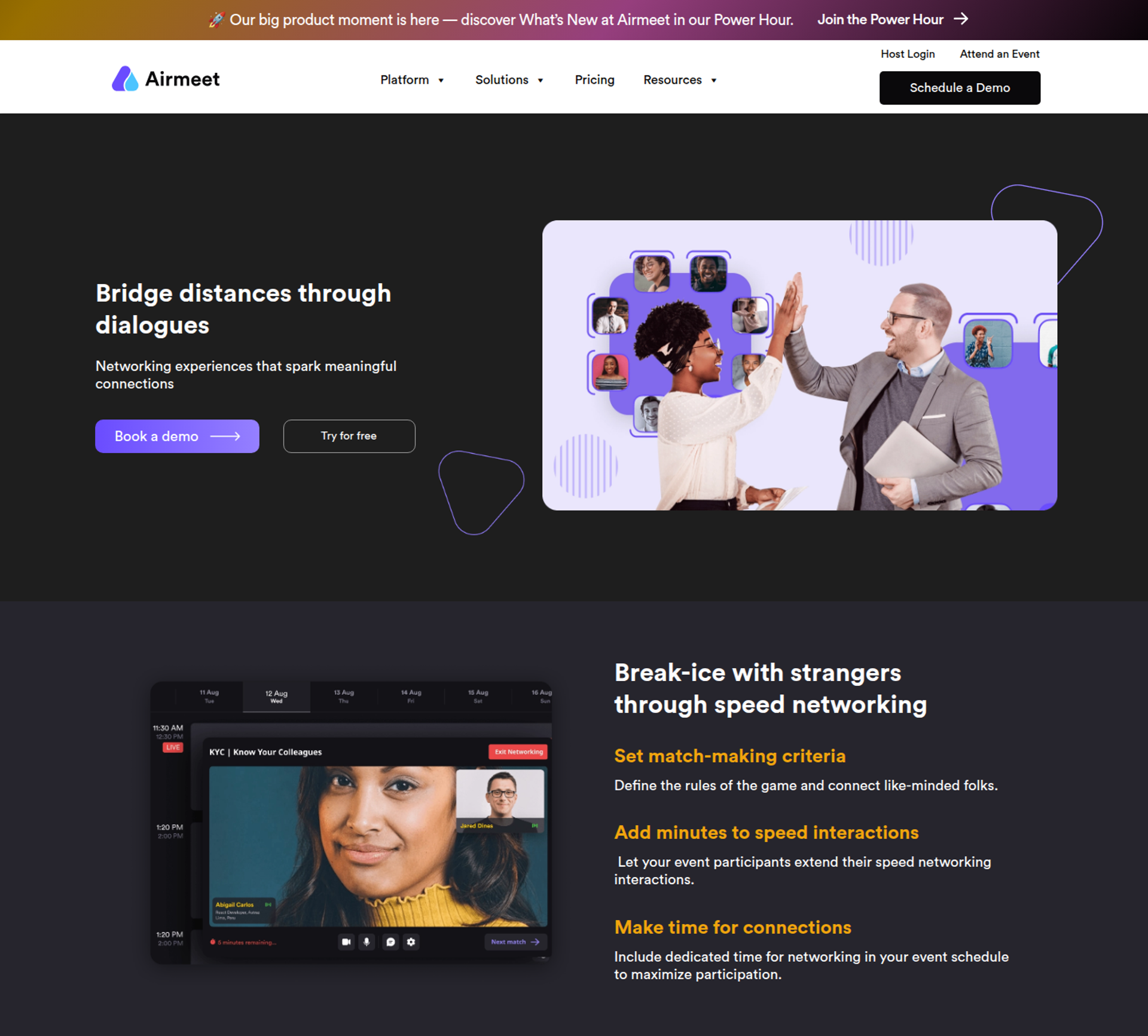
Airmeet is best for community and marketing teams whose virtual events depend on attendee networking. It offers social lounges where attendees join tables and talk, but it may not fit buyers who need a free plan or evergreen sales sessions.
| Quick fit | - |
|---|---|
| Best for | Community-style summits and networking-led virtual events |
| Skip if | You need a free plan, or a webinar that runs on a schedule after the event |
| Strongest edge | Virtual social lounges for table-based networking |
| Biggest trade-off | Ticket sales carry a commission, and the Events tier is quote-based |
| Pricing snapshot | Premium Webinars costs $199 per month, or $167 per month billed annually, for 100 attendees. Events is quote-based, and branded conference packages start at $4,999 per event. Ticketing commission is 4% on Premium Webinars and 2% on Events. |
⭐ Why Airmeet ranks #6
Airmeet scores well on engagement and networking, the reason most buyers shortlist it. Its tiers run from self-serve webinars to quote-based conferences and fully managed events.
It ranks below Cvent on operational breadth and pricing predictability. EasyWebinar takes on a different job: Airmeet keeps people talking inside the event, while EasyWebinar keeps a proven session selling after it.
✅ What Airmeet does well
- Networking by design. Social lounges let attendees move between tables, which suits community events.
- Tiered paths. Teams can start with Premium Webinars and step up to Events or Managed Events.
- Built-in ticketing. Paid events run without a separate ticketing tool.
- Managed production. Managed Events outsource production for teams without event staff.
⚠️ Where Airmeet falls short
- No free plan. CostBench reports paid plans start at $167 per month.
- Ticketing commission. A 2% to 4% cut on ticket sales adds up on paid programs.
- Capacity costs. The entry price covers 100 attendees, so larger audiences mean higher tiers.
- No evergreen engine. Automated or just-in-time session scheduling is not listed.
| Evaluation criterion | Airmeet fit | Why it matters |
|---|---|---|
| Live events | Strong | Webinars and conferences from 100 to 10,000 attendees. |
| Simulive or automated | Not publicly disclosed | Pre-recorded session support is not confirmed on public pages. |
| Evergreen automation | Weak | No evergreen scheduling is listed. |
| Multi-track and networking | Strong | Social lounges and scaled multi-session conferences. |
| Registration and funnel pages | Partial | Registration and ticketing are included. |
| Engagement | Strong | Networking tables are the core experience. |
| CRM and follow-up | Not publicly disclosed | Confirm the CRM connectors during evaluation. |
| Monetization | Partial | Ticketing is built in, with a commission. |
| Analytics | Not publicly disclosed | Analytics depth varies by tier. |
| Integrations | Not publicly disclosed | No integration list is published with pricing. |
| Pricing fit | Partial | Self-serve entry, with quote-based conferences. |
| Best-fit buyer | Community and marketing teams | Networking is the main event value. |
Choose Airmeet if attendees come to your event mainly to meet each other. Skip it if you need a free tier or sessions that keep converting after the event.
1.7 Whova
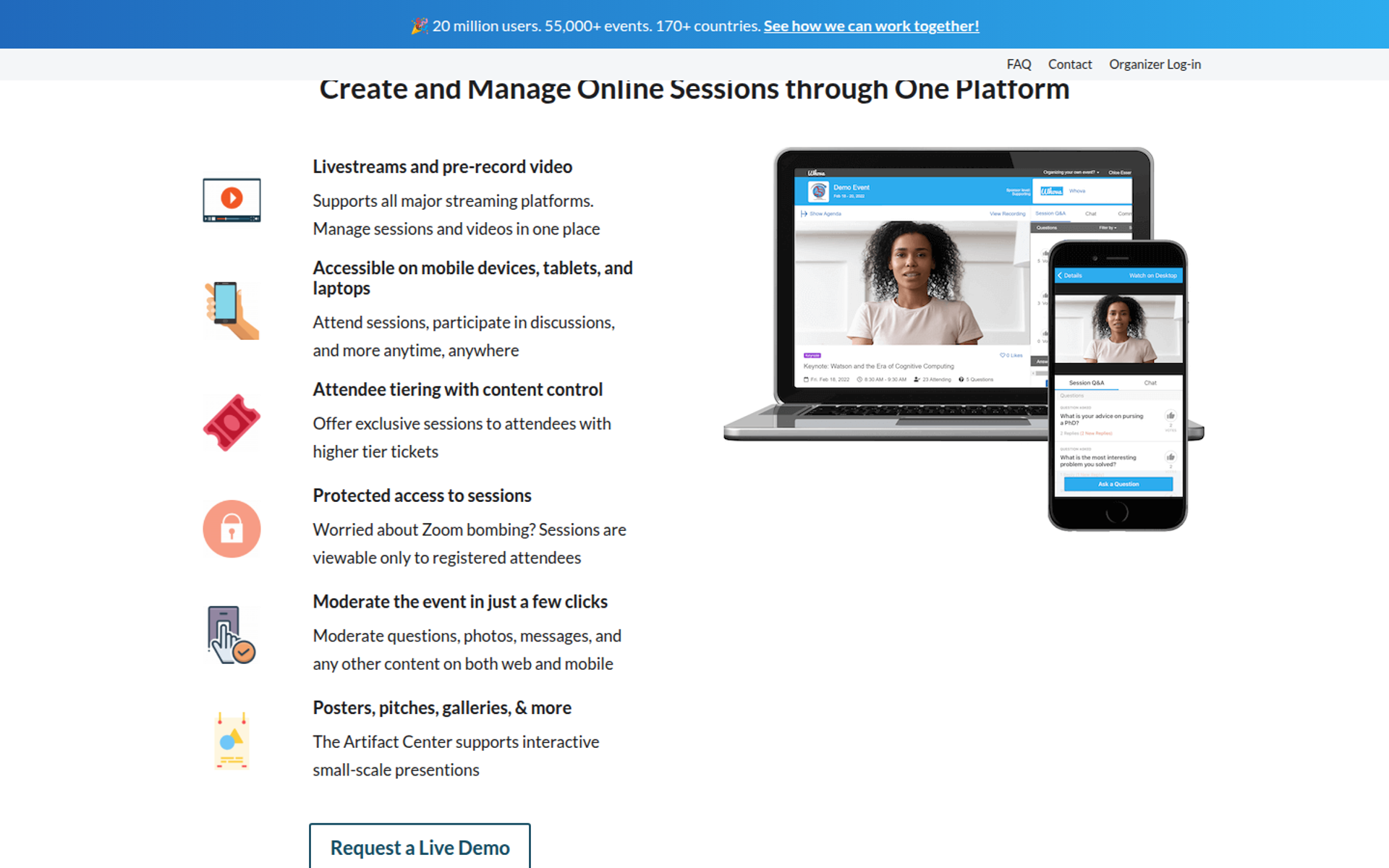
Whova is best for association, academic, and professional conferences that need an attendee app with agenda, networking, and logistics tools. It covers registration through badge check-in, but it may not fit teams that run frequent small events or want published pricing.
| Quick fit | - |
|---|---|
| Best for | Association and academic conference organizers |
| Skip if | You run many small events a year, or want a self-serve price list |
| Strongest edge | One platform for registration, sponsor management, badges, check-in, and abstracts |
| Biggest trade-off | Each event is quoted separately |
| Pricing snapshot | Not publicly listed. Whova quotes per event based on format and attendance, and paid tickets carry 3.0% plus $0.99 per ticket . |
⭐ Why Whova ranks #7
Whova ranks on conference logistics. Abstract management, sponsor and exhibitor tools, and badge printing serve organizers who run agenda-heavy events. Capterra users rate it 4.8 from 2,445 reviews.
It ranks below Airmeet because per-event quoting makes recurring programs harder to budget. EasyWebinar is built for repeatable sessions on flat monthly pricing, which is a different buying pattern from Whova's per-event model.
✅ What Whova does well
- Attendee app. The agenda, networking, and engagement tools live in one app, so attendees know where to go.
- Conference logistics. Registration, check-in, and name badges sit in the same system.
- Academic workflows. Abstract management supports call-for-papers conferences.
- Sponsor tools. Sponsor and exhibitor management help organizers deliver on sponsor packages.
⚠️ Where Whova falls short
- Per-event quotes. A recurring program becomes a series of sales conversations.
- Ticket fees. Paid registrations carry 3.0% plus $0.99 per ticket.
- Bundled app. The event app is not sold separately from the full platform.
| Evaluation criterion | Whova fit | Why it matters |
|---|---|---|
| Live events | Partial | Virtual sessions support conference agendas. |
| Simulive or automated | Not publicly disclosed | Pre-recorded session options should be confirmed in a demo. |
| Evergreen automation | Weak | No evergreen scheduling is listed. |
| Multi-track and networking | Strong | Agenda and networking are the core product. |
| Registration and funnel pages | Strong | Event webpage and registration are included. |
| Engagement | Strong | App-based engagement throughout the event. |
| CRM and follow-up | Not publicly disclosed | Confirm which CRM connectors your quote includes. |
| Monetization | Partial | Ticketing with per-ticket fees. |
| Analytics | Partial | Session and attendee reporting. |
| Integrations | Not publicly disclosed | Not published with pricing. |
| Pricing fit | Partial | Suits one large annual conference better than frequent sessions. |
| Best-fit buyer | Associations and academic organizers | Agenda-heavy events with sponsors. |
Choose Whova if you run an annual conference with sponsors, abstracts, and a busy agenda. Skip it if you host frequent, smaller sessions and want predictable monthly costs.
1.8 Webex Events & Webinars
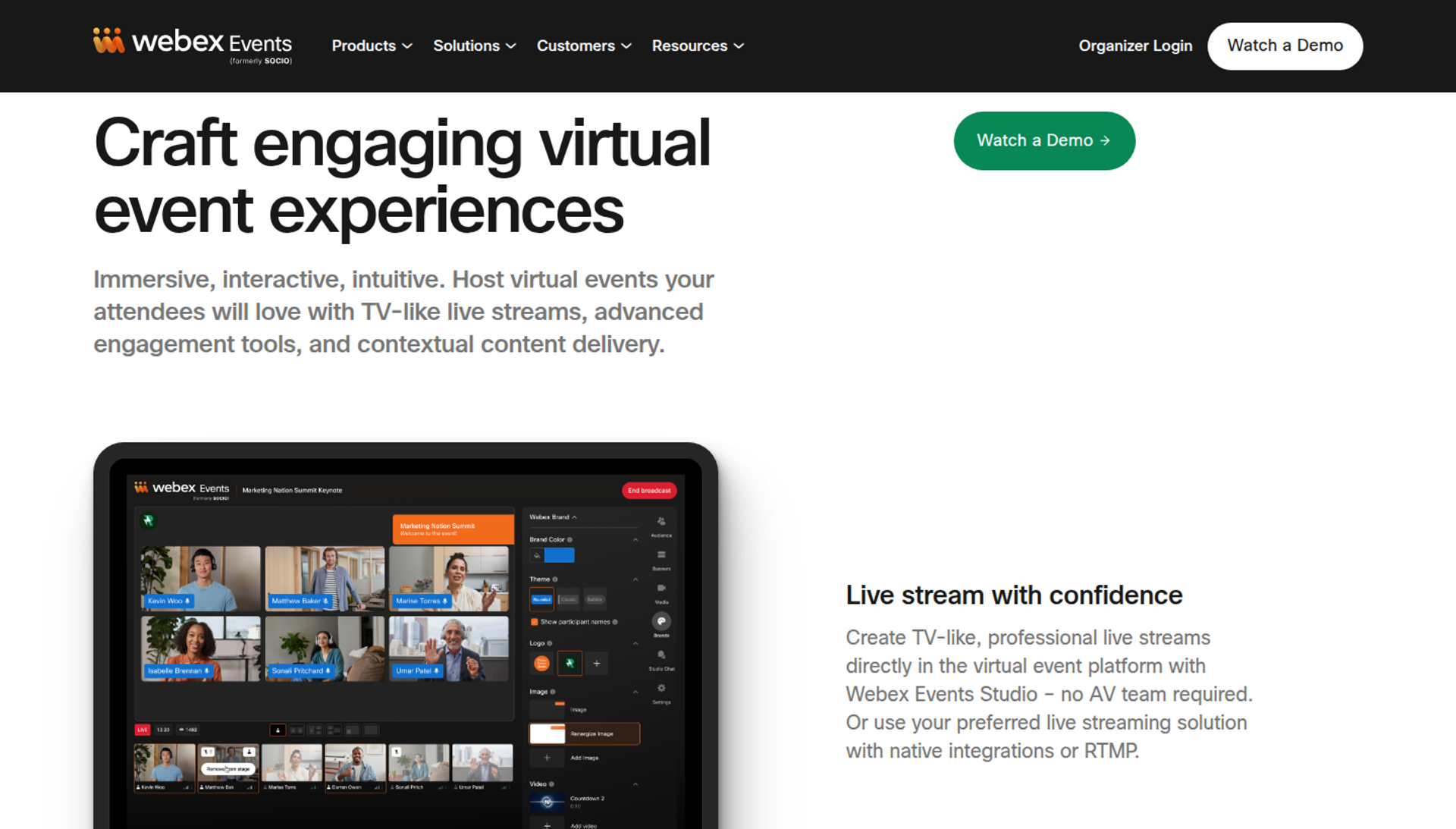
Webex Events & Webinars is best for Cisco-standardized organizations running conferences, trade shows, and hybrid events. It covers registration through lead retrieval, but it may not fit buyers who need self-serve pricing.
| Quick fit | - |
|---|---|
| Best for | Organizations already on Webex running hybrid conferences and trade shows |
| Skip if | You need self-serve pricing, or performance consistency is your top concern |
| Strongest edge | Registration, badge printing, lead retrieval, a mobile app, and a production studio in one suite |
| Biggest trade-off | Sold through Webex Suite Enterprise Agreements, not self-serve |
| Pricing snapshot | Not publicly listed. Webex Events is available as part of Webex Suite Enterprise Agreements . |
⭐ Why Webex Events & Webinars ranks #8
Webex Events covers the full hybrid stack, including simulive sessions, video breakout rooms, networking, and gamification. Guideflow highlights its enterprise-grade security for regulated buyers.
It ranks below Whova because pricing is tied to enterprise agreements, and G2 reviews are mixed on performance. EasyWebinar sells flat monthly plans with a published price list, which is the opposite purchase path.
✅ What Webex Events & Webinars does well
- Hybrid stack. Check-in, badge printing, and a mobile app support in-person attendees alongside virtual ones.
- Sponsor value. Lead retrieval and sponsor tools help exhibitors capture contacts.
- Production options. A production studio, live streaming, and simulive support polished sessions.
- Engagement. Video breakout rooms, networking, and gamification keep attendees active.
⚠️ Where Webex Events & Webinars falls short
- Enterprise buying path. Access runs through Webex Suite Enterprise Agreements.
- Performance complaints. A 2025 G2 reviewer reports lag and connection problems, even with stable internet.
- No evergreen engine. Automated scheduling for repeat sales sessions is not listed.
| Evaluation criterion | Webex Events fit | Why it matters |
|---|---|---|
| Live events | Strong | Live streaming with a production studio. |
| Simulive or automated | Partial | Simulive is listed as a feature. |
| Evergreen automation | Weak | No evergreen scheduling is listed. |
| Multi-track and networking | Strong | Conferences, trade shows, breakouts, and networking. |
| Registration and funnel pages | Strong | Registration is a core product. |
| Engagement | Strong | Gamification, networking, and breakout rooms. |
| CRM and follow-up | Not publicly disclosed | Confirm the integrations included in your agreement. |
| Monetization | Not publicly disclosed | Ticketing terms depend on the agreement. |
| Analytics | Partial | Data and reporting are included. |
| Integrations | Not publicly disclosed | Varies by agreement. |
| Pricing fit | Weak | Quote-only through enterprise agreements. |
| Best-fit buyer | Cisco-standardized enterprises | Hybrid events inside an existing Webex contract. |
Choose Webex Events & Webinars if your organization already holds a Webex Suite agreement and runs hybrid conferences. Skip it if you want to buy self-serve, or you need sessions that keep selling on a schedule.
⭐ Reviews
An IT services user (4.5/5, April 2025) credits responsive, step-by-step support.
"The support team is very responsive and takes a step-by-step approach to help you resolve issues you may encounter." - Verified User in Information Technology and Services, April 22, 2025, Webex - G2 Verified Review
Another IT services user (0/5, June 2025) reports persistent lag and delayed audio.
"The platform consistently suffers from lag, connectivity problems, and delayed audio or video." - Verified User in Information Technology and Services, June 5, 2025, Webex - G2 Verified Review
1.9 Circle
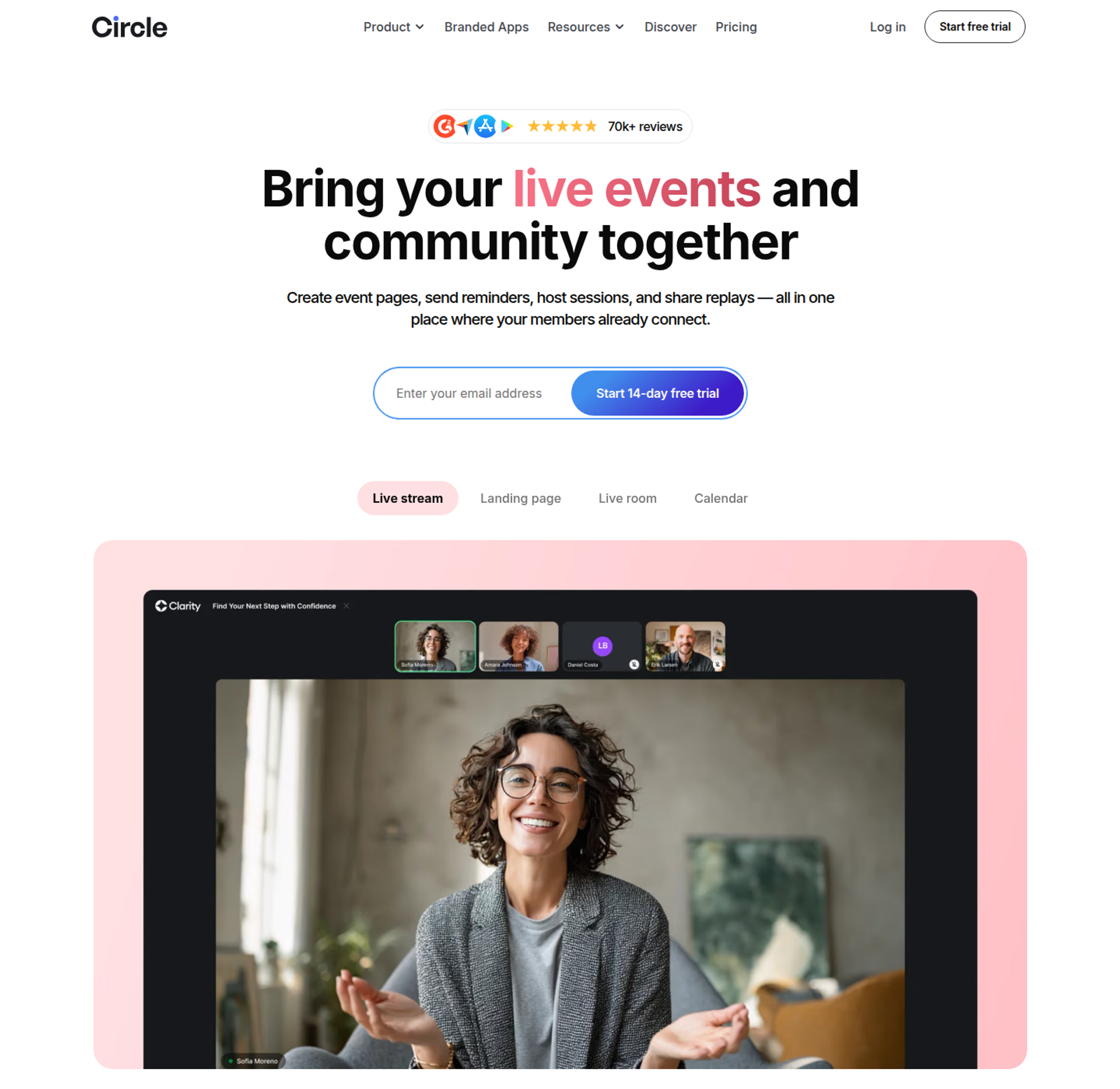
Circle is best for creators and coaches whose live events are part of a paid membership community. It hosts events, live streams, courses, and discussions in one branded space, but it may not fit standalone conferences or public sales events.
| Quick fit | - |
|---|---|
| Best for | Creators and coaches running events as a community membership perk |
| Skip if | Your event is a standalone conference or a public sales session |
| Strongest edge | Events, live streams, courses, and discussions in one branded community |
| Biggest trade-off | Live capacity and streaming hours are metered add-ons |
| Pricing snapshot | Professional costs $89 per month and Business $199 per month, billed annually. Circle Plus is custom. Transaction fees are 2%, 1%, and 0.5% by plan. Add-ons cost $20 per month per 100 live attendees and $50 per month per 10 streaming hours. |
⭐ Why Circle ranks #9
Circle ranks on retention, not event production. Events sit inside the community where members already talk and learn, which keeps them coming back.
It ranks low here because this guide evaluates standalone virtual event software. EasyWebinar's positioning treats Circle as a partner: host the community in Circle, and sell the membership with a webinar.
✅ What Circle does well
- Native live formats. Live events, small live rooms, and community-wide live streams cover most member sessions.
- One home for members. Courses, discussions, and events share one login, which lowers member churn.
- Payments built in. Memberships and paid access run through the platform, subject to transaction fees.
- Custom branding. Every plan includes a custom domain, courses, events, live streams, and gamification.
⚠️ Where Circle falls short
- Metered live usage. Extra live attendees and streaming hours cost more each month.
- Transaction fees. Professional takes 2% of member payments, on top of the subscription.
- Not built for public funnels. Standalone event registration and sales follow-up are not the product's focus.
| Evaluation criterion | Circle fit | Why it matters |
|---|---|---|
| Live events | Partial | Live events and streams for members, with metered capacity. |
| Simulive or automated | Weak | No simulive scheduling is listed. |
| Evergreen automation | Weak | Not an event automation product. |
| Multi-track and networking | Partial | Community discussions handle networking between events. |
| Registration and funnel pages | Weak | Built for members, not public event funnels. |
| Engagement | Strong | Discussions, gamification, and live rooms. |
| CRM and follow-up | Partial | Workflows and API access on Business. |
| Monetization | Partial | Paid memberships, with transaction fees. |
| Analytics | Partial | Advanced analytics sit on higher tiers. |
| Integrations | Partial | Zapier, plus APIs on Business. |
| Pricing fit | Partial | Clear base prices, with add-ons that grow with live usage. |
| Best-fit buyer | Membership creators | Events are a retention benefit, not a sales channel. |
Choose Circle if your events serve paying members who already live in your community. Skip it if your event needs public registration, conference structure, or post-event sales automation.
1.10 Riverside
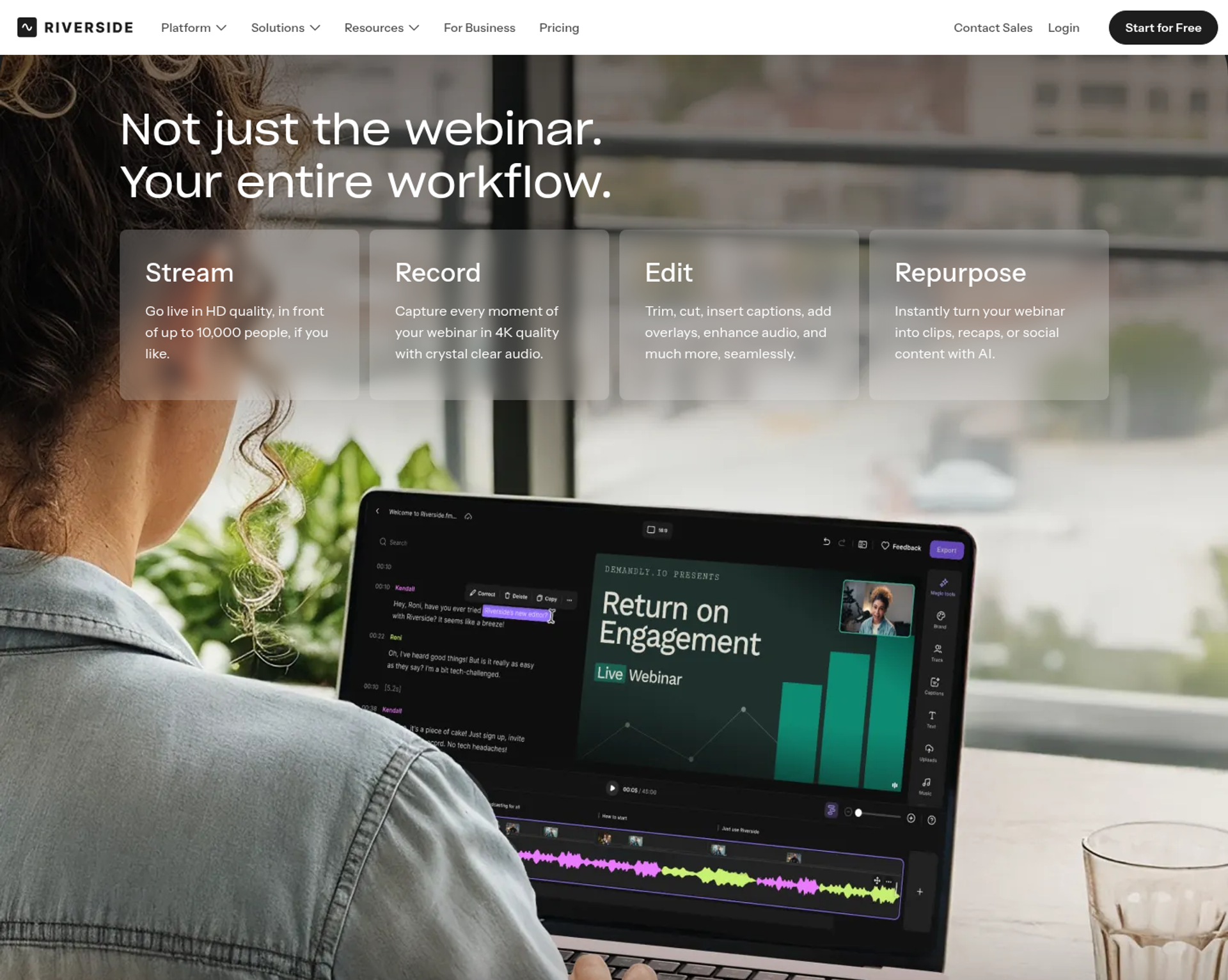
Riverside is best for marketing and content teams that care most about recording and broadcast quality. It records each speaker locally in up to 4K and adds webinars on a dedicated plan, but it may not fit buyers who need conference features or large audiences on a self-serve plan.
| Quick fit | - |
|---|---|
| Best for | Content teams producing studio-quality webinars, shows, and recordings |
| Skip if | You need networking, expo halls, or more than 100 registrants without a custom plan |
| Strongest edge | Local 4K multi-track recording, plus multistreaming to unlimited destinations from Grow |
| Biggest trade-off | The Webinar plan caps at 100 registrants; larger events need Business |
| Pricing snapshot | Free plan available. Pro costs $29 per month ($24 billed annually), Grow $39 ($34), and Webinar $99 ($79). Business is custom, and paid plans include a 14-day trial. |
⭐ Why Riverside ranks #10
Riverside earns a place on production quality. The Webinar plan adds pre-recorded sessions streamed as live, recurring webinars, lead capture, branded emails, Q&A, polls, and a HubSpot integration.
It ranks last for this article's intent, because it lacks networking, multi-track agendas, and expo features. EasyWebinar's pricing page lists Riverside as a hosting tool that teams typically pair with separate page, email, and CRM tools.
✅ What Riverside does well
- Recording quality. Local multi-track recording keeps each speaker's track clean when internet connections dip.
- Distribution. From Grow, 1080p live streaming reaches unlimited destinations, with custom RTMP.
- Webinar basics. The Webinar plan includes lead capture, registration emails, Q&A, polls, and analytics.
- Repurposing. Magic Clips and AI editing turn one session into short promotional videos.
- Enterprise options. Business adds Salesforce, Marketo, SSO, SOC 2, ISO 27001, and 24/7 priority support.
⚠️ Where Riverside falls short
- Small webinar cap. The self-serve Webinar plan allows up to 100 registrants.
- Metered recording. Recording hours are tiered by month, so heavy schedules push you up a plan.
- Extra seats cost more. Additional editors are add-ons below the Business plan.
- No conference structure. There is no networking, multi-track agenda, or expo floor.
| Evaluation criterion | Riverside fit | Why it matters |
|---|---|---|
| Live events | Partial | Live streaming and webinars, capped at 100 registrants on self-serve. |
| Simulive or automated | Partial | Pre-record and stream as live on the Webinar plan. |
| Evergreen automation | Weak | Recurring webinars exist, but no evergreen engine. |
| Multi-track and networking | Weak | No networking or parallel tracks. |
| Registration and funnel pages | Partial | Branded registration and reminder emails. |
| Engagement | Partial | Q&A, polls, and live call-ins. |
| CRM and follow-up | Partial | HubSpot on Webinar; Salesforce and Marketo on Business. |
| Monetization | Weak | No checkout or ticketing is listed. |
| Analytics | Partial | Webinar analytics on the Webinar plan. |
| Integrations | Partial | Grows with plan tier. |
| Pricing fit | Strong | Low published prices for small audiences. |
| Best-fit buyer | Content and marketing teams | Production quality matters more than event structure. |
Choose Riverside if recording and broadcast quality decide your event's value. Skip it if you need conference features, large self-serve audiences, or sales follow-up after the session.
💰 How to read this shortlist
The 10 platforms split by what the event must produce. Conference operations point to Cvent, RingCentral Events, Webex Events, or Whova, and sponsor-driven expos point to vFairs. Networking points to Airmeet, member retention to Circle, and broadcast quality to Riverside.
EasyWebinar fits the remaining job: a launch, demo, masterclass, or paid workshop that has to keep selling after the live hour. Attendees join from any browser, buyers pay through Stripe, PayPal, or PayU without leaving the room, and the proven session becomes an automated webinar on the same subscription. Carla Biesinger built $5M from one evergreen funnel this way.
Q2: How Did We Score the Best Virtual Event Software?
Each platform in this guide was scored out of 100 points across five weighted criteria. The criteria are attendee experience and reliability (25%), engagement and production controls (20%), and post-event value (20%). The other two are data, integrations, and security (20%), plus pricing transparency with verified user reviews (15%). Scores of 0 to 20 earn one star, 21 to 40 two, 41 to 60 three, 61 to 80 four, and 81 to 100 five.
⚠️ Why this guide publishes its rubric
A RevOps lead pastes three "best virtual event platform" lists into one spreadsheet and gets three different winners. Each list ranks its own publisher first, and this guide is published by EasyWebinar. That is exactly why the weights are shown here in full, so you can rerun the math with your own priorities.
Star ratings alone do not settle it either. G2 tracks 257 products in its Virtual Event Platforms category, from expo builders to webinar rooms. A 4.6 rating tells you users are happy, not whether the tool fits your event.
✅ The five criteria and their weights
| Criterion | Weight | What was checked |
|---|---|---|
| Attendee experience and reliability | 25% | Browser join, stream stability, capacity, and uptime terms |
| Engagement and production controls | 20% | Backstage, moderated Q&A, polls, timed offers, and speaker controls |
| Post-event value | 20% | Replays, simulive, automated sessions, and behavior-based follow-up |
| Data, integrations, and security | 20% | Attendee-level data, named CRM connectors, SSO, SOC 2, and GDPR |
| Pricing transparency and reviews | 15% | Published pricing, billing model, and verified review evidence |
⏰ Why post-event value carries 20%
ON24 reports that on-demand viewing accounts for half of all webinar attendees. Its 2026 benchmarks also show average engagement of 49 minutes per webinar in 2025. A rubric that ignores the replay ignores half the audience.
EasyWebinar's read is that most rankings get this backwards. I learned it on my own launches: a session that stops working when the live hour ends is a cost, not an asset. That is why this criterion weighs as much as engagement.
⭐ How scores become stars
| Score | Stars | Platforms in this guide |
|---|---|---|
| 81 to 100 | ⭐⭐⭐⭐⭐ | EasyWebinar |
| 61 to 80 | ⭐⭐⭐⭐ | Zoom Events & Webinars, RingCentral Events, vFairs, Cvent, and Airmeet |
| 41 to 60 | ⭐⭐⭐ | Whova, Webex Events & Webinars, Circle, and Riverside |
| 21 to 40 | ⭐⭐ | None |
| 0 to 20 | ⭐ | None |
A three-star score means a weaker fit for this rubric, not a weak product. Whova, for example, scores lower here yet serves agenda-heavy association conferences well.
EasyWebinar scores highest on post-event value and data, because one subscription runs the live session, the automated replay, and EasyCRM lead scoring. Checkout inside the room starts at Growth. On conference criteria such as multi-track agendas and expo halls, EasyWebinar scores lower, and the entries above say so plainly.
Q3: What Does Virtual Event Software Do That Zoom Can't, and Which Type Fits Your Event?
A meeting tool lets every participant unmute and share a screen. That works for ten colleagues and breaks down at five hundred attendees. Virtual event software separates presenters from the audience and adds registration, moderated Q&A, and attendee data. Multi-track and hybrid summits fit Cvent or RingCentral Events, expos fit vFairs, and networking events fit Airmeet or Whova. EasyWebinar fits events that must sell, because attendees join from any browser and buyers pay without leaving the room.
⚠️ The 500-person meeting
A coach sends 500 registrants one meeting link for a Tuesday masterclass. Ten minutes in, a dog barks over the pitch, and a question about pricing scrolls off the chat.
G2 draws the same line. Meeting tools serve small, collaborative groups, while virtual event platforms serve large, branded audiences with structured agendas.
❌ The old way: Hollywood Squares and scattered tools
Zoom tech coach Betsy Sabatini calls the open grid "Hollywood Squares," because anyone can unmute at any moment. Her fix for clients is a webinar setup with a backstage, where speakers talk privately before and during the event. The second cost is the stack. Community strategist Bri Leever describes creators worn out by Zoom links, Luma calendars, and Google Docs that don't talk to each other.
✅ What changed: purpose now picks the platform
Events are now judged on what they produce, not on how many people logged in. That turns platform choice into a purpose decision. A summit needs tracks, an expo needs booths, a community needs a home, and a launch needs checkout.
⭐ Which type fits your event
| Event type | What it needs | Fits best |
|---|---|---|
| Multi-day or hybrid summit | Parallel tracks and onsite check-in | Cvent, RingCentral Events, or Zoom Events |
| Virtual expo or career fair | Booths, sponsor halls, and lead retrieval | vFairs |
| Networking-led conference | Lounges, matchmaking, and an attendee app | Airmeet or Whova |
| Member-only events | Events inside a paid community | Circle |
| Studio broadcast | 4K recording and multistreaming | Riverside |
| Launch, demo, or paid workshop | Browser join, timed offers, and checkout | EasyWebinar |
| Internal all-hands | Meeting controls for colleagues | Your existing meeting tool |
EasyWebinar takes the revenue row. Attendees join from any browser on desktop or mobile, with nothing to download. From the Growth plan, buyers pay through Stripe, PayPal, or PayU inside the session.
EasyWebinar does not run multi-day summits, hybrid check-in, or company all-hands. I would rather say that here than on a sales call.
A marketing team running webinars for 200 to 500 attendees (1.5/5, March 2021) found Zoom unreliable.
"Zoom Webinar is ridiculously glitchy." - Casey S., Marketing Team, March 16, 2021, Zoom - G2 Verified Review
A course creator (5/5, January 2025) moved her live class to an EasyWebinar evergreen session. She also notes that just-in-time sessions, which start minutes after someone registers, cost more than the basic plan.
"With my live class I used to sell 10-12 courses. With EasyWebinar I sold 25 courses within 3 weeks." - Laura C., Course Creator, January 28, 2025, EasyWebinar G2 - Verified Review
EasyWebinar is the step up from Zoom when a webinar has to sell. Zoom runs the meeting, while EasyWebinar runs the session with registration pages, timed offers, in-room checkout, and follow-up that reacts to what each attendee did. The session that converts then becomes an automated webinar on the same subscription.
Q4: What Does a Multi-Speaker Virtual Event Need to Run Reliably and Keep Attendees Engaged?
Live virtual events fail in three places: the join, the stream, and the connection. They also drift when speakers lack a private backstage or questions get lost in chat. A dependable setup includes a speaker green room, a Q&A tab separate from chat, preloaded media, polls and timed offers, and automated reminders. EasyWebinar streams on Dolby OptiView WebRTC at sub-500ms latency, lets attendees join from any browser, and carries a 99.9% uptime guarantee.
⚠️ The mid-stream crash
The keynote is twenty minutes in when the producer's screen freezes. Event strategist Jono Bacon names the feeling exactly: "it's so embarrassing when your webinar software just dies in the middle of a webinar." Attendees rarely wait for the reconnect email.
❌ The old way: launchers, lag, and lost questions
For years, attendees installed a launcher before they could watch, and some never got past it. Lag pushed polls past the moment they mattered, and presenters dropped when their audio failed. Meanwhile, buying questions sank under general chat.
✅ What changed: reliability now decides revenue
Attention is the asset now. ON24 found average webinar engagement held at 49 minutes in 2025, and polls drew 150 responses per webinar. Every second of lag spends that attention. A drop during the offer loses the sale outright.
🎛️ Five controls to check before going live
- Speaker green room. Rehearse audio, slides, and lighting while attendees wait in the lobby.
- Separate Q&A from chat. Buying questions stay visible instead of scrolling away.
- Preloaded slides and a countdown. Nobody screen-shares from a cluttered desktop mid-pitch.
- Planned polls and timed offers. Interaction lands on the minute you scripted.
- Automated reminders. Send them at registration, 24 hours before, and 1 hour before.
For a high-stakes keynote, I pre-record it and run it as simulive, a recording played at a scheduled time. The speaker then joins the Q&A in real time.
⭐ EasyWebinar's answer
EasyWebinar streams on Dolby OptiView WebRTC with ultra-low latency, sub-500ms, so polls and offers land while the audience is still there. Dolby Voice handles up to five simultaneous speakers with noise reduction. Every session auto-records to in-house storage, and the webinar keeps running past the plan limit.
EasyWebinar also covers controls two through five in the room: Q&A, polls, timed offers, countdowns, and moderator controls. Reminder emails and SMS through Twilio go out automatically, and simulive starts on the Growth plan.
An IT services team (0/5, June 2025) describes join and screen-share failures.
"It takes a long time to join meetings, and the app often freezes during screen sharing." - Verified User in Information Technology and Services, June 5, 2025, Webex - G2 Verified Review
A long-time EasyWebinar customer (5/5, March 2025) credits the platform's reliability for automating their programs.
"The app is user-friendly and reliable, making it easy for us to host webinars and automate our processes." - Jo K., Founder, March 26, 2025, EasyWebinar G2 - Verified Review
Another EasyWebinar user (4.5/5, August 2025) saw brief pixelation when switching from slides to camera.
"The video quality came and went when I switched from the slides as the main screen back to me." - Verified User in Photography, August 26, 2025, EasyWebinar G2 - Verified Review
EasyWebinar treats reliability as a conversion feature, because a launch that drops mid-offer is lost revenue. Attendees join from any browser, the stream runs on Dolby OptiView WebRTC, and sessions never stop at the plan limit. The 99.9% uptime guarantee matters most during the pitch.
Q5: What Happens to Your Virtual Event After the Live Hour Ends?
Most virtual event platforms end with a recording and a replay email. EasyWebinar turns the session that converted into an automated webinar that runs every day as simulive, just-in-time, on-demand, or scheduled sessions. It runs on the same platform and subscription, starting on the Growth plan. No-shows, early leavers, offer-clickers, and replay viewers each get their own follow-up sequence. The event keeps selling after the live hour.
⚠️ The post-event cliff
It is 3:05 on a Thursday, and the producer closes the room after a strong launch. The sales chart for the next week tells the rest of the story. Orders spike that afternoon, trickle in with the replay email, and flatten by Monday.
❌ The old way: a replay link, then nothing
The old playbook sends one replay link to everyone, then waits for the next live date. Attendees, no-shows, and buyers all get the same message. The only way to sell again is to show up live again.
EasyWebinar's founding story starts here. In my first year of webinars, I ran every session live to sell my course. I built a 14,000-person email list and sold $245,000, and the live hour was still my ceiling.
✅ What changed: on-demand is half the audience
ON24 reports that on-demand viewing now accounts for half of all webinar attendees. Its 2025 research found automated nurture sequences drove 69% higher on-demand attendance and 32% more attendees overall. The replay is no longer an afterthought. It is half the event.
⭐ EasyWebinar's answer: run it live, then let it run every day
EasyWebinar converts the exact session that worked into an automated webinar, without a rebuild. The formats work like scheduled TV programming:
- Simulive: the recording plays at a set time, as a scheduled broadcast.
- Just-in-time: a session starts minutes after someone registers, in their own time zone.
- On-demand: the session plays the moment the viewer clicks.
- Recurring and scarcity dates: "Next Available" sessions repeat, and "Wait For It" dates block out the calendar to create urgency.
EasyWebinar then routes each person by behavior. No-shows, early leavers, offer-clickers, and replay viewers each get their own sequence, so nobody receives a message meant for someone else. Reminders go out by email and by SMS through Twilio, as part of webinar marketing automation.
EasyWebinar's read is that evergreen only works after you nail the session live. I still run it live first, watch where people buy, and then automate that version.
A photographer and educator (4.5/5, August 2025) moved to EasyWebinar after years of monthly live sessions.
"I've been going live every month since 2020 and I'm exhausted." - Verified User in Photography, August 26, 2025, EasyWebinar G2 - Verified Review
A podcast founder (5/5, September 2024) plans to perfect the session first, then automate it.
"I'm going to use it, once my webinar is perfected, to put the presentation on autopilot for more consistent sales." - Micaela S. B., Founder and VP of Marketing, September 13, 2024, EasyWebinar G2 - Verified Review
EasyWebinar customer Carla Biesinger generated $5M from one evergreen webinar funnel. She scaled from small live events to a fully automated system with smart scheduling and integrations. That is the pattern this section describes: prove the session live, then let it run every day on one subscription.
Q6: How Should Virtual Event Data Reach Your CRM, and What Security Should You Check?
Attendance counts are not pipeline. Event data becomes useful when each attendee's watch time, questions, poll answers, offer clicks, and purchases reach the CRM (customer relationship management system). The platform holding that data must also pass a security review. EasyWebinar captures this first-party intent data and syncs it to HubSpot, Salesforce Pardot (Account Engagement), ActiveCampaign, or Kit (formerly ConvertKit), or to the built-in EasyCRM. EasyWebinar offers SOC 2 Type II readiness and GDPR-aligned data practices with a DPA (data processing agreement).
⚠️ The Monday CSV export
A marketing ops manager exports Thursday's registrant list on Monday morning. The file shows who attended, but not who asked about pricing or clicked the offer. She pastes it into the CRM anyway, and sales calls everyone in the same order.
❌ The old way: tools that don't talk
The old stack stitched a meeting link to a calendar tool, a spreadsheet, and an email platform. Community strategist Bri Leever describes creators fed up with scattered systems that don't talk to each other. She also warns that platforms promising to be everything at once often do each job poorly.
Even capable meeting platforms stop at attendance. A 2025 Microsoft Teams Webinars reviewer said reports cover the basics but lack lead-scoring detail.
✅ What changed: events are judged on attributed revenue
Leaders now ask what an event returned, not how many people logged in. That needs first-party intent data, meaning signals your own audience gives you directly, tied to revenue. At the same time, IT teams review every new vendor that stores attendee data before purchase.
⭐ EasyWebinar's answer: your CRM or ours
EasyWebinar records attendance, watch time, questions, poll responses, offer clicks, and purchases for every attendee. EasyCRM scores leads as Hot, Warm, or Nurture, and a drop-off heatmap shows the exact minute attendees leave. Growth connects 13 CRM and email tools, and Pro adds native HubSpot and Salesforce Pardot sync.
Use this checklist before you sign with any vendor:
| Question to ask | Why it matters | EasyWebinar's answer |
|---|---|---|
| Which CRMs sync natively? | Middleware breaks and delays data | HubSpot and Salesforce Pardot natively on Pro |
| Is there a SOC 2 Type II report or readiness? | Standard procurement evidence | SOC 2 Type II readiness |
| Is a DPA available? | Required for GDPR-covered attendees | Yes, with GDPR-aligned practices |
| Is SSO/SAML offered, and on which plan? | Central access control for IT | On Scale |
A Microsoft Teams Webinars user (4.5/5, October 2025) found reporting thin.
"The post-webinar reports give us the essential attendance data, but they lack the deep engagement metrics and lead-scoring detail that specialized webinar tools offer." - Prince Kumar O., October 5, 2025, Microsoft Teams Webinars - G2 Verified Review
A user who ran close to 30 EasyWebinar sessions in four months (5/5, April 2025) credits the CRM connection.
"It also seamlessly integrated with our CRM." - Darrin B., Marketing Director, April 29, 2025, EasyWebinar G2 - Verified Review
A founder (4.5/5, February 2026) sends post-webinar emails from another tool to track opens.
"I can't track open and click rates on EasyWebinar." - Eliza W., Founder, February 11, 2026, EasyWebinar G2 - Verified Review
EasyWebinar keeps the CRM you already run, or gives you EasyCRM if you have none. Every attendee signal flows to one system of record, so sales acts on buying intent the same day, without paying twice for a CRM.
Q7: What Does Virtual Event Software Really Cost in 2026?
Virtual event software is priced in five main ways: by attendee capacity, per registrant or per event, per organizer seat, through quote-only enterprise contracts, or as flat monthly plans. The sticker price is rarely the real cost once landing pages, email, CRM, checkout, and ticket fees are added. EasyWebinar uses flat monthly pricing with no per-attendee fees, and the webinar keeps running past the plan limit.
💸 The five pricing models, with current figures
| Model | How it bills | Current examples |
|---|---|---|
| Attendee capacity | Price rises with audience size | Zoom Webinars costs $89/mo, or $66.67/mo billed annually, at entry capacity , on top of a paid Workplace license . Airmeet Premium Webinars costs $199/mo, or $167/mo annually, for 100 attendees. |
| Per registrant or per event | Each event or attendee adds cost | One published Cvent rate lists Attendee Hub at $7 per registrant per event. Whova quotes each event separately. |
| Per organizer seat | Each event creator needs a license | RingCentral Events starts at $99 per organizer per month. |
| Quote-only contract | Sales sets the price | vFairs and Webex Events publish no prices. |
| Flat monthly plan | Fixed price by audience tier | EasyWebinar has no per-attendee fees, and overage past the limit is billed under its terms. |
Prices were checked on vendor pages on October 17, 2026, or come from the dated sources cited.
⚠️ Where the hidden costs sit
Watch for these add-ons beyond the license:
- Prerequisite licenses. Zoom's webinar plans sit on top of a paid Zoom Workplace plan.
- Ticketing fees. Airmeet takes 2% to 4% of ticket sales, and Whova charges 3.0% plus $0.99 per paid ticket.
- Metered live usage. Circle charges $20 a month per extra 100 live attendees and takes 2% of member payments on Professional.
- Seat growth. Per-organizer pricing multiplies with every person who builds events.
- The rest of the stack. Landing pages, email, CRM, checkout, and storage often sit in separate tools.
Services add up too. OpenWater reports its conference customers spend $10,000 to $200,000 on platform plus services.
✅ How to compare total cost in four steps
- Count your year. Estimate sessions, registrants, and peak live attendance for twelve months.
- Count your builders. Seat-based tools charge per organizer, so list everyone who creates events.
- List the tools you would add. Include pages, email, CRM, checkout, recording storage, and multistreaming.
- Add the revenue fees. Apply ticket commissions and transaction fees to your expected sales.
EasyWebinar's own pricing page estimates a typical eight-tool webinar stack at about $495 to $1,550 a month. Treat that as a vendor estimate, and rebuild it with your own tools in step three.
⭐ When a flat plan wins, and when it doesn't
EasyWebinar's read is that cost should follow what the event produces. I think a webinar platform is worth it the moment events have to produce revenue or pipeline. If you run one large annual conference, a per-event quote can cost less than a year of any subscription.
The math flips when sessions repeat. Weekly launches, demos, and automated replays favor a fixed monthly bill over per-registrant or per-event fees.
EasyWebinar has no free plan, and every plan starts with a 7-day full-access trial that requires a card. Automated webinars, EasyCRM, checkout, and EasyCast multistreaming start on Growth, which puts pages, email, CRM, and checkout on one bill.
Frequently Asked Questions

Casey Zeman
Founder of EasyWebinar
About Author
Over the past decade, I've helped thousands of entrepreneurs, coaches, and consultants turn webinars into a predictable, powerful way to grow their audience, build trust, and scale, without the constant hustle. I created EasyWebinar because I couldn't find a system that combined authenticity, engagement, and automation the way I needed. So, I built one.
Related Posts

10 Best Community Engagement Platforms in 2026
Compare the 10 best community engagement platforms in 2026. Course creators, evaluate live hosting, analytics, and replay to pick your winner today.

10 Best Online Coaching Tools in 2026: Live Session Quality, Scheduling, Recording, and Client Engagement Analytics
Compare the 10 best online coaching tools of 2026 on session quality, scheduling, and analytics. Discover the right fit for your coaching revenue model.

10 Best Webinar Hosting Platforms Ranked by Uptime, Streaming Quality & Cost
Compare 10 webinar hosting platforms ranked by uptime, streaming quality, and cost. Discover which tool actually turns attendees into revenue.
Turn every webinar into a revenue stream
Launch your first paid event in just a few clicks - and start monetizing your expertise.
Book a Call