10 Best Evergreen Webinar Tools for Automated Sales Funnels in 2026

Casey Zeman
Published on Sep 10, 2026 • 38 min read
TL;DR
- Ten evergreen platforms scored out of 100 on format depth, CRM and monetization, setup, pricing transparency, and verified reviews, with EasyWebinar first at 92.
- True evergreen needs four mechanics: just-in-time start times, timezone-detected delivery, replay fidelity that keeps polls and CTAs, and honest chat handling.
- Live still converts better. Roughly 63% of live attendees convert versus 19% on-demand, so validate live and clear 10% attendee-to-buyer before automating.
- Sticker price misleads. Evergreen-only tools force separate purchases for live events, CRM, email, and checkout, which commonly triples the real monthly cost.
- Verified reviews document the failures that cost launches: cloning defects, unsent registrant emails, replays dropping offer buttons, and blocked list exports after cancellation.
- Launch one path, not a subway map. Toggle just-in-time only, wire behavioral tagging to clicks and watch time, then set a 72-hour replay expiry.
Q1. What are the 10 best evergreen webinar tools for automated sales funnels in 2026?
The 10 best evergreen webinar tools for 2026 are EasyWebinar, EverWebinar, eWebinar, WebinarJam, Demio, StealthSeminar, Livestorm, WebinarKit, BigMarker, and WebinarNinja. EasyWebinar ranks first as the only webinar platform bundling live and evergreen delivery, just-in-time scheduling, a built-in CRM, in-webinar checkout, and multistreaming under a single invoice.
- EasyWebinar
- EverWebinar
- eWebinar
- WebinarJam
- Demio
- StealthSeminar
- Livestorm
- WebinarKit
- BigMarker
- WebinarNinja
This decision is high-stakes because an evergreen webinar sits directly in front of paid traffic. If the reminder emails misfire or the replay drops your offer button, you pay for clicks that never reach a pitch. Ten vendors were evaluated against the eight criteria below, using published pricing, product documentation, and verified peer reviews. The daily operator is usually a coach, course creator, or demand-generation marketer who builds and edits the funnel themselves. The shadow readers on the buying committee are the CFO checking stack consolidation, the RevOps lead checking CRM flow, and the IT director checking reliability and security.
Our Evaluation Criteria
Webinar format coverage 🎥
Whether the platform runs live, simulated live (a recording played on a set schedule), automated, just-in-time, and on-demand sessions.
Just-in-time depth ⏰
Whether a registrant can join a session starting within minutes, with start times matched to their own timezone.
Time to launch ⚡
How long it takes to build registration pages, reminder emails, and the automation schedule from scratch.
Funnel and conversion workflow 🧩
Registration, thank-you, and replay pages, plus timed offers and checkout paths inside the session.
CRM and follow-up readiness 📇
Native CRM, attendee tagging by behavior, and segmented follow-up without a third-party automation bridge.
Monetization support 💰
Paid or ticketed webinars, in-session offers, and payment processing.
Analytics and attribution 📊
Visibility into registration, show-up rate, drop-off timing, offer clicks, and replay behavior.
Reliability, support, and scale 🛡️
Streaming stability, attendee ceilings, compliance posture, and how you reach a human on launch day.
Who This Guide Is For
- Coaches and course creators turning one recorded session into a repeatable sales funnel.
- Marketing teams running evergreen webinars as an always-on lead source.
- Revenue operators checking whether attendance and offer-click data reaches the CRM.
- Founders replacing separate tools for hosting, pages, email, checkout, and follow-up.
- Buying-committee readers: CFOs validating consolidation, IT leads checking reliability, and marketing heads judging funnel performance.
2026 Evergreen Platform Comparison
Star ratings reflect the weighted rubric published in the next section, not vendor claims. Where pricing or support terms are not published, the table says so instead of guessing. If you want the wider category view, our compare webinar platforms hub tracks the same vendors side by side.
📌 How to read this table by operator type
Coaches and course creators should scan the CRM and monetization columns first. Those two columns decide whether you need one tool or four.
Marketing teams should start with evergreen depth and analytics. Enterprise buyers should start with attendee ceiling and support model, then work backwards to format coverage.
🧠 Why the wrong tool caps the funnel
I created a YouTube course years ago. It took me six months to build, and when I launched it, nobody bought. Crickets.
The only thing that started generating sales was a webinar. Hands down, the only thing. The lesson stuck: the tool is not the funnel, but the wrong tool puts a ceiling on it.
1. EasyWebinar
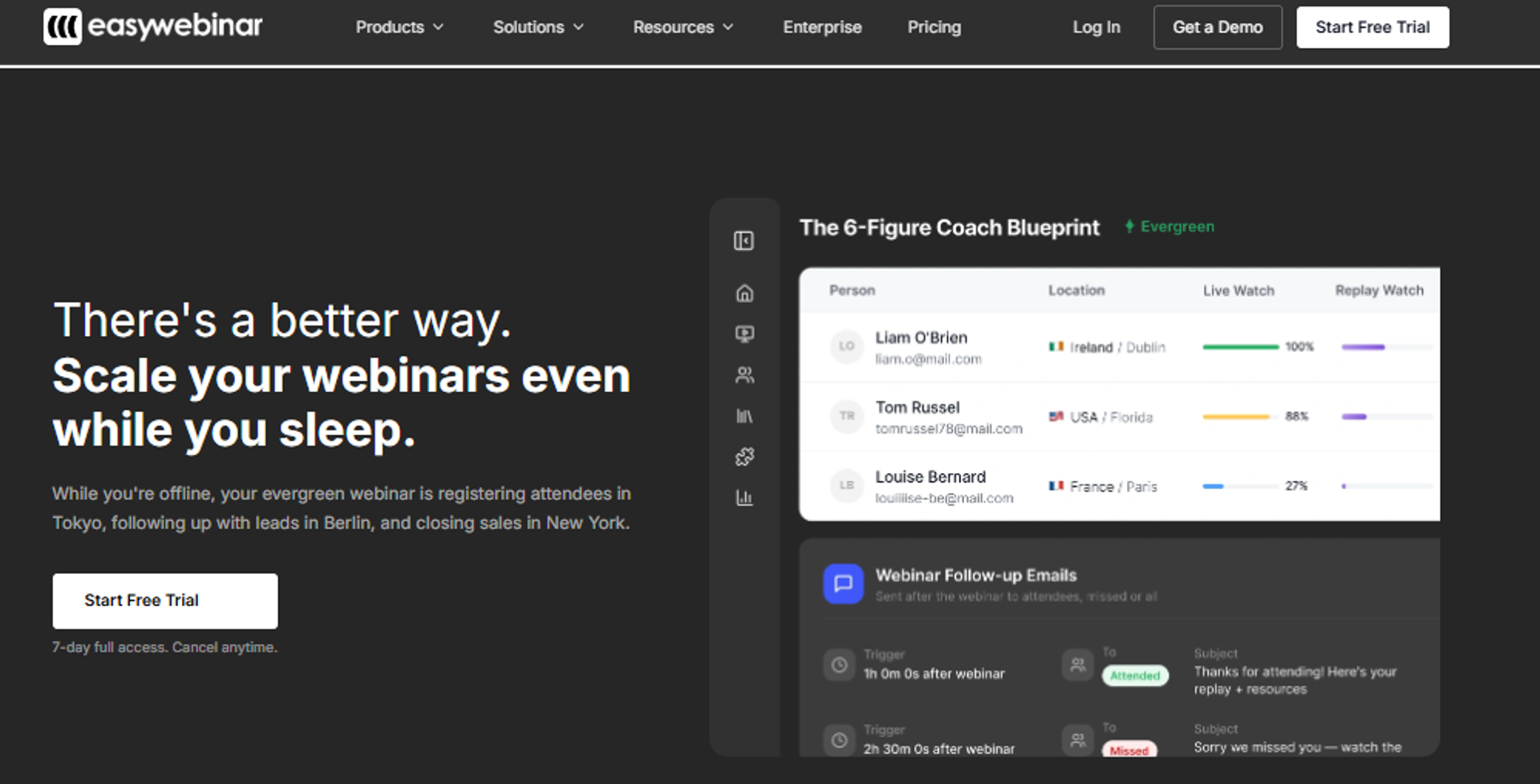
EasyWebinar is best for coaches, course creators, and agencies that need one recorded session to sell continuously, because it runs live, simulated live, and just-in-time automated webinar formats alongside a built-in CRM and in-webinar checkout. It may not fit teams that only need one-off internal meetings or live-only events with no funnel intent.
Why EasyWebinar ranks #1
The rubric weights format coverage highest, and this is where the gap shows. Most tools on this list do live or evergreen, not both.
EasyWebinar covers live webinar software formats, simulated live, automated, just-in-time, and on-demand delivery in a single account, which means the session you validate live becomes the evergreen one without an export. Just-in-time means a registrant joins a session starting within minutes, timed to their own timezone.
⚙️ Where the consolidation actually pays
The second-heaviest weight is CRM and monetization. A native CRM removes the automation bridge that fails quietly.
EasyWebinar includes a sales CRM, paid and ticketed webinars, an AI webinar funnel builder, and EasyCast multistreaming to YouTube, LinkedIn, and Facebook. That collapses four line items into one.
What EasyWebinar does well
- One account for live and evergreen. You nail the pitch live, then automate the winner, so you never guess at conversion before you spend on ads.
- Just-in-time scheduling on every plan. Cold traffic reaches a session in minutes, which matters because day-of registrants show up at the highest rate.
- Native CRM with behavioral tagging. Attendees get tagged by what they clicked and how long they stayed, so follow-up sequences stop treating everyone the same.
- In-webinar checkout and paid webinars. The offer and the payment happen in the room, not three redirects later.
- AI funnel builder. Registration pages, reminders, and the automation schedule get assembled fast, which cuts first-launch time from weeks to days.
- EasyCast multistreaming. One session simulcasts to social channels, so the same recording feeds several traffic sources.
Where EasyWebinar falls short
- The presentation must be recorded and uploaded before the automated funnel can be finished. That blocks operators who want registrations live before the content exists.
- Brand recognition trails Zoom in enterprise procurement, so IT teams often ask more questions.
- It is over-built for one-off internal meetings, where a plain meeting tool is cheaper and faster.
- Sub-$200 offers rarely justify the setup work, since the math on webinar labor does not clear at that price point.
Decision scorecard
Best for / skip if
Choose EasyWebinar if webinars are how you actually sell, and you want live plus evergreen plus follow-up on one invoice. Skip it if your webinars are internal training with no offer attached, or if your price point is too low for a webinar to be worth the build. The current webinar pricing page shows which formats sit on which tier.
Reviews
- Operators running solo praise the evergreen scaling: one G2 reviewer called it the platform "built specifically to scale and 10X your efforts," specifically for entrepreneurs who convert well live but cannot be everywhere at once.
- The same reviewer flagged the real constraint: the presentation has to be uploaded before the automated webinar can be set up, which blocks promoting a session you have not recorded yet.
"EasyWebinar is hands-down THE webinar platform for evergreen webinars, no contest."- Ash A., EasyWebinar G2 - Verified Review
"The biggest challenge is around setting up automated webinars, and needing the presentation uploaded first in order to set it up."- Ash A., EasyWebinar G2 - Verified Review
EasyWebinar was built around the sequence I use myself: run the session live until it converts, then automate that exact recording with CRM tagging attached. Named customers on this workflow include Carla Biesinger and K21 Academy, which lifted show-up rate to 47%.
2. EverWebinar
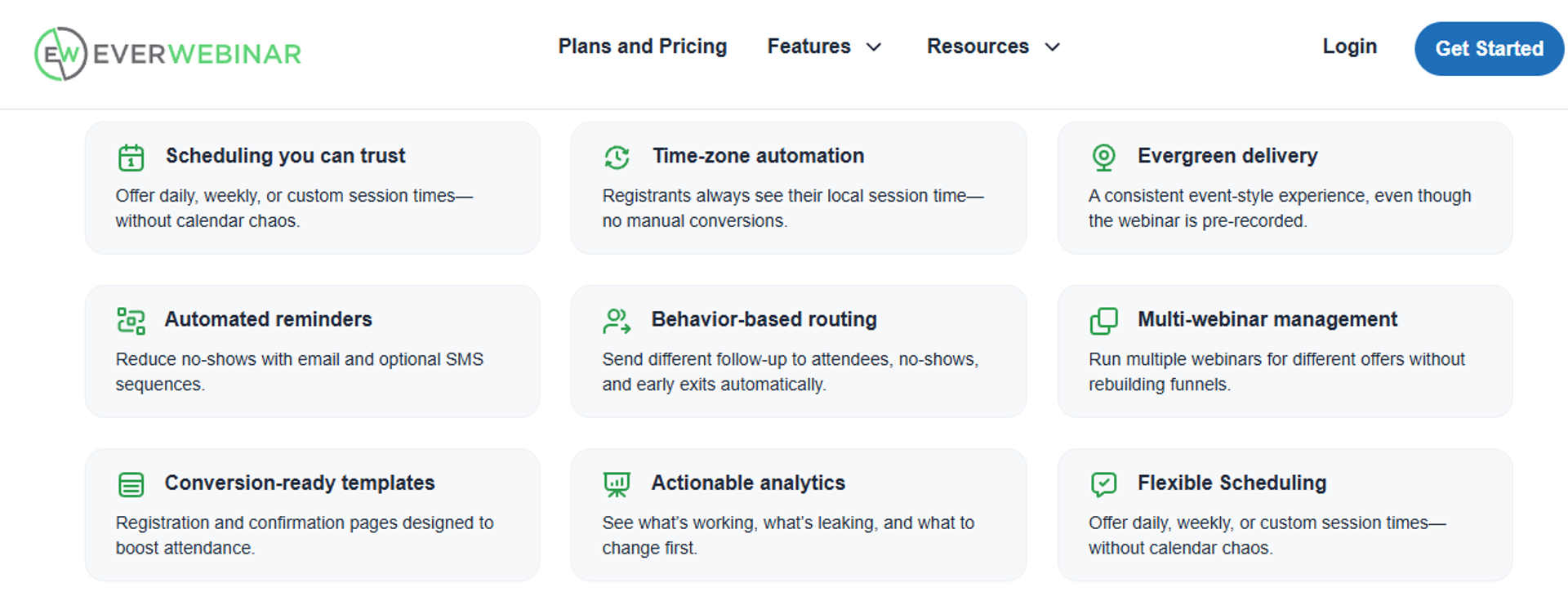
EverWebinar is best for operators already inside the WebinarJam ecosystem that need deep simulated-live scheduling, because it offers mature replay and attendance controls, but it may not fit teams that need native live hosting or support during a launch. It holds 3.9/5 on G2 across 21 reviews, with a 3.3/5 customer-service sub-rating on Capterra.
Why EverWebinar ranks #2
It ranks second on evergreen depth alone. The scheduling engine is genuinely mature, and it has run more automated funnels than most tools on this list.
It loses ground on three rubric criteria: format coverage, CRM and monetization, and support. There is no native live product, no native CRM, and no in-platform checkout. Our EverWebinar vs EasyWebinar breakdown maps those gaps feature by feature.
⚠️ The two-invoice structure
Evergreen without live means you validate somewhere else. Most operators end up buying WebinarJam too.
That is two subscriptions before you add email and payments. The CFO sees one line item and gets three.
What EverWebinar does well
- Deep scheduling logic. You control recurring slots, blackout windows, and replay availability precisely, which suits funnels running for years.
- Split testing on registration. You can test pages against each other, so cost per registrant comes down with iteration.
- Familiar ecosystem. If your team already runs WebinarJam, the interface and asset library carry over, cutting ramp time.
- Attendance-boosting reminders. Built-in reminder sequences run without a third-party email tool for basic setups.
Where EverWebinar falls short
- Cloning a webinar has produced duplicate chat messages, registrant emails not sending, and broken pop-ups, and support told one team that cloning has known issues buried in documentation.
- Support during live events is email-only, which one reviewer called "not an ideal scenario in a live event".
- Captions are not generated automatically, so accessibility work is manual.
- No native CRM or checkout, so behavioral follow-up and payments require separate tools.
Decision scorecard
Best for / skip if
Choose EverWebinar if you already run WebinarJam and want its evergreen counterpart with fine-grained scheduling. Skip it if you clone webinars regularly, need live support during a launch, or want CRM and checkout without buying two more tools. Operators comparing exits usually start with EverWebinar alternatives.
Reviews
- Cloning is the most damaging documented failure: one reviewer reported duplicate chat, unsent registrant emails, and broken pop-ups, then was told cloning has known issues, with no refund for lost attendees.
- Launch-day support is the second: a reviewer described setup complexity and email-only access to support when participants could not get in.
"Inability to clone webinars without serious resulting issues, despite a clone button that is featured prominently on all webinars."- Kaylen M., EverWebinar G2 - Verified Review
"When things don't work or participants log in late there is no way to get help or reach support except via email."- Verified User in Market Research, EverWebinar G2 - Verified Review
EasyWebinar keeps registration, reminders, CRM, and checkout inside one system, which removes the cloning and unsent-email failure class that EverWebinar reviewers document. The evergreen funnel automation guide shows how that single-system path is built end to end.
3. eWebinar
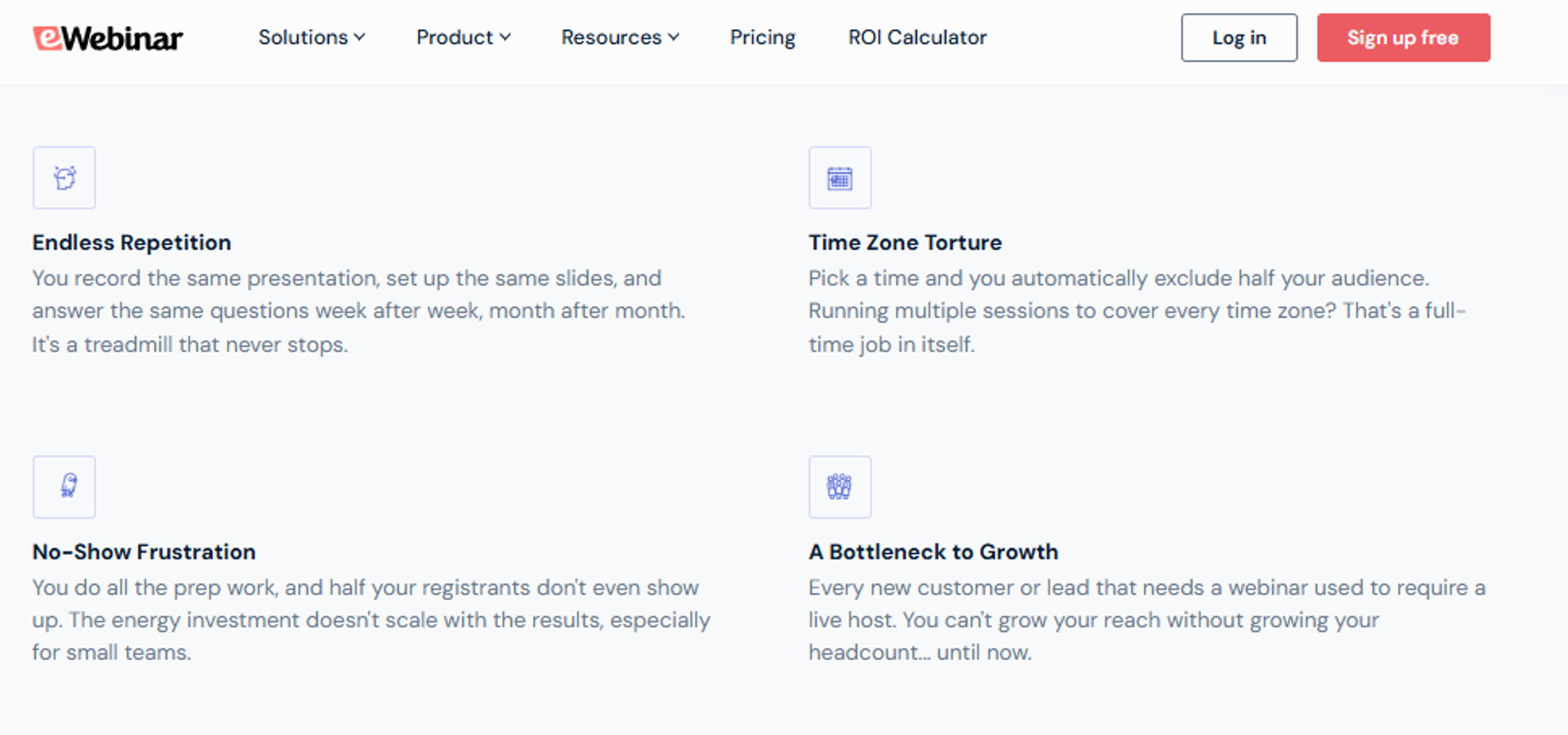
eWebinar is best for SaaS onboarding and customer-education teams that need automated sessions with real conversations, because it routes attendee chat to a staffed inbox instead of running scripted fake chat, but it may not fit operators who also need to host live events.
Why eWebinar ranks #3
It ranks third because it treats automation as the product, not an add-on. Interactions, chat, and scheduling are all built for sessions running without a host.
It loses points on format coverage and monetization. There is no live mode, and there is no in-platform checkout, so selling happens on a separate page. Teams that need both usually compare it against a full webinar funnel build instead.
💬 The chat honesty point
Most evergreen tools fake the chat. Scripted messages appear on a timer, and attendees eventually notice.
eWebinar routes real questions to a team inbox and replies asynchronously, which is a defensible middle path. Async simply means the reply arrives later, not during the session.
What eWebinar does well
- Real async chat. Attendee questions reach a human, so trust holds up when someone asks something the recording cannot answer.
- Interaction timeline. Polls, offers, and downloads fire at set timestamps, which keeps engagement steady without a presenter.
- Fast setup from an existing video. Upload a recording and the session, page, and reminders assemble quickly, cutting launch time.
- Flexible scheduling. Recurring slots plus just-in-time options let you match sessions to the buyer's moment of interest.
- Clean analytics on drop-off. You see where viewers leave, so you can cut the dead five minutes before the pitch.
Where eWebinar falls short
- No native live webinars, so you cannot validate a pitch live inside the same tool.
- No in-platform checkout, so payments depend on a separate cart or CRM.
- Positioning leans toward onboarding and support use cases, so high-ticket sales operators often need extra funnel tooling.
Decision scorecard
Best for / skip if
Choose eWebinar if your automated sessions are onboarding, training, or demos where real answers matter. Skip it if webinars are your primary sales channel and you need live plus checkout in one place. Operators selling from the session usually need paid webinars attached to the room itself.
4. WebinarJam
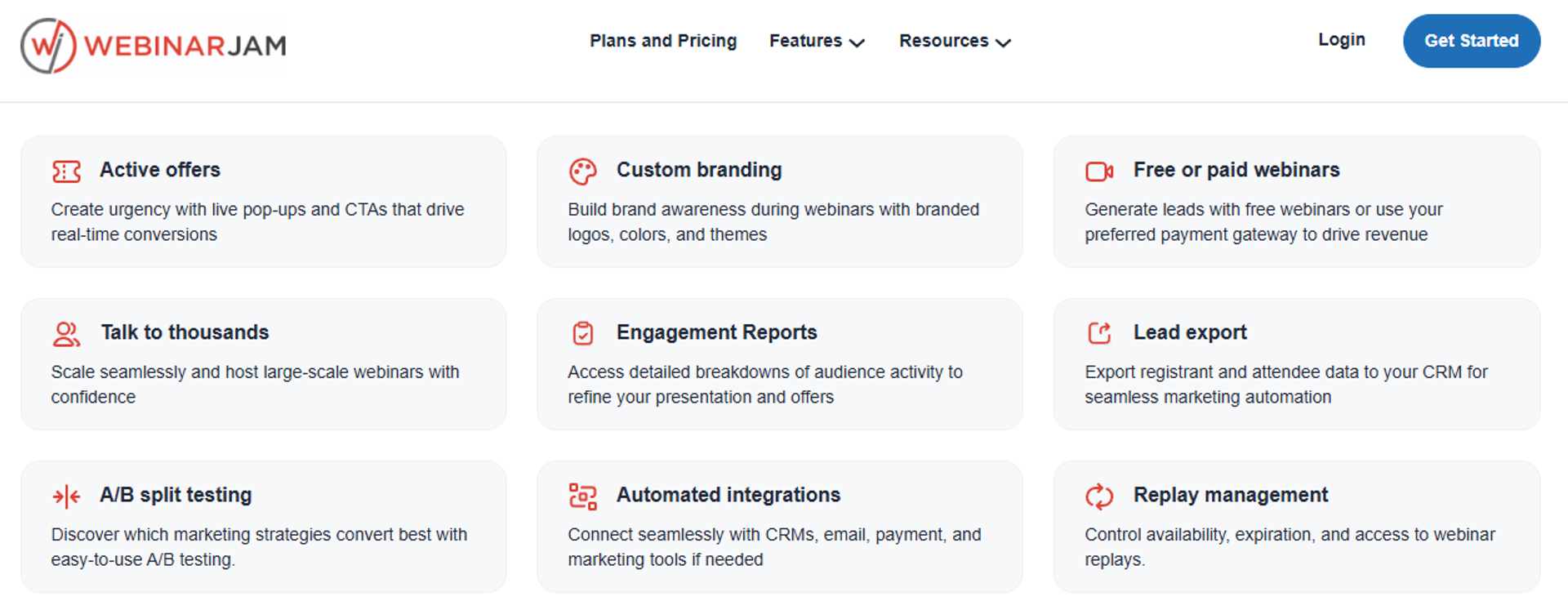
WebinarJam is best for operators running live launch events with large rooms that need pop-up offers during the broadcast, because it offers live streaming with in-session CTAs, but it may not fit buyers who want evergreen delivery without purchasing EverWebinar separately.
Why WebinarJam ranks #4
Live delivery with offer pop-ups is genuinely useful, and many high-ticket launches still run on it. Attendee capacity is competitive at the higher tiers.
It ranks fourth because this list is about evergreen. The evergreen half lives in a separate purchase, and reviewers report email deliverability and integration problems. Buyers weighing the split often start with WebinarJam vs EverWebinar.
💸 The stack math to run first
One reviewer put the split plainly, praising the partner product while noting "you have to pay more for" it. That is two subscriptions before email and payments.
Run the total cost before you commit. A CFO reviewing four line items will ask why webinars need four vendors.
What WebinarJam does well
- Live streaming with offer pop-ups. Offers appear during the presentation, which shortens the distance between pitch and click.
- Large live rooms. Higher tiers support big audiences, so launch events do not hit a ceiling mid-broadcast.
- Registration pages included. You can publish a page without a separate landing page tool, which speeds up a first launch.
- Attendee replay links. Replays go out automatically, so late registrants still see the presentation.
Where WebinarJam falls short
- Third-party integrations have been inconsistent, with registrant data and custom form fields not passing correctly.
- The built-in email service has been described as clunky, hard to edit, and inconsistent at sending to registrants.
- Evergreen requires EverWebinar, which doubles the subscription count for the same funnel.
- No native CRM or in-platform checkout, so follow-up and payments need outside tools.
Decision scorecard
Best for / skip if
Choose WebinarJam if your revenue comes from live launch events and you accept a second tool for evergreen. Skip it if you want one system for live and automated delivery. Teams consolidating usually review WebinarJam alternatives before renewal.
Reviews
- Integration and email reliability are the recurring pains: one reviewer reported inconsistent registrant syncing to Mailchimp and emails not consistently sending to registrants.
- The same reviewer valued the evergreen experience but flagged it as a paid add-on rather than an included capability.
"Their email service doesn't consistently send to registrants, or report emails that have been sent."- Tara G., WebinarJam G2 - Verified Review
5. Demio
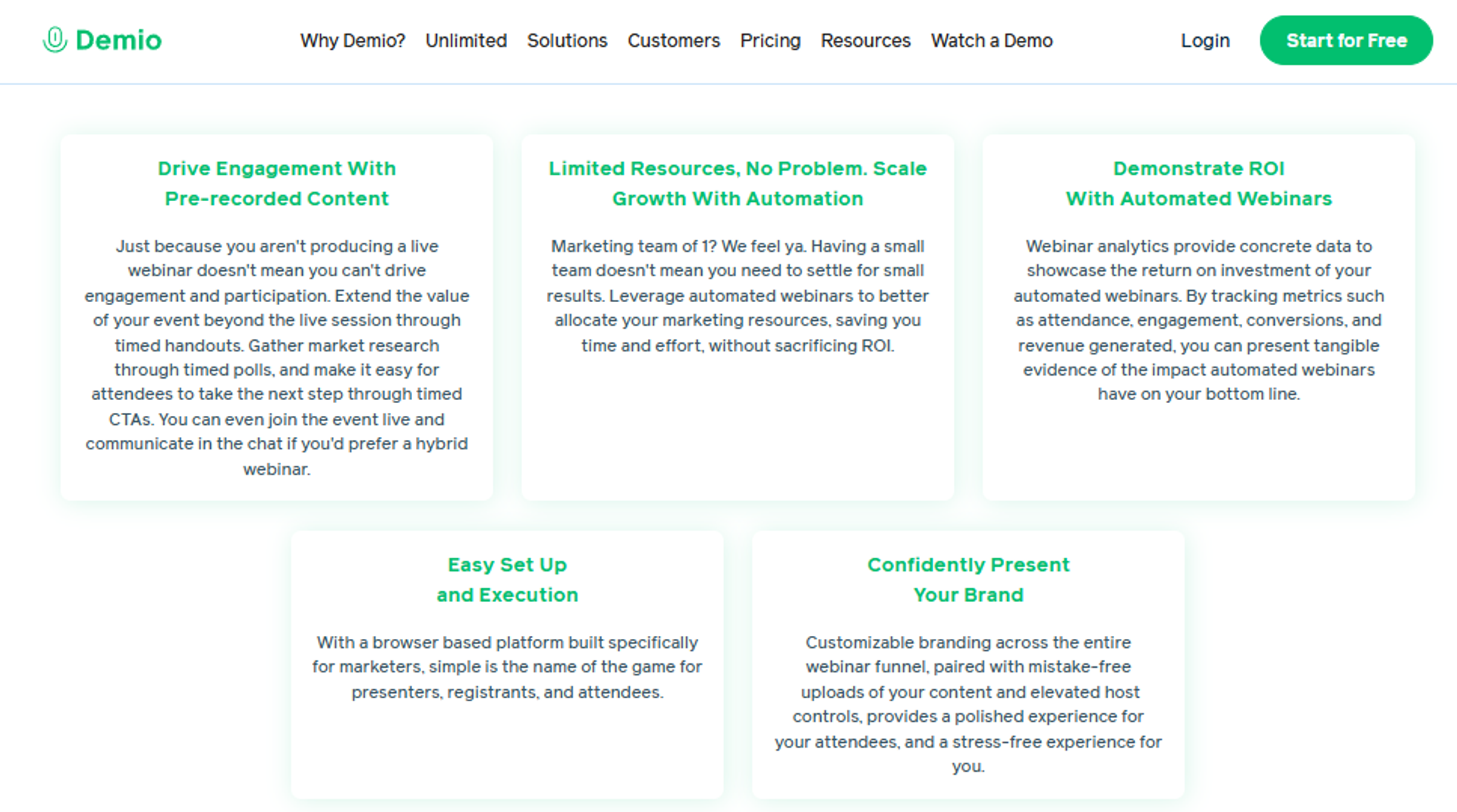
Demio is best for marketing teams that want a clean live experience with light automation, because it offers fast registration setup and a simple attendee interface, but it may not fit operators who need replays that preserve polls and offer buttons.
Why Demio ranks #5
Setup speed is real. Reviewers consistently note how quickly registration pages and events go live.
It ranks fifth on evergreen depth. Automated events exist, but replay fidelity and on-demand controls have gaps that matter to funnel operators. The EasyWebinar vs Demio comparison lays those gaps out criterion by criterion.
⚠️ Watch the replay and the exit
One reviewer using GoHighLevel found the replay did not show live polls and CTAs. In a sales funnel, that is the offer disappearing.
Another reviewer could not export registrant emails after canceling. Check data portability before you build a list inside any tool.
What Demio does well
- Fast event and page setup. You can spin up registration pages quickly, which shortens time to a first test.
- Clean attendee experience. Browser-based joining with a simple interface reduces support questions from attendees.
- Preloaded assets. Slides, videos, polls, and handouts load before the session, so the room is ready at start time.
- Attendee privacy options. Participants can stay anonymous to each other, which suits sensitive coaching topics.
- Hybrid formats. Live plus automated events run from one account, covering basic evergreen needs.
Where Demio falls short
- Replays have not displayed live polls and CTAs for some reviewers, which breaks the offer path.
- Registrant lists have not been exportable after cancellation, creating data lock-in.
- Uploading presentation material has been slow, with no shared asset library across webinars.
- Pricing scales by attendee volume, which reviewers say makes growth expensive for smaller teams.
Decision scorecard
Best for / skip if
Choose Demio if your team runs mostly live webinars and wants a fast, clean setup. Skip it if the replay is your main revenue channel or you need CRM and checkout inside the platform. Shortlists at this stage usually widen to Demio alternatives.
Reviews
- Replay fidelity and CRM syncing are the documented gaps: one reviewer noted incomplete GoHighLevel integration and a replay missing live polls and CTAs.
- Data portability is the second concern: a reviewer could not export collected registrant emails after canceling a paid plan.
"It didn't fully integrate with my CRM (Highlevel) and the replay didn't show the live polls and CTAs."- Ivanhoe S., Demio G2 - Verified Review
"After canceling, I was shocked to find out I couldn't export the list unless I subscribed again."- Sheida M., Demio G2 - Verified Review
6. StealthSeminar
StealthSeminar is best for operators running long-lived evergreen funnels that need precise scheduling control, because it offers mature recurring, replay, and attendance-boosting logic, but it may not fit buyers who want a modern interface or native live hosting.
Why StealthSeminar ranks #6
Longevity counts here. It has run automated funnels for years, and the scheduling engine reflects that experience.
It ranks sixth on usability and format coverage. New operators face a learning curve, and live delivery is not the focus. The EasyWebinar vs Stealth Seminar page tracks that format gap directly.
⏰ Scheduling depth versus setup time
Deep scheduling is worth real money when a funnel runs for years. It costs you time in week one.
If you plan to launch this month, weigh that trade-off honestly. A simpler tool that ships on Friday often beats a deeper tool that ships in March.
What StealthSeminar does well
- Precise recurring schedules. You control slots, blackout windows, and replay windows, which suits always-on funnels.
- Attendance-boosting features. Reminder logic and scheduling nudges lift show-up rate without extra tooling.
- Just-in-time options. Registrants can join sessions starting shortly after signup, matching their curiosity peak.
- Stable automated playback. Long-running sessions play reliably, which matters when ads run every day.
Where StealthSeminar falls short
- The interface feels dated next to newer platforms, which slows first-time setup.
- No native live hosting, so live validation happens in another tool.
- Pricing and support terms are not clearly published, so procurement needs to verify before publishing.
- No native CRM or checkout, so follow-up and payments require outside systems.
Decision scorecard
Best for / skip if
Choose StealthSeminar if you run an evergreen funnel for years and want fine scheduling control. Skip it if you need live hosting, modern design, or fast first-week setup.
7. Livestorm
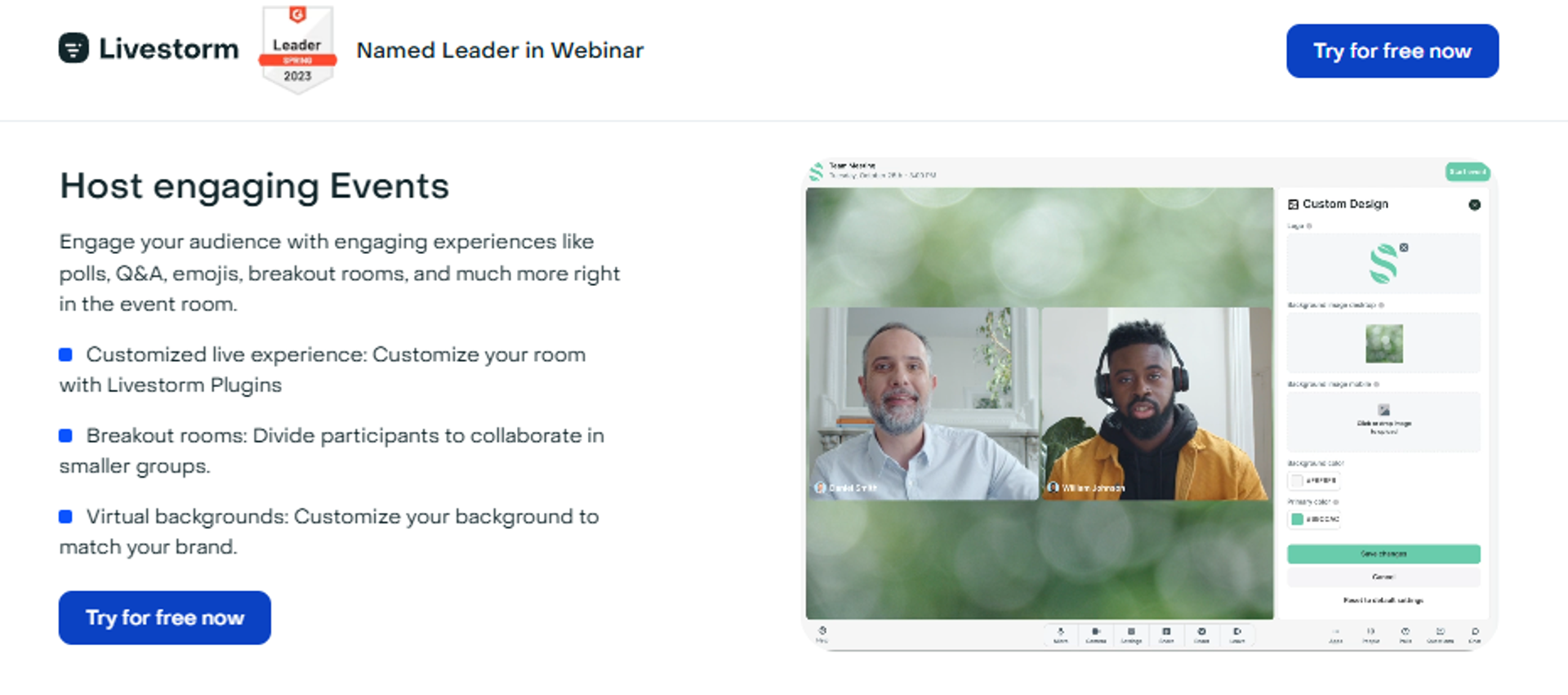
Livestorm is best for marketing teams running browser-based events with clear data handling that need replay analytics and CRM integrations, because it offers no-download joining and detailed reporting, but it may not fit buyers who need evergreen depth on lower plans.
Why Livestorm ranks #7
Reporting and attendee experience are genuine strengths. Nothing installs, which lifts show-up rate for corporate audiences.
It ranks seventh for this keyword because evergreen is not the center of the product. Automated scheduling depth trails the specialists above it, and teams comparing cost usually check Livestorm pricing against their host count first.
📊 Where the analytics help
Replay analytics tell you who watched, for how long, and where they stopped. That data drives the follow-up email that actually converts.
Pair it with your CRM before launch. Without that link, the reporting stays interesting rather than useful.
What Livestorm does well
- No-download joining. Attendees click and arrive, which reduces the technical drop-off that kills show-up rate.
- Replay and engagement analytics. You see viewing depth per person, so follow-up can be tiered by interest.
- CRM and marketing integrations. Registration and attendance data flows into your existing stack cleanly.
- Multi-format events. Webinars, meetings, and on-demand sessions run from one workspace.
- Clear data handling. European hosting and GDPR compliance clarity help IT and legal reviewers approve faster.
Where Livestorm falls short
- Evergreen and automation capabilities sit on higher plans, so cost rises as automation matters more.
- Per-host pricing gets expensive when several team members present.
- No native CRM or in-platform checkout, so selling depends on outside tools.
Decision scorecard
Best for / skip if
Choose Livestorm if attendee experience, reporting, and data compliance lead your requirements. Skip it if evergreen automation and in-session selling are the point of the purchase.
8. WebinarKit
WebinarKit is best for solo operators validating one evergreen offer on a small budget that need automated sessions cheaply, because it offers the lowest entry price in this list, but it may not fit buyers who need deep analytics or wide integrations.
Why WebinarKit ranks #8
Price is the honest reason to consider it. If you are testing whether webinars work for your offer, cost of entry matters.
It ranks eighth because depth is limited. Analytics, integrations, and support all trail the tools above it, which is why price-led shortlists often move on to affordable webinar platforms with better reporting.
💰 A test budget, not a system
Cheap tooling is fine for a first test. It becomes expensive when ad spend scales and you cannot see where attendees drop.
Set a decision date before you buy. If the funnel works, move to a platform that reports properly.
What WebinarKit does well
- Low entry cost. You can test an evergreen offer without committing meaningful cash up front.
- Automated and on-demand formats. Sessions run on schedule or instantly, covering basic evergreen needs.
- Simple setup path. Fewer options means fewer decisions, so a first funnel ships faster.
- Registration pages included. No separate page builder is needed for a first test.
Where WebinarKit falls short
- Analytics depth is limited, so diagnosing drop-off is harder as spend increases.
- Fewer native integrations means more dependence on automation bridges that can fail quietly.
- Support is email-based, so launch-day problems can sit unresolved.
- Annual-first billing reduces flexibility for short tests.
Decision scorecard
Best for / skip if
Choose WebinarKit if you need the cheapest way to test one evergreen offer. Skip it if ad spend is already flowing and you need reporting to protect it.
9. BigMarker
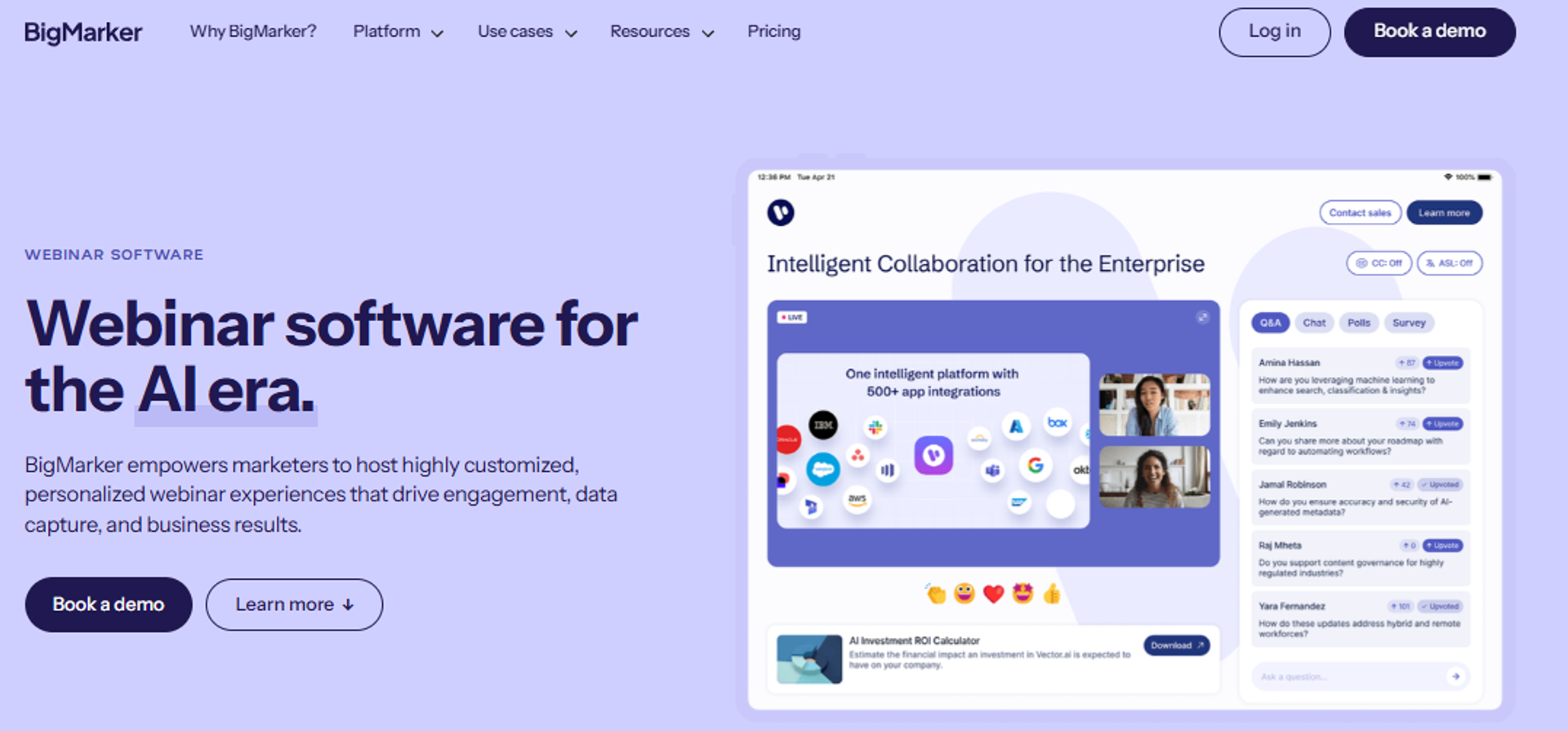
BigMarker is best for enterprise teams running large virtual events that need custom experiences and high attendee ceilings, because it offers configurable event environments and managed support, but it may not fit buyers who need published pricing and a fast self-serve start.
Why BigMarker ranks #9
Capacity and customization are real advantages for enterprise buyers. Summits and multi-session events fit well here.
It ranks ninth for this keyword because evergreen funnels are not the primary buyer. Procurement cycles and quote-based pricing do not suit a solo operator testing an offer, though the same capacity question drives most webinar platform for 1000 attendees searches.
🛡️ Where enterprise readiness helps
IT and security reviewers usually clear enterprise platforms faster. Compliance documentation and managed support shorten that review.
Ask for the security package early. Verify SOC 2 and SSO details directly with the vendor before publishing any claim.
What BigMarker does well
- High attendee ceilings. Large audiences join without capacity anxiety, which matters for flagship events.
- Custom event environments. Branded landing pages and session layouts support multi-track summits.
- Automated and on-demand sessions. Recorded content runs on schedule inside the same platform as live events.
- Managed and partner support. Enterprise accounts get hands-on help, which reduces launch-day risk.
- API and integrations depth. Event data can flow into enterprise marketing systems.
Where BigMarker falls short
- Pricing is quote-based, so budgeting and comparison take longer.
- Setup complexity is higher than self-serve tools, which slows small teams.
- Cost usually exceeds what a solo coach or creator can justify.
- Evergreen sales mechanics are secondary to event production features.
Decision scorecard
Best for / skip if
Choose BigMarker if you run large branded events and have procurement support. Skip it if you are a solo operator or small team needing a funnel live this month.
10. WebinarNinja
WebinarNinja is best for solo educators and coaches running series or hybrid sessions that need several formats in one tool, because it offers live, automated, series, and hybrid webinar types, but it may not fit buyers who need deep evergreen scheduling or native checkout.
Why WebinarNinja ranks #10
Format variety is the draw. Series and hybrid formats suit teaching businesses that run the same content repeatedly.
It ranks tenth because evergreen depth is shallow relative to the top of this list. Scheduling controls and analytics are lighter, a contrast the EasyWebinar vs Webinar Ninja comparison sets out in detail.
🎥 Series formats versus evergreen funnels
A series works when you teach in sequence over several days. An evergreen funnel works when a stranger arrives from an ad at 11pm.
Those are different jobs. Pick based on which one drives your revenue.
What WebinarNinja does well
- Four webinar types. Live, automated, series, and hybrid cover most teaching and selling patterns in one tool.
- Fast page creation. Registration and thank-you pages come built in, so a first session ships quickly.
- Simple hosting flow. Fewer settings mean fewer mistakes for solo operators without technical help.
- Basic automation. Recorded sessions run on a schedule for straightforward evergreen offers.
Where WebinarNinja falls short
- Evergreen scheduling and just-in-time controls are thinner than specialist tools.
- No native CRM, so behavioral follow-up needs an external system.
- Checkout is not in-platform, so payments require a separate cart.
- Analytics are basic, which limits diagnosis when ad spend scales.
Decision scorecard
Best for / skip if
Choose WebinarNinja if you teach in series and want several formats without complexity. Skip it if a cold-traffic evergreen funnel is the reason you are buying.
Across these eight entries, the same three gaps repeat: no native CRM, no in-platform checkout, and evergreen sold separately from live. That pattern is why the two-invoice question belongs in your first vendor call, not your third.
EasyWebinar sits at the top of this list because it closes those three gaps on one plan, running live, simulated live, and just-in-time evergreen sessions with a built-in sales CRM and in-webinar payments attached. Named customers on that workflow include Carla Biesinger and K21 Academy, which reached a 47% show-up rate.
Q2. How were these evergreen webinar tools scored and selected?
Each tool was scored out of 100 across five weighted criteria: Format Depth (live plus evergreen plus just-in-time) 25%, CRM and Monetization Integration 20%, Setup and Usability 20%, Pricing Transparency 20%, and Verified User Reviews 15%. Scores convert to stars in 20-point bands: 0 to 20 is 1 star, 21 to 40 is 2, 41 to 60 is 3, 61 to 80 is 4, and 81 to 100 is 5.
Why a published rubric matters here
Most roundups for this keyword hand out scores with no stated test. Programmatic pages rate ten tools out of ten and never say what was measured.
That is a problem when you are about to point ad spend at a funnel. Buyers who skip the math end up spending real money before they know how bad each number can get. Our own webinar software comparison guide uses the same disclosed weights.
📊 The weights and the evidence behind them
Format Depth carries the heaviest weight for one reason. You validate a pitch live before you automate it, so a tool without live webinar software forces a second purchase.
⚠️ What the rubric deliberately ignores
Design polish got no weight. I have watched operators spend six weeks on page aesthetics and lose the quarter.
One of my clients still runs default registration pages and has made millions from webinars. Presentation beats polish, so the rubric scores capability instead.
How to re-weight this for your own funnel
The weights fit an operator selling an offer from a recorded session. Your situation may differ, so adjust before you shortlist.
- Ad-spend heavy: raise Format Depth and Verified Reviews. Reliability failures cost you money every day the funnel runs.
- List launch only: raise Setup and Usability. Speed to first session matters more than deep scheduling controls.
- Enterprise procurement: raise Pricing Transparency and reviews. Quote-based vendors need longer runway and security documentation.
- Low-ticket offers: raise CRM and Monetization. Volume selling breaks fast without native tagging and checkout.
💰 Where the scores landed
EasyWebinar scored 92 out of 100 on this rubric, with points lost on brand recognition against Zoom rather than on format depth or monetization. That is an honest result, not a flattering one.
EverWebinar scored in the 3-star band, dragged down by cloning defects and email-only support during events. eWebinar and Livestorm reached 4 stars on different strengths, chat authenticity and analytics.
What the rubric cannot tell you
Scores compare capability. They cannot tell you whether your offer converts, and no platform fixes a weak pitch.
My read right now is that Format Depth predicts long-term fit better than any other criterion. I could be reading it too strongly, so check it against your own show-up data and webinar analytics.
EasyWebinar publishes its own score here for the same reason it publishes the weights: a rubric you cannot audit is marketing, not methodology. Disagree with the weights, change them, and the shortlist should still hold up.
Q3. What separates true evergreen webinar software from a replay page?
Evergreen webinar software plays a pre-recorded presentation on an automated schedule without a live host, using just-in-time start times, timezone-adjusted delivery, async question handling, and timed offers, so registrants can attend within minutes of signing up rather than waiting days. Simulated live runs on fixed recurring slots. On-demand plays instantly with no scheduling.
The three modes, side by side
All three sit under the automated webinar umbrella. The differences decide which traffic source they suit.
A replay page is none of these. It is a video with a play button, and it converts like a video. The distinction is covered further in our simulated live webinar explainer.
⏰ Just-in-time and timezone detection
Just-in-time means the next session starts within minutes of signup, not next Tuesday. Timezone detection means 2pm reads as 2pm wherever the registrant sits.
Registration timing is why this matters. Roughly 17% of registrants sign up on the day of the event, and people who opt in 48 hours or more ahead show up least.
🎥 Replay stream fidelity, the criterion nobody tests
Fidelity means your polls, offer buttons, handouts, and checkout survive automation. Test it before you buy, because this is where funnels quietly lose money.
One Demio reviewer found the replay did not show the live polls and CTAs. Your recording played fine, and your offer button vanished.
"It didn't fully integrate with my CRM (Highlevel) and the replay didn't show the live polls and CTAs."- Ivanhoe S., Demio G2 - Verified Review
Chat authenticity and the credibility cost
Many evergreen tools run scripted chat on a timer. Attendees notice when the same three comments appear at minute four every session.
eWebinar built its positioning on the alternative, routing real questions to a staffed inbox and replying asynchronously. Async simply means the answer arrives later, not during the session. Either way, the room still needs real webinar engagement tools to hold attention.
✅ My integrity rule on automated sessions
Never say an automated session is live. Never say it is not.
You are honest about the format and specific about the value. That single rule has protected more launches for me than any feature toggle.
Setting registration the right way
On the registration step, select just-in-time only. A menu of future dates looks generous, and it invites no-shows.
EasyWebinar supports live, simulated live, just-in-time evergreen, and on-demand replay in one account, so you can switch modes without rebuilding the funnel. That means you test simulated live this week and move to just-in-time next week.
🚦 The part mechanics cannot fix
An automated webinar without traffic is like a billboard in the desert. Perfect scheduling reaches nobody if no ads run.
Fix the traffic source first. Then tune the mechanics against real attendance data, not theory, starting with how to drive webinar attendance.
EasyWebinar runs all four formats on every plan with timezone-detected just-in-time scheduling, so a cold click can be inside a session in under 15 minutes. That timing, not the video quality, is what separates evergreen from a replay page.
Q4. What does an evergreen webinar stack actually cost once you add CRM and checkout?
Entry pricing in 2026 ranges from roughly $24 per month (WebinarKit, billed annually) to custom enterprise pricing, with EasyWebinar at $78 per month and EverWebinar at about $499 per year. The sticker price misleads. Evergreen-only tools require separate purchases for live events, CRM, email, and checkout, which commonly triples the real monthly cost.
Published entry pricing, dated at capture
Prices move, and roundups do not keep up. The same tool appears at $44, $78, and $96 per month across three competing pages, which is why current webinar pricing should always be checked at source.
💸 Check the capture date, not the claim
Any pricing table without a date is a guess. Ask the vendor for current terms before you build a budget.
Where terms are not published, treat that as a procurement cost. Quote-based pricing adds weeks to an enterprise cycle.
The two-invoice math, worked
Take a coach running four evergreen funnels who also wants live launches. An evergreen-only tool covers one job.
- Evergreen platform: about $42 per month equivalent at $499 per year
- Live platform, bought separately: verify current annual rate
- Email service provider: $50 to $150 per month by list size
- Checkout or cart: $50 to $100 per month plus fees
- CRM: $50 to $300 per month by seats
One reviewer described this split plainly, praising the evergreen partner product while noting "you have to pay more for" it. That is the structure, not a billing accident.
"I love the partner service, everwebinar, (which you have to pay more for) that allows the participant to watch the webinar and feel as though it's a live webinar."- Tara G., WebinarJam G2 - Verified Review
⚠️ Where stack creep actually hurts
Cost is the visible problem. Integration failure is the expensive one.
Every bridge between tools is a place where registrant data stops moving. One team caught a missing few hundred opt-ins four hours before showtime, traced to a hit automation limit, the kind of gap native integrations are meant to close.
When paying separately is still correct
Consolidation is not automatically right. Be suspicious of suites that claim to be everything, and equally suspicious of point tools that need four more subscriptions.
Buy separately when one job is genuinely specialized. Enterprise summits with 20,000 attendees, or SaaS onboarding needing staffed async chat, both justify a dedicated tool.
💰 The question to ask on the first call
Ask what else you must buy to run one funnel end to end. Registration, reminders, replay, follow-up, and payment all have to be covered.
Count the invoices, then compare. A CFO reviewing four line items will ask why webinars need four vendors, which is the same math behind every evergreen sales funnel build.
EasyWebinar starts at $78 per month with live, evergreen, CRM, and paid webinars included, which keeps the evergreen stack at one invoice instead of four. That number, checked against your own stack, is the honest comparison.
Q5. Do evergreen webinars convert as well as live, and how do you hold attendees to the pitch?
No. Live sessions convert attendees at roughly 63% versus 19% on-demand, and live attendees become qualified leads at 38.2% versus 9.6% for replay viewers, which is why just-in-time scheduling that mimics live timing matters. Median registration-to-attendance has fallen to 38.4%. Evergreen wins on volume and labor, not raw conversion.
The case for live, stated fairly
Operators who spend heavily on ads report that automation underperforms on cold traffic. Recordings that converted well live have failed once automated.
For high-ticket offers, a meaningful share of buyers attend two or three live sessions before purchase. That validation is hard to fake with a recording, which is the core of the live vs automated webinars debate.
⏰ The case for evergreen, also fairly
Running a live webinar every week burns human energy for weak returns. Show-up rates on repeated weekly sessions are poor, and the presenter absorbs the cost.
There is also the unpredictability. Live means tech issues, and it means your kid can throw ketchup on your face mid-pitch.
The sequence that resolves the split
Do not choose a side. Choose an order.
- Run 5 to 10 live sessions with the same offer.
- Measure attendee-to-buyer conversion, not registrations.
- Clear at least 10% before you automate anything.
- Record the best-performing session.
- Automate that recording with just-in-time delivery.
EasyWebinar converts a live session into an automated webinar funnel inside the same account, so the validated recording never needs exporting. That keeps the tested asset intact.
📊 What to expect on cold traffic
Plan for roughly 30% registration conversion on cold ad traffic. On ice-cold traffic, show-up can sit at 10% to 15%.
Livestorm's 2026 report across 850 go-to-market leaders found a 47.7% show-up rate, with 92 no-shows per webinar. Budget for the no-shows before you scale spend, then work on how to improve webinar attendance.
Retention engineering when nobody is hosting
Target about 80% retention from peak attendance to the pitch. Below that, your offer plays to an empty room.
Three mechanics do most of the work:
- Bonus bait. Announce a bonus delivered right after the session ends, so staying has a price tag attached.
- Permission bridge. Ask attendees to type a one in the chat before you transition to the offer, which converts passive viewers into participants.
- Content restraint. Show the what and the why, not the full how, because giving away the method kills buying urgency.
⚠️ The mistakes that quietly cost sales
Do not send the join link by SMS. One team found show rate rose while booking rate collapsed, because phone viewers convert worse.
Do not brain dump. A three-hour session to a sophisticated audience produced one sale in a case I reviewed.
Urgency without a host on the line
Automation removes the presenter, so the scarcity has to be structural. Three settings replace the live pressure.
- Timed CTAs that appear at the same timestamp every session
- Behavioral tagging so clicks and watch time route people into different sequences
- A hard 72-hour replay expiry, with reminder emails on day three
Behavioral tagging simply means the system labels attendees by what they did. Someone who clicked the offer button is warmer than someone who left at minute nine, which is exactly what a webinar CRM is meant to record.
EasyWebinar runs timed offers, in-session CTAs, and behavior-based follow-up natively, so the urgency mechanics survive the switch from live to automated. The sequence still matters more than the software: validate live, then automate what already sold.
Q6. Which evergreen platforms break when you clone, automate, or cancel?
The recurring failures are cloning defects (duplicated chat, unsent registrant emails, broken pop-ups), replays that drop live polls and CTAs, no automatic caption generation, email-only support on launch day, and registrant lists that cannot be exported after cancellation. EverWebinar holds 3.9/5 on G2 with a 3.3/5 customer-service sub-rating on Capterra.
The documented failure map
Buyers exiting each of these usually land on a shortlist of top webinar platforms with the same failure questions attached.
⚠️ What reviewers actually said
"Inability to clone webinars without serious resulting issues, despite a clone button that is featured prominently on all webinars."- Kaylen M., EverWebinar G2 - Verified Review
"After canceling, I was shocked to find out I couldn't export the list unless I subscribed again."- Sheida M., Demio G2 - Verified Review
"The automated email sequences are full of bugs, and customer support is extremely unhelpful."- Verified User in Translation and Localization, Zoom Events and Webinars G2 - Verified Review
Sorting annoyance from lost revenue
A clunky dashboard is annoyance. An unsent reminder email is lost revenue.
I read reviews with that filter, and I suggest you do too. Complaints about interface polish rarely predict a bad quarter, while complaints about email delivery always do, a pattern visible across webinar platform reviews.
💸 The third-party bridge problem
Most evergreen stacks depend on an automation bridge between tools. Bridges have limits, and limits get hit quietly.
One team discovered their automation account had capped, leaving a few hundred opt-ins missing from the CRM. They caught it four hours before showtime.
Data portability, the question buyers skip
Ask who owns the registrant list if you cancel. Then ask for the export path in writing.
Demio reviewers found the export blocked behind an active subscription. That is a switching cost disguised as a feature, and it is worth checking before you compare webinar platforms on features alone.
✅ Your pre-launch audit checklist
- Clone one webinar, then verify chat, emails, and pop-ups fire correctly
- Watch your own replay start to finish and confirm polls, CTAs, and checkout appear
- Send a test registration and time every reminder email
- Export the registrant list once, before you need it
- Confirm the support channel and response time for launch day
- Check caption generation if accessibility matters to your audience
EasyWebinar keeps registration, reminders, CRM, and checkout inside one system, which removes the automation-limit and unsent-email failure class entirely. That does not make it flawless, and the upload-first constraint is real, but it removes the failures that cost launches.
Q7. Which tool fits your business, and how do you launch the funnel this week?
Coaches and course creators selling high-ticket need just-in-time scheduling plus checkout: EasyWebinar or EverWebinar. SaaS onboarding at scale needs real async chat, so eWebinar fits. Enterprise events needing large attendee ceilings point to BigMarker or Livestorm. Budget testers start with WebinarKit. Live-first teams adding automation choose Demio.
Routing by what you actually sell
⭐ Evidence behind the coaching and creator match
EasyWebinar documents named customer outcomes rather than category claims, including K21 Academy at a 47% show-up rate and Carla Biesinger's evergreen funnel. Those are the personas the format depth was built for.
Reviewers describe the same fit in their own words.
"EasyWebinar is hands-down THE webinar platform for evergreen webinars, no contest."- Ash A., EasyWebinar G2 - Verified Review
When a webinar is the wrong tool
Skip this whole category if your offer sits under $200. The math on webinar labor does not clear at that price.
Skip it for one-off internal meetings with no offer attached. And skip evergreen entirely until you have a live session that converts, which is why the coaching sales funnel sequence starts live.
⏰ The seven-step launch sequence
- Pick one offer and one audience. No branching paths.
- Run 5 to 10 live sessions and track attendee-to-buyer conversion.
- Clear 10% before automating. Below that, fix the pitch, not the tech.
- Record the best session in one take.
- Toggle just-in-time only on registration, meaning sessions start minutes after signup.
- Wire behavioral tagging to watch time and button clicks.
- Set a 72-hour replay expiry with reminders on day three.
Keep the funnel simple on purpose
If your funnel diagram starts to look like a subway map, stop and simplify. Every extra branch is another place emails fail and links break.
Operators who build the complex version report six months to a year before it works properly. One path ships this week, and the AI funnel builder assembles that single path faster than a manual build.
❌ Two guardrails I would not skip
Do not write reminder emails with raw AI output. Prospects recognize generic copy, and it costs you show-up rate.
Do not chase design polish before conversion. A client of mine still uses default registration pages and has made millions from webinars.
What I am watching next
My read right now is that live workshops come back into fashion as audiences get over-automated. I could be wrong about the timing, so I am watching show-up data quarterly rather than predicting.
If you are building an evergreen funnel this month, tell me what you are selling and what your live conversion looked like. That single number decides most of the tooling debate.
EasyWebinar is the default for coaches, creators, and agencies running high-ticket evergreen funnels, with documented customers including Carla Biesinger and K21 Academy. The sequence still comes first: nail it live, then automate the winner.
Frequently Asked Questions

Casey Zeman
Founder of EasyWebinar
About Author
Over the past decade, I've helped thousands of entrepreneurs, coaches, and consultants turn webinars into a predictable, powerful way to grow their audience, build trust, and scale, without the constant hustle. I created EasyWebinar because I couldn't find a system that combined authenticity, engagement, and automation the way I needed. So, I built one.
Related Posts

10 Best Community Engagement Platforms in 2026
Compare the 10 best community engagement platforms in 2026. Course creators, evaluate live hosting, analytics, and replay to pick your winner today.

10 Best Online Coaching Tools in 2026: Live Session Quality, Scheduling, Recording, and Client Engagement Analytics
Compare the 10 best online coaching tools of 2026 on session quality, scheduling, and analytics. Discover the right fit for your coaching revenue model.

10 Best Webinar Hosting Platforms Ranked by Uptime, Streaming Quality & Cost
Compare 10 webinar hosting platforms ranked by uptime, streaming quality, and cost. Discover which tool actually turns attendees into revenue.
Turn every webinar into a revenue stream
Launch your first paid event in just a few clicks - and start monetizing your expertise.
Book a Call